
Managed OpenClaw deployment
ClawRapid provisions the server and launches OpenClaw for you, removing the need to set up infrastructure or use the terminal yourself.
ClawRapid is a managed way to launch OpenClaw without manual server setup or terminal work. It prepares and hardens the server, then connects the assistant to channels like Telegram, Discord, Slack, or WhatsApp.
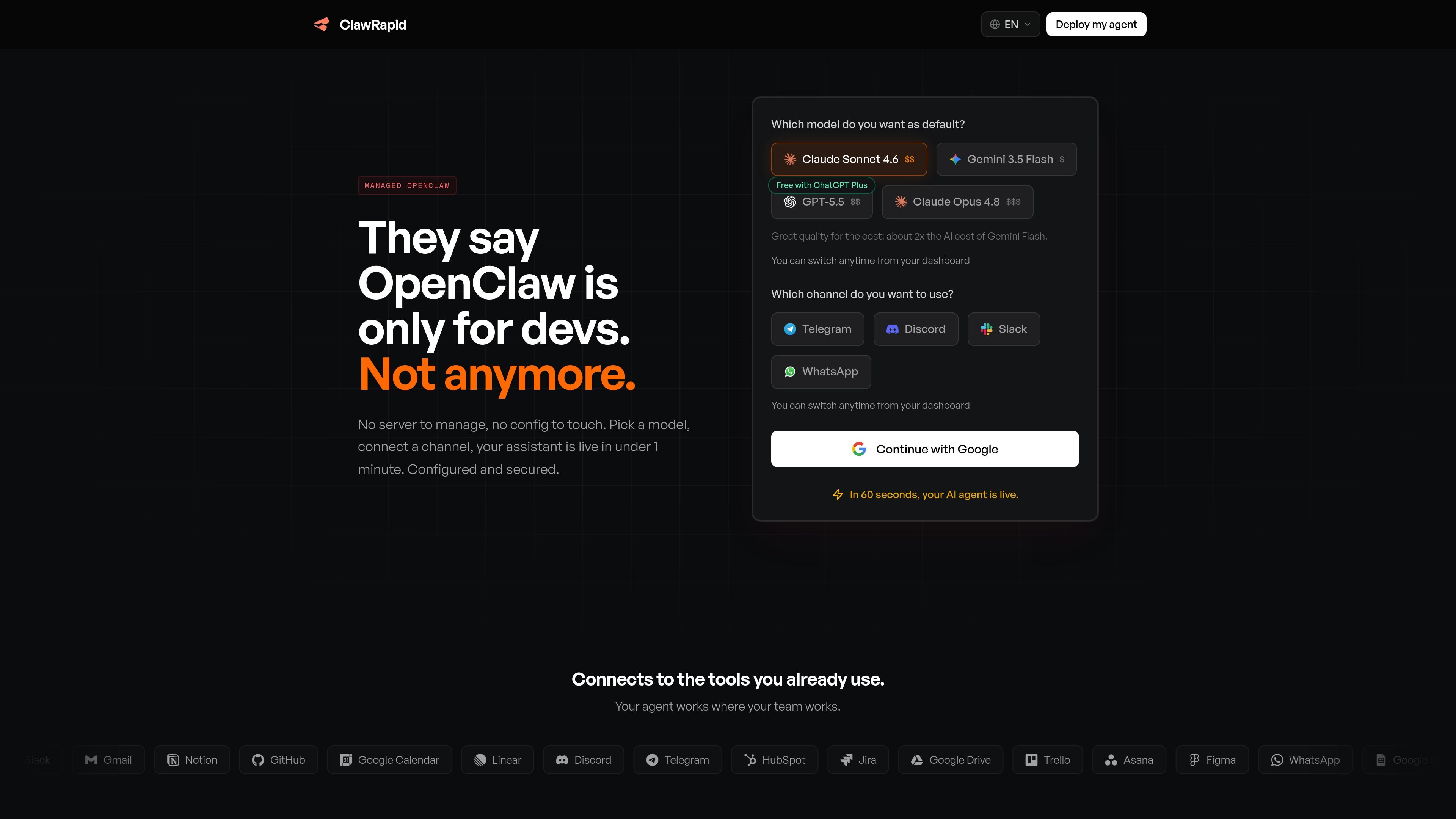
ClawRapid is a managed way to launch OpenClaw without manual server setup or terminal work. The homepage frames it as a faster path from choosing an AI model to having a working assistant connected to a messaging channel.
The product prepares and hardens the server, launches OpenClaw, and keeps the instance updated after deployment. It is aimed at people who want an assistant running on their own dedicated environment rather than handling infrastructure themselves.
ClawRapid provisions the server and launches OpenClaw for you, removing the need to set up infrastructure or use the terminal yourself.
The service applies SSH lockdown, network rules, command sandboxing, and tight permissions before the instance is used.
The homepage says patches and OpenClaw updates are applied automatically, reducing manual maintenance work.
Each assistant runs in a dedicated environment rather than a shared hosted surface, which the site presents as isolation between users.
ClawRapid connects OpenClaw to messaging channels such as Telegram, Discord, Slack, and WhatsApp so the assistant can run where the user already works.
The homepage says users can switch models or channels from the dashboard, and that the agent can connect to tools such as Gmail, Notion, GitHub, Google Calendar, Linear, Jira, Google Drive, Trello, Asana, Figma, WhatsApp, Google Sheets, Airtable, and HubSpot.
Set up an OpenClaw assistant without working through server provisioning, SSH setup, or manual installation steps.
Run an assistant that can read and respond in channels like Telegram, Discord, Slack, or WhatsApp where your team already communicates.
Keep an assistant on a dedicated environment with the hardening, update handling, and traffic protections described on the homepage.
Switch the default model or move the assistant to a different channel from the dashboard when your workflow changes.
Use the connected tool surface for work such as email handling, calendar coordination, issue tracking, documents, and repository-related tasks, where those integrations are supported on the homepage.
ClawRapid is built for people who want to run OpenClaw without managing server setup, hardening, or manual deployment steps. The homepage positions it as a way to get an assistant live with a model and channel selection rather than terminal work.
The site says setup takes under 1 minute to under 2 minutes, depending on the flow described. The process is to choose a model, connect a messaging channel, and let ClawRapid handle provisioning and launch.
The homepage lists Telegram, Discord, Slack, and WhatsApp as supported channels. For WhatsApp, the site notes self-chat mode using a personal number.
ClawRapid says your messages go directly to the AI provider you choose, with no conversations or queries stored on its servers. It also says each bot runs on its own isolated server.
The pricing information on the homepage says there is one monthly price with no tiers or add-ons, but the separate pricing URL returned a 404 and no dedicated pricing page was available in the collected sources.

Codex Plugins bundle reusable skills, app integrations, and MCP servers into workflows you can install in the Codex app or use from Codex CLI. They help extend Codex with connected-service tasks, reusable instructions, and shared team workflows.

Wallie is an open-source AI streamer that watches your screen, hears chat, and generates live commentary in a configurable persona. It runs locally on your machine with your own keys and is aimed at faceless content, autonomous streams, and real-time reactions.

ClawTick is an AI agent automation platform for scheduling jobs from the CLI, dashboard, or REST API. It is aimed at developers and teams running LangChain, CrewAI, webhook, or custom agent workflows that need monitoring, alerts, and logs.

Falconer is an AI-powered company brain that keeps internal documentation accurate, searchable, and up to date by syncing with tools like GitHub, Slack, and Linear. It helps engineering and cross-functional teams centralize knowledge and answer questions from a shared source of truth.

OpenFlags is an open-source, self-hosted feature flag platform for modern JavaScript teams. It supports local evaluation, targeted rollouts, and controlled launches while keeping flag data in your own infrastructure.

AakarDev AI helps teams manage AI provider access, project-level setups, logs, and analytics from one dashboard. It supports BYOK workflows and lists providers including OpenAI, Google Gemini, Anthropic, Groq, Mistral AI, and Perplexity AI.