
Review local git changes
Open a repository and review the uncommitted diff directly in a native macOS app instead of waiting for a pull request.

Diffsmith is a native macOS app for reviewing uncommitted code changes made by AI coding agents. It lets you leave inline comments on local git diffs and send feedback back to the agent by prompt or through a local MCP server.
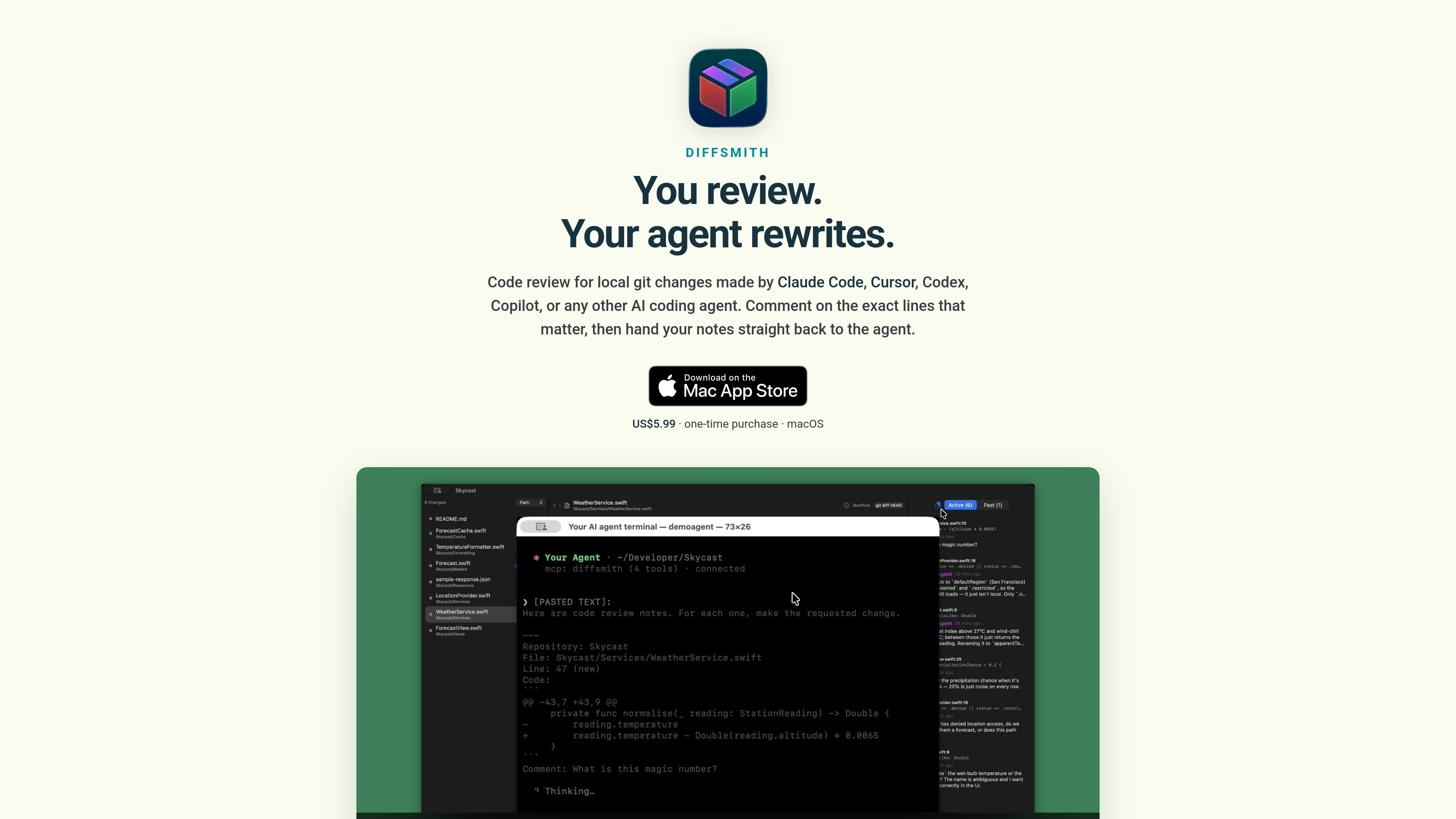
Diffsmith is a native macOS code review studio for local git changes made by AI coding agents. It is designed for reviewing uncommitted work in a repository before that code becomes a pull request, with inline comments that stay anchored to the exact lines they refer to.
The product supports agents such as Claude Code, Cursor, Codex, and Copilot. Review notes can be copied back as a prompt, or handled through Diffsmith’s optional local MCP server so the agent can read comments and reply inside the app.
Open a repository and review the uncommitted diff directly in a native macOS app instead of waiting for a pull request.
Click any line in the diff to leave a note anchored to that exact spot, without typing file names or line numbers by hand.
Send comments back as a formatted prompt, or use the local MCP server so the agent can read and reply to them in the app.
The app re-diffs as files change on disk, letting you review while the agent is still working and comments move to Past Comments if the code changes.
Switch between side-by-side and inline diffs, expand context, hide whitespace, browse file stats, and mark hunks or files as read.
Use a fully customisable prompt template, open multiple repositories at once, and distinguish agent replies from your own comments in the sidebar.
Open the repo your agent is editing, inspect the uncommitted diff, and leave line-level notes before the work is committed.
Use the built-in MCP server so a connected agent can read your comments and reply without switching to copy-and-paste.
Start reviewing while files are still changing on disk, which is useful when the agent produces code in several passes.
Switch to side-by-side or inline views, hide whitespace, and expand context when you need to inspect larger or noisier diffs.
Yes. The product page says Diffsmith reviews uncommitted changes in your local git working tree and works with Claude Code, Cursor, Codex, Copilot, and other AI coding agents. You can either copy comments back as a prompt or connect through the local MCP server.
Open Settings → Agent in Diffsmith, turn on the MCP server, then add the provided snippet for your agent. The setup guide includes examples for Claude Code, Cursor, OpenAI Codex CLI, Windsurf, Antigravity, VS Code (GitHub Copilot), and Zed.
No. Diffsmith is described as a sandboxed native macOS app with no account, no cloud, no telemetry, and no outbound network calls of its own. Comments, preferences, and other app data stay on your Mac unless you explicitly copy or save them.
No. Diffsmith reviews uncommitted work in your local repository and can diff against HEAD or HEAD plus staged changes, so you can review while the agent is still working.
Diffsmith is listed as a one-time purchase of US$5.99 on the Mac App Store for lifetime access, with no subscription.

ByteAsk is a terminal-first AI coding agent for C and C++ that edits repositories and verifies changes with the real compiler, debugger, sanitizers, and tests before showing a diff. It offers a free tier plus paid plans, with editor connectors and zero-retention handling described in the source.

Manta AI is an autonomous web app testing tool for teams that want to map application behavior, catch regressions, and generate tests without writing scripts or maintaining selectors. It works from a URL and supports plain-English test flows, run results with screenshots, and scheduled or deployment-triggered checks.

CreateOS Sandbox is an isolated compute environment for running code and agent workloads inside Firecracker micro-VMs. It is designed for workflows that need machine-level isolation, private networking between sandboxes, and programmatic control through SDK, CLI, or MCP.

hob is an independent workspace for coding agents that keeps agent sessions, terminals, history, and follow-up work organized around the tools and providers you already use. It is aimed at developers who want local control over routing, history, and workspace structure rather than a bundled model stack.

SonOf connects to your repo and PM tool, audits the codebase and surrounding product context, and turns approved work into shipped tickets with senior engineering review. It is aimed at founders and engineering leaders who need backlog help without hiring a full team immediately.

Ghost est un assistant IA en terminal pour discuter, générer du code et lancer des tâches en ligne de commande. Modèles gratuits, Linux, macOS, Windows, open source.