
Real Gmail per account
Orbit opens the actual Gmail interface for each account instead of a simplified email clone, so labels, filters, layout, and Gemini are available in context.

Orbit for Mac is a native Mac app for managing multiple Google accounts in separate sessions. It brings Gmail, Calendar, Drive, Meet, Docs, Sheets, Slides, and Gemini into one quiet window without requiring repeated logins.
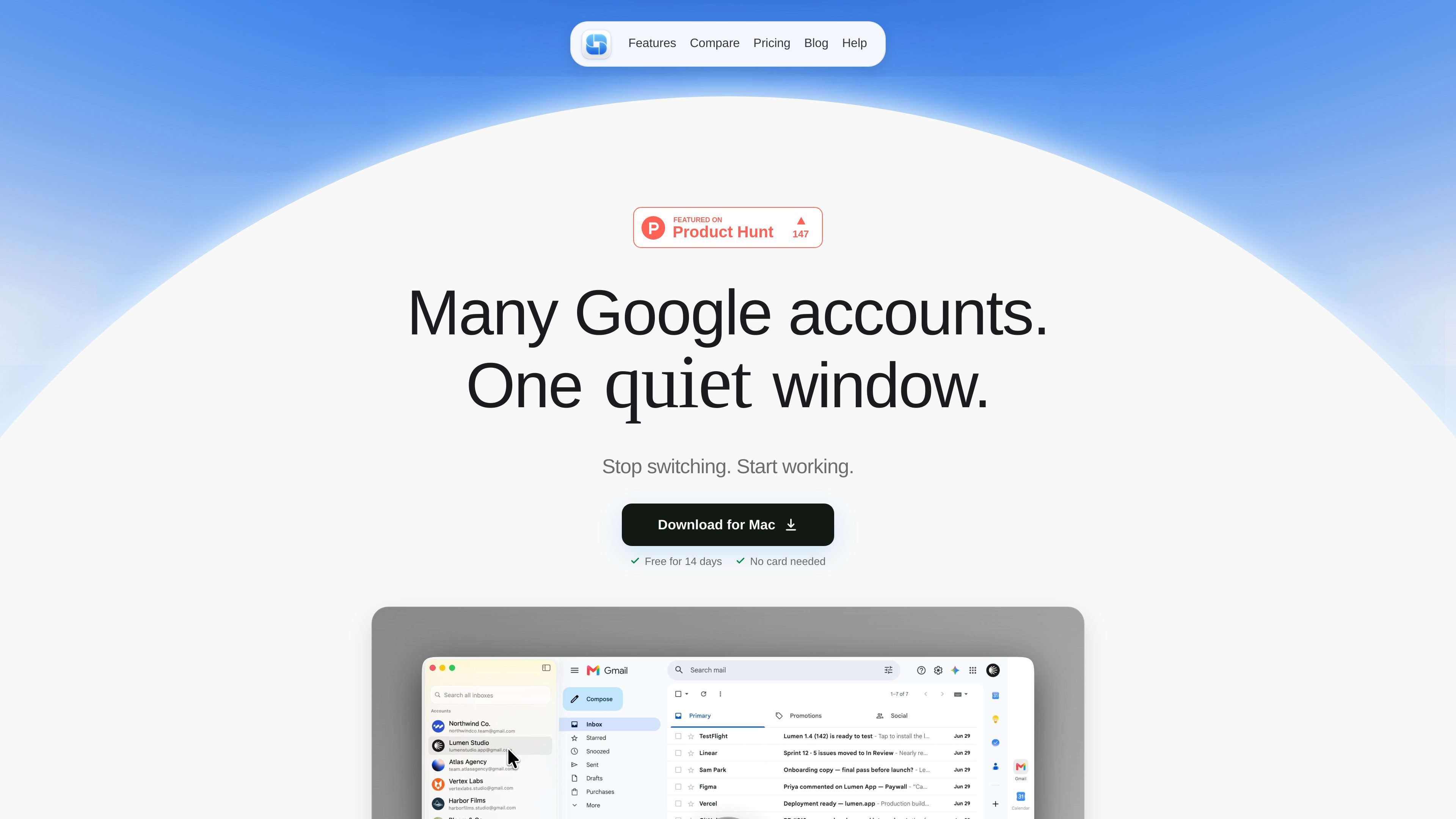
Orbit for Mac is a native macOS app for people who manage several Google accounts and want each one to stay separate. It brings Gmail, Calendar, Drive, Meet, Docs, Sheets, Slides, and Gemini into one app so you can work across accounts without relying on browser profiles or repeated sign-ins.
The product is built around isolated account sessions: each Google account has its own space, and the site says one account cannot affect another. Orbit also emphasizes fast keyboard-based switching with ⌘1–9, a lightweight native build, and local storage of sign-ins on the Mac rather than in Orbit's cloud.
Orbit opens the actual Gmail interface for each account instead of a simplified email clone, so labels, filters, layout, and Gemini are available in context.
Use ⌘1–9 to jump between accounts without opening new browser windows or reloading a session. The app keeps each account loaded for fast switching.
Each Google account lives in its own isolated room, so one account's session does not spill into another. This is meant to reduce cross-account sign-outs and sender mistakes.
The app opens Gmail, Calendar, Drive, Meet, Docs, Sheets, Slides, and Gemini in the correct account context, so it covers more than email alone.
Orbit is built as a native Mac app using Apple's tools, with no Chromium or Electron wrapper. The site describes it as a 12 MB app that opens instantly.
Your sign-ins stay on the Mac rather than on Orbit's servers. The site says there is no Orbit account, no sync server, and no mail relay in the middle.
Switch between work, personal, and client inboxes without logging out or opening separate browser profiles. Orbit is designed for people who need several Gmail accounts active at once.
Keep client Google accounts distinct so replies are sent from the correct address and one account's session does not interfere with another.
Move between Gmail, Calendar, Drive, Meet, Docs, Sheets, Slides, and Gemini while staying in the right account context for each project.
Use keyboard shortcuts to move through accounts quickly when you already know the account order and want to avoid window hunting.
Stay in a local Mac app rather than a browser-based wrapper when you want Google accounts handled in a dedicated native window.
Orbit is a native Mac app for using multiple Google accounts in separate sessions. The app loads Gmail, Calendar, Drive, Meet, Docs, Sheets, Slides, and Gemini in the right account context so you can move between work, personal, and client accounts without logging out.
The home page says you can switch between accounts instantly with ⌘1–9. Each account is already loaded, so there is no reload or waiting when you move between them.
Orbit keeps each account in its own sealed room. The site says one account's activity cannot affect another, which is meant to avoid cross-account sign-outs and wrong-sender mistakes.
The download page says Orbit requires macOS 14 or later on Apple silicon. The same page says the download starts automatically and that you can click to download again if needed.
Orbit's pricing page shows a free trial and a one-time purchase model. It says there is a 14-day free trial with no card needed, and the license does not expire; updates are free for the first year and optional after that.

Biji est une plateforme polyvalente conçue pour améliorer la productivité grâce à des outils et des fonctionnalités innovants.

Dcyde is a decision log for product teams that captures what was decided, the reasoning behind it, and the source in one shared place. It supports pinning decisions from Slack, Figma, or inside Dcyde and keeps the record searchable over time.

Carbon Voice is an asynchronous voice messaging app for teams and individuals, with transcripts, AI catch-up, and cross-device access. It helps people and agents communicate without needing a live call.

SignalLEMO is a B2B lead intelligence and outreach platform for field-service and specialized service teams. It helps users find prospects, draft outreach, and track pipeline activity in one place.

Goldfish is an AI memory app for macOS that helps you reply, write, summarize, and continue using the context already on your Mac. It stores memory locally and writes in your tone.

hob is an independent workspace for coding agents that keeps agent sessions, terminals, history, and follow-up work organized around the tools and providers you already use. It is aimed at developers who want local control over routing, history, and workspace structure rather than a bundled model stack.