
No-code page creation
Create a page without code and arrange it as a simple personal website rather than a static bio link. The home page says you can set up your page in minutes.
own.page is a no-code link-in-bio and personal website builder with a Free plan, Pro upgrades, custom domains, analytics, and media controls. It helps creators and small businesses publish a simple page that can grow into a fuller online presence.
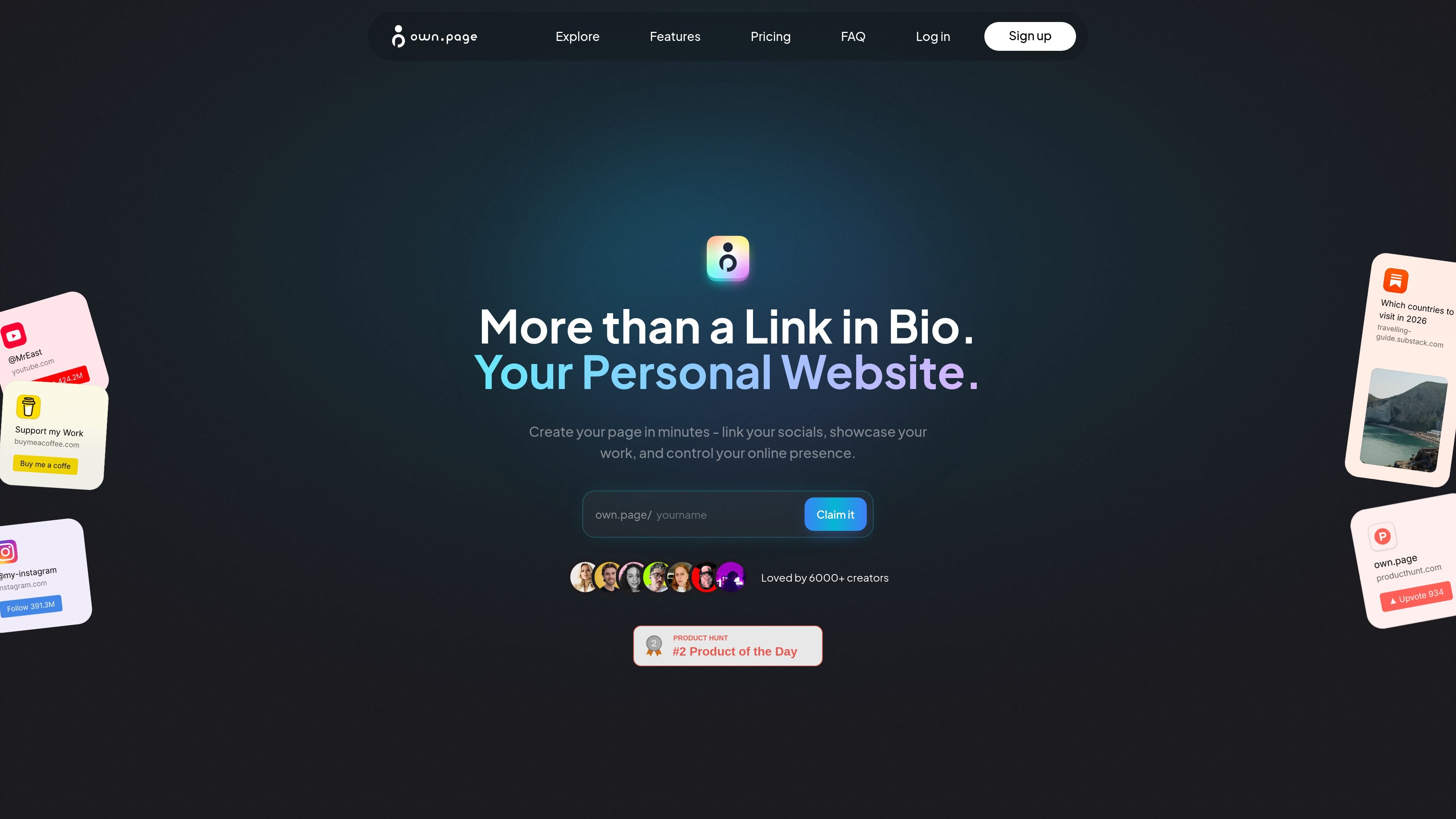
own.page is a no-code platform for building a personal website that starts with a link-in-bio style page and can grow into a fuller online presence. The site positions it as a way to create a page in minutes, connect social links, showcase work, and manage how you present yourself online.
The pricing page shows a Free plan for getting started and a Pro plan for users who want more customization, custom domains, advanced personalization, and analytics. That makes the product suitable for creators and professionals who want a simple public page now, with room to expand later without rebuilding from scratch.
Create a page without code and arrange it as a simple personal website rather than a static bio link. The home page says you can set up your page in minutes.
Connect social links, showcase work, and present contact or portfolio information from one page. The site frames this as controlling your online presence from a single destination.
The Free plan includes an own.page subdomain, while Pro adds custom domains so the page can live on a branded address.
Pro includes advanced personalization and analytics, giving more control over appearance and more insight into page performance than the free tier.
Pricing includes image and video allowances, with 5 images and up to 10MB video uploads on Free and unlimited images plus up to 100MB video uploads on Pro.
Both plans include advanced widgets, with 3 on Free and unlimited on Pro, plus QR code sharing on Free and priority support on Pro.
Use own.page to collect social links, portfolio items, and contact details on one page when you want a compact personal homepage instead of separate destinations.
Designers can present a visual portfolio with featured work, logos, illustration, or UI samples, as shown in the designer example page.
Developers can use the platform as a simple public profile page or calling card, especially if they want a lightweight site without building a custom stack.
Founders, small businesses, and community pages can use it as a shareable landing page for an online presence that is easy to update and share by link or QR code.
Users who expect to grow can begin on Free and move to Pro later for custom domains, more media, more pages, and advanced analytics without losing their existing content.
Yes. The Free plan includes an own.page subdomain, unlimited links, 5 images per page, up to 10MB video uploads, 3 advanced widgets, QR code sharing, and Discord community access.
Yes. The Pro plan adds 5 customizable pages, unlimited images, up to 100MB video uploads, unlimited advanced widgets, custom domains, advanced personalization, advanced analytics, remove own.page branding, and priority support.
You can start with a 7-day free trial for Pro and cancel anytime. The pricing page also says you can upgrade anytime without losing content or customization.
The site presents own.page as a no-code way to build a personal website or link-in-bio page, so it is aimed at creators and other people who want to share links, work, and contact details in one place.
The pricing page shows custom domains, advanced personalization, and analytics on Pro, but it does not provide deeper technical details about integrations beyond the widgets and sharing options listed there.

Make Real is a Next.js app that turns hand-drawn wireframes into working HTML prototypes using the tldraw SDK and AI models. It helps users sketch on a canvas, generate code, and review the result in an embedded preview.
GenMB is an AI web app builder that creates full-stack web apps with frontend, backend, database, authentication, and automations included. It is aimed at individuals and teams that want to build and publish working apps from a plain-language prompt.

Prompty Town is a web product that turns a link into a building in a small internet city. It appears to let users buy a tile, add a prompt, and publish the result alongside other buildings.

beehiiv is a newsletter platform for creators, publishers, and brands that want to build, grow, and monetize email newsletters and websites from one place. It offers a free Launch plan, plus paid tiers for more advanced growth, monetization, and support features.

Speculos is a deployment tool for Claude Code that publishes what you built to a shareable URL. It supports private, org-wide, or public apps and adds team controls for company domains, data connections, and customer-cloud deployments.

Awish is an AI-powered no-code automation platform that turns natural-language requests into automated workflows across connected apps. It serves individuals and teams that want to automate repetitive tasks, chat-based assistants, and workflow updates without manual configuration.