
Multi-composition timeline workflow
Build projects around compositions that can contain multiple compositions, each with its own size, frame rate, duration, and background. Pre-comps can be nested, time-remapped, and reused.

Premation is a desktop motion-graphics studio for composing, animating, rigging, and exporting motion graphics in one project. It uses a GPU-driven viewport and export pipeline so preview and final output are intended to match.
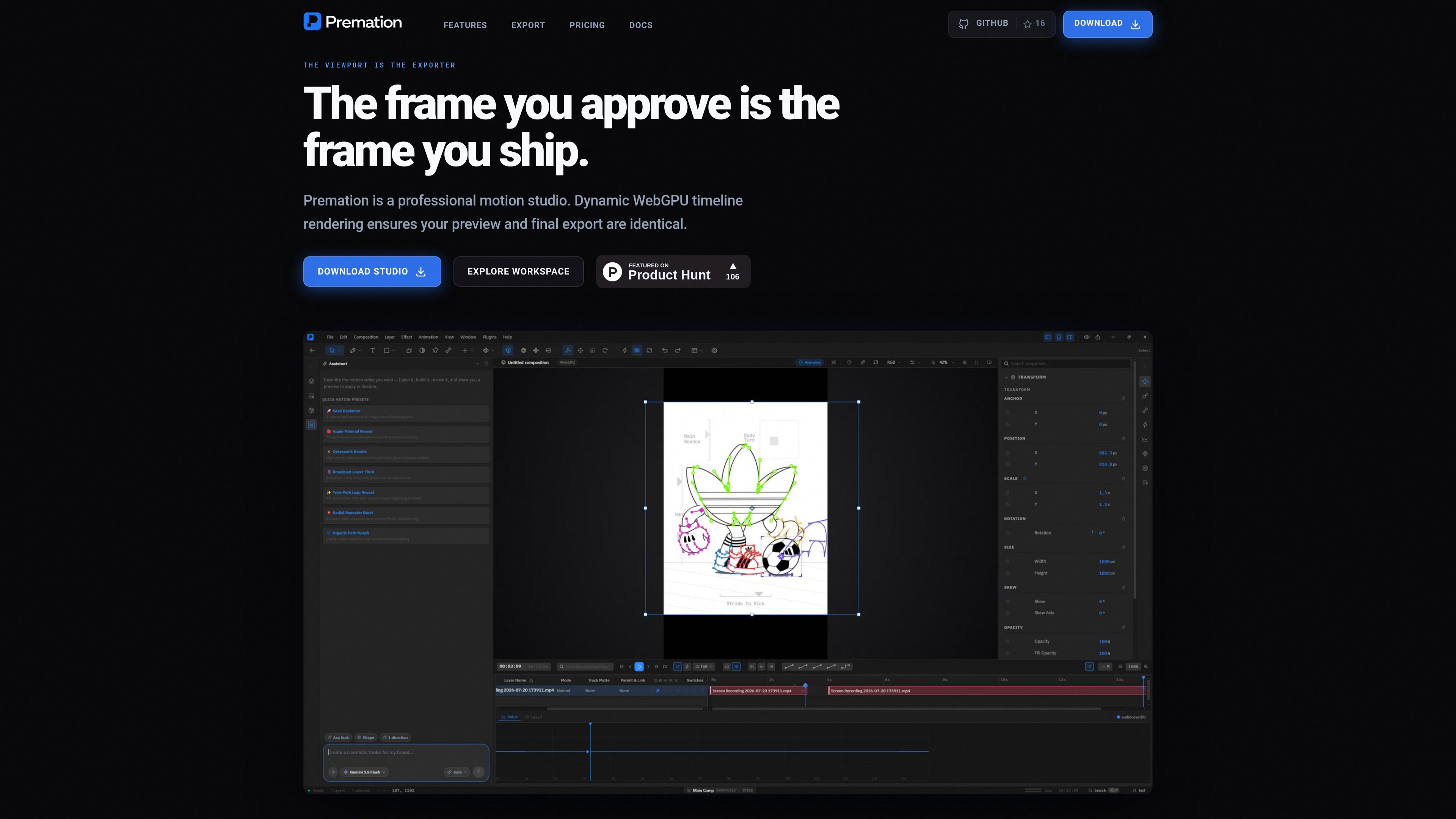
Premation is a desktop motion-graphics studio for building animated compositions in a single project file. The interface centers on a timeline, layers, keyframes, a graph editor, text animators, 2.5D camera and light controls, and rigging tools for both flat artwork and vector shapes.
Its core promise is that the viewport is the exporter: the same GPU-driven frame loop powers preview and final output, so the frame you approve is the frame you ship. The product is positioned for motion design work that needs composition, animation, and export to stay in the same workflow instead of moving between multiple applications.
Build projects around compositions that can contain multiple compositions, each with its own size, frame rate, duration, and background. Pre-comps can be nested, time-remapped, and reused.
Animate any numeric property with linear, ease, ease-in, ease-out, hold, and custom bezier interpolation. The graph editor edits value and velocity curves directly, and position keeps X and Y as separate tracks.
Turn layers into 3D elements with Z position and X/Y rotation, then add one- and two-node cameras, depth of field, lights, shadows, and bevel or extrusion effects for shapes and text.
Animate position, scale, rotation, opacity, tracking, and colour across characters, words, or lines using range and wiggly selectors, with support for text on a path.
Use bones and puppet pins to rig flat artwork. The bone tool supports forward kinematics, linear blend skinning, and FABRIK IK, while the puppet tool deforms triangulated meshes from pins.
Export MP4, WebM, MOV, GIF, PNG sequences, Lottie, and still or image-sequence outputs through a deterministic pipeline. The same frame loop is used for preview and export, and re-renders are designed to match.
Use Premation when you want to build an animated title, lower third, or logo lockup and keep the composition, timing, and export in one file.
Create character or mascot rigs with bones or puppet pins, then animate the resulting artwork with forward kinematics, IK, or mesh deformation.
Animate detailed text treatments with per-character selectors, range-based effects, and text-on-path controls for opening sequences or typographic graphics.
Work on 2.5D scenes that combine layers, depth, cameras, and lights, especially when you need a rendered camera move rather than flat-only motion.
Render stable deliverables for handoff, review, or archival use when you need repeated exports to match the same frame data and format settings.
Premation renders compositions, previews, and exports on the GPU. The system requirements page says it needs at least a working WebGL2 driver, with WebGPU preferred, and that there is no CPU software renderer fallback.
The docs list Windows 10 or 11 for the available installer, with macOS and Linux marked as coming soon. The browser build can also be used to try the interface, but it is not the full desktop app.
Premation’s export panel supports MP4, WebM, MOV, GIF, PNG sequence, and Lottie, with notes that ffmpeg is needed for MP4, WebM, GIF, and ProRes 4444 export.
Yes. The home page says the optional assistant uses the same tool registry as the UI, and can insert layers, keyframe values, and offsets through commands.
The docs describe a browser path for trying the interface out, but it is not the full app: it has no native menus, no local file access, and no MP4 or ProRes export.

Video Effects SDK adds real-time webcam effects such as background blur, background replacement or removal, denoising, framing, beautification, and color grading. It is built for teams shipping live video experiences on web, desktop, and mobile platforms.

DeepMotion is a web-based AI motion capture and 3D animation platform with Animate 3D for video-to-animation and SayMotion for text-to-animation. It helps creators and teams generate motion in a browser and export results in common production formats.

imgcook is a design-to-code tool that converts design drafts into front-end code. It supports plugin-based and developer workflows for Sketch, Photoshop, VS Code, and CLI usage.

Beautiful.ai is an AI presentation platform for individuals, teams, and enterprises. It helps users create branded slide decks with Smart Slides, collaborative editing, and export options while reducing manual formatting work.

Agentic video understanding is a Gemini video analysis mode that helps developers inspect video more selectively for better accuracy and lower token usage. It is available through the Gemini API in Google AI Studio and the Gemini Enterprise Agent Platform.

Optimo is a free, open-source CLI for optimizing and converting images and videos with format-specific commands built on ImageMagick and FFmpeg. It helps developers prepare web assets, batch process media, and automate compression from the shell or a Node.js script.