ShotLab icon

ShotLab

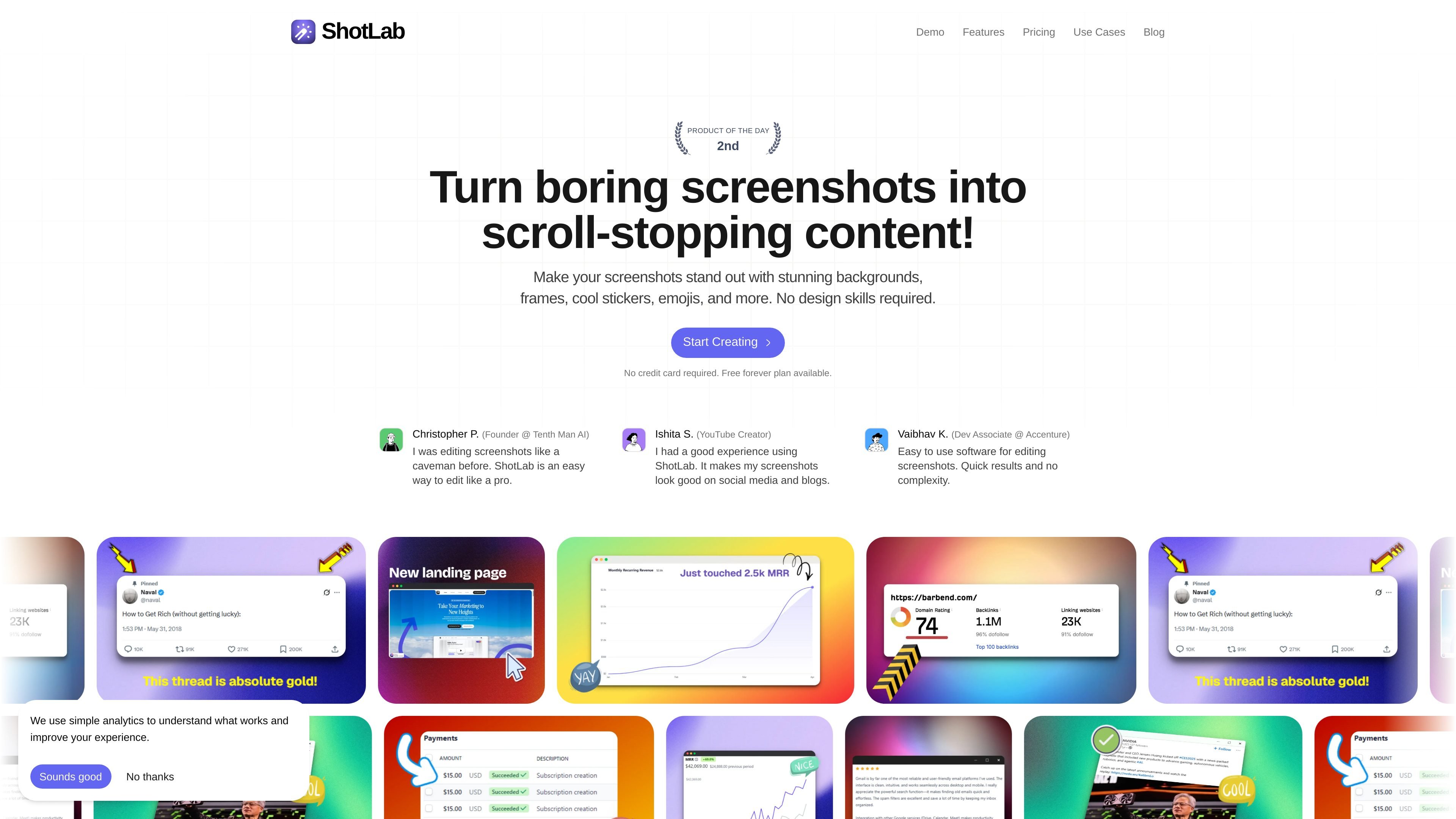
ShotLab is a browser-based screenshot editor that helps creators, founders, marketers, and developers turn plain captures into polished visuals for social posts, launches, blogs, documentation, and marketing materials.

ShotLab

Overview

ShotLab is a browser-based screenshot editor for turning plain captures into more polished visuals. The site describes it as a tool for creators, founders, marketers, and developers who want to prepare screenshots for social media, product launches, blogs, documentation, and marketing content.

The editor focuses on screenshot presentation rather than general-purpose design work. It supports background styling, browser-style framing, annotations, and export from within the browser, so users can move from a raw screenshot to a shareable image without installing desktop software.

Core features

Background styling

Upload a screenshot and adjust its presentation with styled backgrounds. The editor shows background fill options such as gradients, images, and GIF uploads, along with opacity, brightness, saturation, grayscale, and blur controls.

Browser framing and layout

Place screenshots inside browser-style frames and change the visual treatment around the image. The editor includes framing and layout controls such as roundness, shadow strength, and positioning.

Annotations and overlays

Add visual annotations directly on top of the screenshot. The editor includes text, emojis, stickers, arrows, cursors, icons, and quotes, plus drawing tools such as brush and eraser.

Composition controls

Refine the composition with controls for size, horizontal and vertical position, padding, border radius, shadows, and 3D transform settings such as rotate, flip, and field of view.

Export-ready output

Export the finished asset from the browser editor. The source lists auto export and export formats including PNG, JPEG, and WebP, with high-resolution downloads mentioned in the project documentation.

Social media presets

Start from common social sizes for posts and launch assets. The project documentation lists presets for X, LinkedIn, Reddit, Product Hunt, Dribbble, and Bluesky.

Common use cases

  • Social media posts

    Prepare a screenshot for X, LinkedIn, Reddit, or Product Hunt by adding a background, framing it cleanly, and exporting a version sized for the platform.

  • Product launches

    Turn a product screenshot into launch collateral with browser framing, annotations, and visual styling that make the image easier to scan.

  • Documentation and tutorials

    Create visuals for documentation, tutorials, or knowledge bases where a screenshot needs labels, arrows, or emphasis marks to explain a step.

  • Blog and marketing assets

    Build blog or marketing images from plain captures without moving into a general design tool, using the editor to adjust composition and export a finished asset.

  • Customer support content

    Produce support-ready screenshots that highlight the relevant UI state with callouts and simple visual framing for customer communication.

Pros and Cons

Pros

  • Runs in the browser, which lowers setup friction.
  • Offers screenshot-specific editing tools instead of a broad design suite.
  • Includes annotation tools, background styling, and browser framing in one editor.
  • Supports common export formats such as PNG, JPEG, and WebP.
  • Provides presets for several social and launch platforms.

Cons

  • The pricing page captured in the source does not expose detailed plan names or price amounts, so buyers may need to check the live site for current terms.
  • The available source material is lighter on advanced collaboration, integrations, and workflow limits, so those details are not clearly documented here.

FAQ

Do I need to install anything to use ShotLab?

Yes. The product is browser-based, and the source states that it runs entirely in your browser, so there is no installation step for the main editor.

Is there a free plan?

The source shows both a Free plan and a Pro plan. The Free plan includes advanced customization options and watermark exports, while the Pro plan includes watermark-free exports.

What kinds of screenshots is ShotLab meant for?

ShotLab is positioned for screenshots used in social media, product launches, blogs, documentation, tutorials, and marketing content, so it is suitable for product screenshots and similar visual assets.

Is my data processed locally?

Yes. The source says screenshots are processed locally in the browser and do not leave your device.

Does ShotLab offer lifetime access?

The source notes a lifetime access option that includes current features and future updates under the lifetime plan.

Quick Facts

Category
Screenshot editor
Platform
Browser-based web app
Primary users
Creators, founders, marketers, developers
Source domain
shotlab.pro
Editor URL
https://shotlab.pro/editor
Pricing evidence
Free and Pro plans are referenced; pricing details were not visible in the captured page text

Alternatives à ShotLab

Pixelcut icon

Pixelcut

Pixelcut is an AI photo editor for creating and editing product images, social content, and video assets. It offers free and paid plans, plus mobile app and browser access for individual users and teams.

Petalica Paint icon

Petalica Paint

Petalica Paint is a web service for automatically coloring line art and tracing line drawings from photographed images. The home page says it can be used under the stated terms for commercial and noncommercial work, but it is scheduled to end on 2025-07-31 at 16:00 JST.

Wearvue AI icon

Wearvue AI

Wearvue AI generates personalized outfit previews from a photo, lets users refine the style for an occasion, and surfaces similar real products to shop. It is aimed at people who want to preview outfit ideas before buying and compare them with shoppable alternatives.

Upscale.media icon

Upscale.media

Upscale.media is an AI image upscaling and enhancement tool from Pixelbin that enlarges low-resolution or pixelated images and improves clarity in the browser. It offers free individual image use, paid credit plans, and team-oriented workflows such as bulk processing and API integration.

Free Online AI Image Enlarger icon

Free Online AI Image Enlarger

PhotoAid’s AI Image Enlarger is a free browser-based tool for upscaling images without a standard blur-heavy resize. It supports JPEG, WEBP, and PNG uploads and is described as working best for photos with faces.

Magic Eraser icon

Magic Eraser

Magic Eraser est un outil alimenté par l'IA qui permet aux utilisateurs de supprimer rapidement des objets, des personnes, du texte et des imperfections indésirables des photos avec facilité.