
SQL editor and query workflow
Write SQL with syntax highlighting, schema-aware autocomplete, multi-tab results, Vim mode, query history, and transaction-based batch execution. Failed batches can roll back.
TablePro is a free, open-source database client for Mac users who need to query, inspect, and edit data across 29 database engines. It combines a native SQL workbench, data grid, remote connection tools, and controlled AI-assisted database workflows in a macOS app.
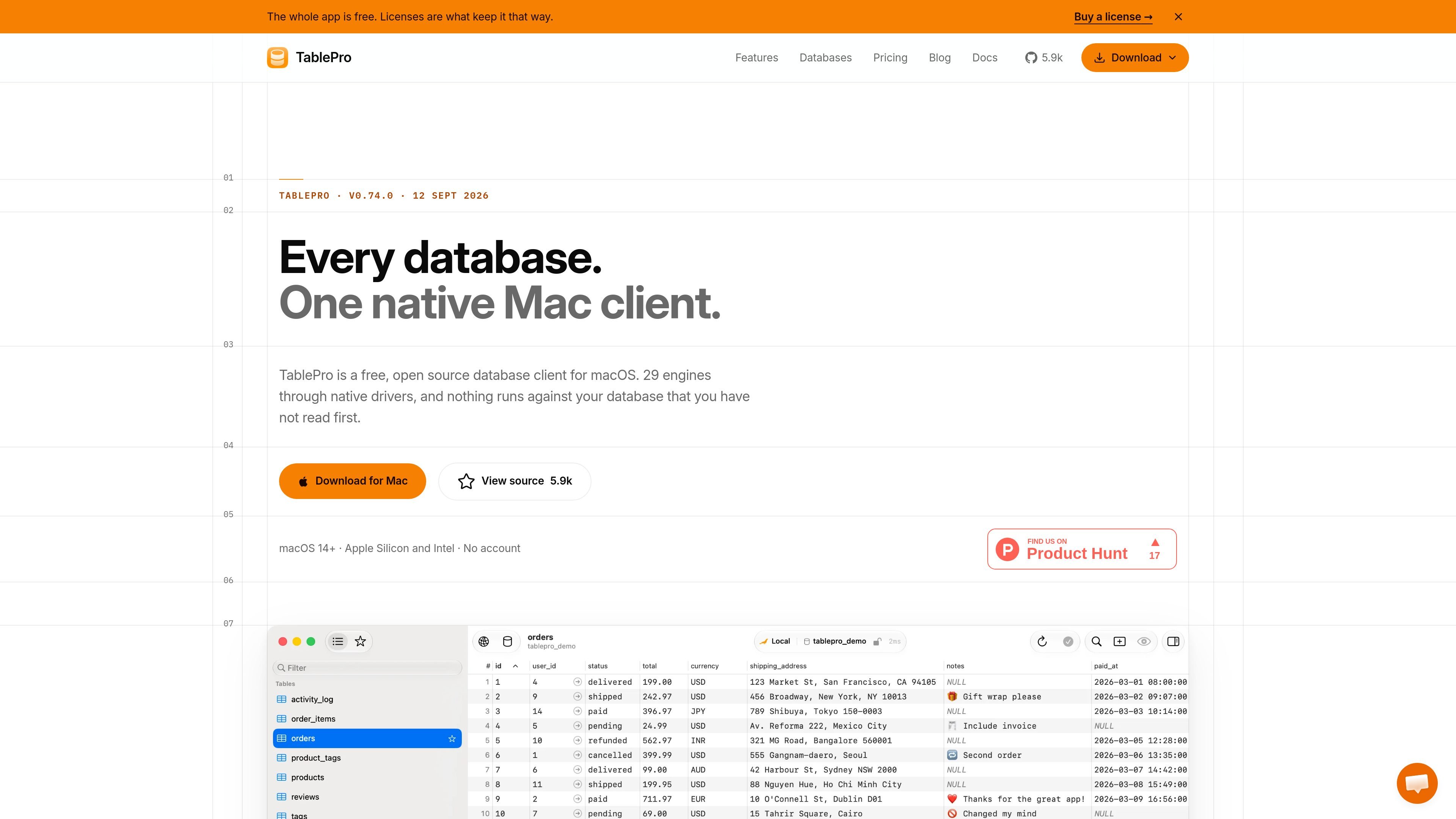
TablePro is a free, open-source database client for macOS. It provides native drivers for 29 database engines, including MySQL, PostgreSQL, MariaDB, SQLite, Redis, MongoDB, SQL Server, Oracle, ClickHouse, BigQuery, Snowflake, and others. Nine drivers are bundled in the app; the remaining drivers are downloaded when selected.
The app combines a SQL workbench with a data grid for browsing and editing database records. Query results open in tabs, edits stay in memory until committed, and connections can use SSH tunnels, SSL/TLS, Unix sockets, or TCP/IP depending on the database. It is designed for Mac users who need one client for local databases, hosted services, and remote environments without putting a cloud service in the connection path.
Write SQL with syntax highlighting, schema-aware autocomplete, multi-tab results, Vim mode, query history, and transaction-based batch execution. Failed batches can roll back.
Browse, filter, sort, insert, delete, and edit rows in a type-aware grid. Changes remain pending until you save, with undo and redo available during the session.
View query plans as expandable, cost-coloured trees and inspect raw EXPLAIN output. PostgreSQL users can also open JSONB values in a tree editor.
Use an AI assistant to explain, optimize, fix, or generate SQL. Results arrive as a diff and require an explicit Apply action; the assistant can use cloud providers or local Ollama models.
Connect through SSH tunnels and jump hosts, import connections from TablePlus, Sequel Ace, DBeaver, DataGrip, Beekeeper Studio, or Navicat, and resolve credentials through supported macOS and external secret sources.
Use scoped MCP tools with saved connections, configurable read/write permissions, confirmation for destructive operations, and optional authentication and TLS for remote access.
Connect to MySQL 5.7+, MySQL 8.0+, or MariaDB 10.3+ over TCP, Unix socket, or SSH. Browse schemas, edit rows, modify structures, and export data without switching between separate utilities.
Work with PostgreSQL 12+ on local servers or hosted services such as RDS, Cloud SQL, Azure, Supabase, and Neon. Inspect EXPLAIN plans, edit JSONB values, and view server activity from the client.
Use one Mac application to query a mixed environment spanning relational, document, key-value, embedded, cloud, and analytics engines. Drivers can be selected as needed, with no restart after installation.
Review and update records through the grid while keeping changes staged until commit. Use filtering, sorting, CSV/JSON/SQL export, and database structure editors for routine data work.
Give compatible coding agents scoped access through MCP rather than sharing database passwords. Start with read-only or confirmation-based permissions and require explicit confirmation for destructive DDL.
TablePro is free and open source under AGPLv3. The source states that the free version is not a trial or demo and is available on every Mac, with no per-Mac limit. Optional licensed features are available, but the supplied pages do not specify their price or exact limits.
The download page requires macOS 14 Sonoma or later. TablePro provides builds for Apple Silicon and Intel Macs, and the product pages describe it as a universal binary.
Download the DMG, open it, drag TablePro to the Applications folder, and launch it. The site also documents Homebrew installation with brew install --cask tablepro on the MySQL and PostgreSQL client pages.
TablePro includes native drivers for 29 database engines. Nine drivers ship inside the app, while the other 20 are downloaded the first time they are selected, with signature verification and no restart.
Yes. The connection workflow supports built-in SSH tunnels, including password, key, agent authentication, jump hosts, and custom ports. PostgreSQL and MySQL pages also describe TCP/IP, Unix socket, and SSL/TLS connection options.

ByteAsk is a terminal-first AI coding agent for C and C++ that edits repositories and verifies changes with the real compiler, debugger, sanitizers, and tests before showing a diff. It offers a free tier plus paid plans, with editor connectors and zero-retention handling described in the source.

CreateOS Sandbox is an isolated compute environment for running code and agent workloads inside Firecracker micro-VMs. It is designed for workflows that need machine-level isolation, private networking between sandboxes, and programmatic control through SDK, CLI, or MCP.

hob is an independent workspace for coding agents that keeps agent sessions, terminals, history, and follow-up work organized around the tools and providers you already use. It is aimed at developers who want local control over routing, history, and workspace structure rather than a bundled model stack.

Ably Chat is a chat API platform for building custom realtime chat applications. It supports room-based messaging, typing indicators, presence, reactions, and message updates, with usage-based pricing options for different deployment stages.

MacSpoof change ou randomise l’adresse MAC Wi‑Fi sur macOS pour reconnecter aux réseaux et limiter l’enregistrement de votre identité sur Wi‑Fi public.

Manta AI is an autonomous web app testing tool for teams that want to map application behavior, catch regressions, and generate tests without writing scripts or maintaining selectors. It works from a URL and supports plain-English test flows, run results with screenshots, and scheduled or deployment-triggered checks.