
Live 3D agent simulation
Connect a supported CLI agent such as Claude Code, Codex, Gemini CLI, or another compatible agent, then watch its file reads, writes, and commands appear as live 3D actions in a room.

Termi Protocol is a 3D workspace for running AI coding CLI agents locally and watching their work unfold in real time. It adds visibility, checkpoints, task tracking, and a game-style room around terminal-based agent workflows.
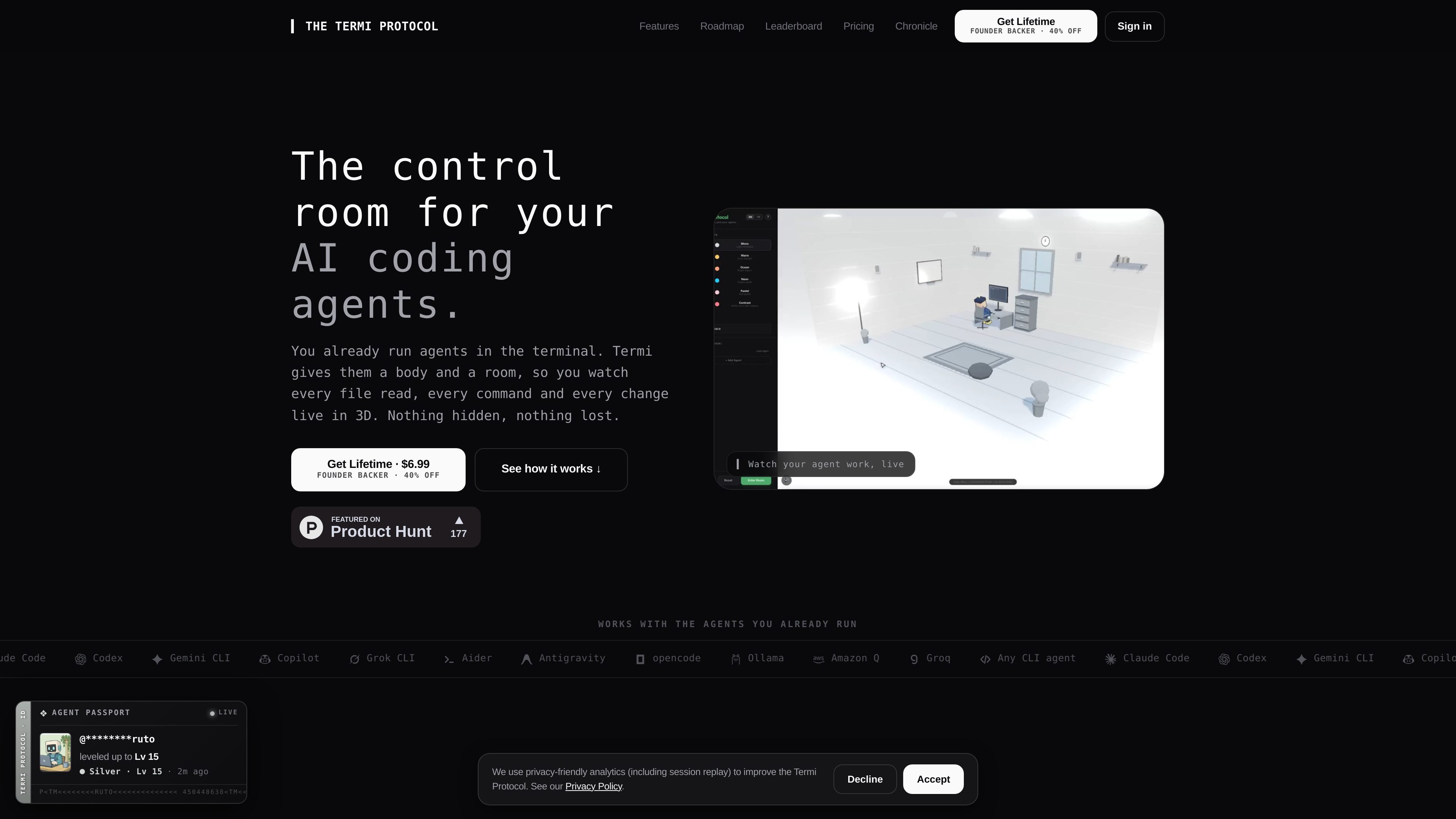
Termi Protocol is a 3D simulation of AI coding agent workflows. It lets you run coding agents on your own machine and watch their terminal activity play out in a room, with each read, write, and command represented as a visible action.
The product is built for people who already use terminal-based agents and want more visibility and control over what those agents are doing. It combines a live room view with a per-agent command center, checkpoints, memory, and task tracking, while keeping the agents local-first on your machine.
Connect a supported CLI agent such as Claude Code, Codex, Gemini CLI, or another compatible agent, then watch its file reads, writes, and commands appear as live 3D actions in a room.
Each agent gets a real shell, task board, checkpoints, and memory in one panel, so you can see what it is doing without juggling terminal tabs.
Stop, pause, approve, or rewind work at checkpoints when you need to intervene, instead of losing track of what changed.
The app saves task boards, checkpoints, and project memory between sessions so you can reopen a room and continue with the same context.
The pricing page lists file locks, task boards, and skills for agents that work together, which points to multi-agent coordination within a shared workspace.
The roadmap and leaderboard show a game layer with XP, leagues, and protocols, including room customization and a leaderboard based on agent work.
Useful when you want to observe an agent’s file access, commands, and edits as they happen, instead of inferring progress from terminal output.
Helpful for sessions where you need to approve changes, pause work, or rewind to a checkpoint before continuing.
Useful when several agents share a project and you want task boards, file locks, and handoff history to keep work from colliding.
Fits teams or solo builders who want to return to an interrupted project later with saved memory, checkpoints, and task state intact.
Appropriate for users who prefer a more visual, game-like workspace for coding tasks and want the room, desks, and leaderboard layer described on the site.
You need your own AI coding CLI such as Claude Code, Codex, or Gemini CLI, plus your own keys. Termi runs the agent on your machine and visualizes the workflow in 3D.
No. The pricing page states it is a one-time purchase of $6.99 for lifetime access, with no subscription, auto-renew, or usage caps.
On the pricing page and FAQ, Termi lists macOS and Windows as supported platforms.
Your task boards, checkpoints, and each agent’s project memory are saved. You can reopen the room and continue from where you left off.
No. Termi says your agents run locally with your own API keys, and your code stays on your machine.

ByteAsk is a terminal-first AI coding agent for C and C++ that edits repositories and verifies changes with the real compiler, debugger, sanitizers, and tests before showing a diff. It offers a free tier plus paid plans, with editor connectors and zero-retention handling described in the source.

CreateOS Sandbox is an isolated compute environment for running code and agent workloads inside Firecracker micro-VMs. It is designed for workflows that need machine-level isolation, private networking between sandboxes, and programmatic control through SDK, CLI, or MCP.

hob is an independent workspace for coding agents that keeps agent sessions, terminals, history, and follow-up work organized around the tools and providers you already use. It is aimed at developers who want local control over routing, history, and workspace structure rather than a bundled model stack.

Manta AI is an autonomous web app testing tool for teams that want to map application behavior, catch regressions, and generate tests without writing scripts or maintaining selectors. It works from a URL and supports plain-English test flows, run results with screenshots, and scheduled or deployment-triggered checks.

Redline is a budgeting tool for Claude Code that paces sessions to stay within time, token, cost, or plan-percentage limits. It uses Claude Code’s native hooks and statusline to help sessions finish with a usable result instead of stopping abruptly.

SonOf connects to your repo and PM tool, audits the codebase and surrounding product context, and turns approved work into shipped tickets with senior engineering review. It is aimed at founders and engineering leaders who need backlog help without hiring a full team immediately.