
PTY terminal sessions
Open SSH connections in full PTY terminal sessions with multi-tab support, so you can work with several servers in one window.

Termique is a cross-platform SSH manager and terminal for macOS, Windows, Linux, and iOS. It combines encrypted credential storage, host management, multi-tab SSH sessions, SFTP, and an AI assistant.
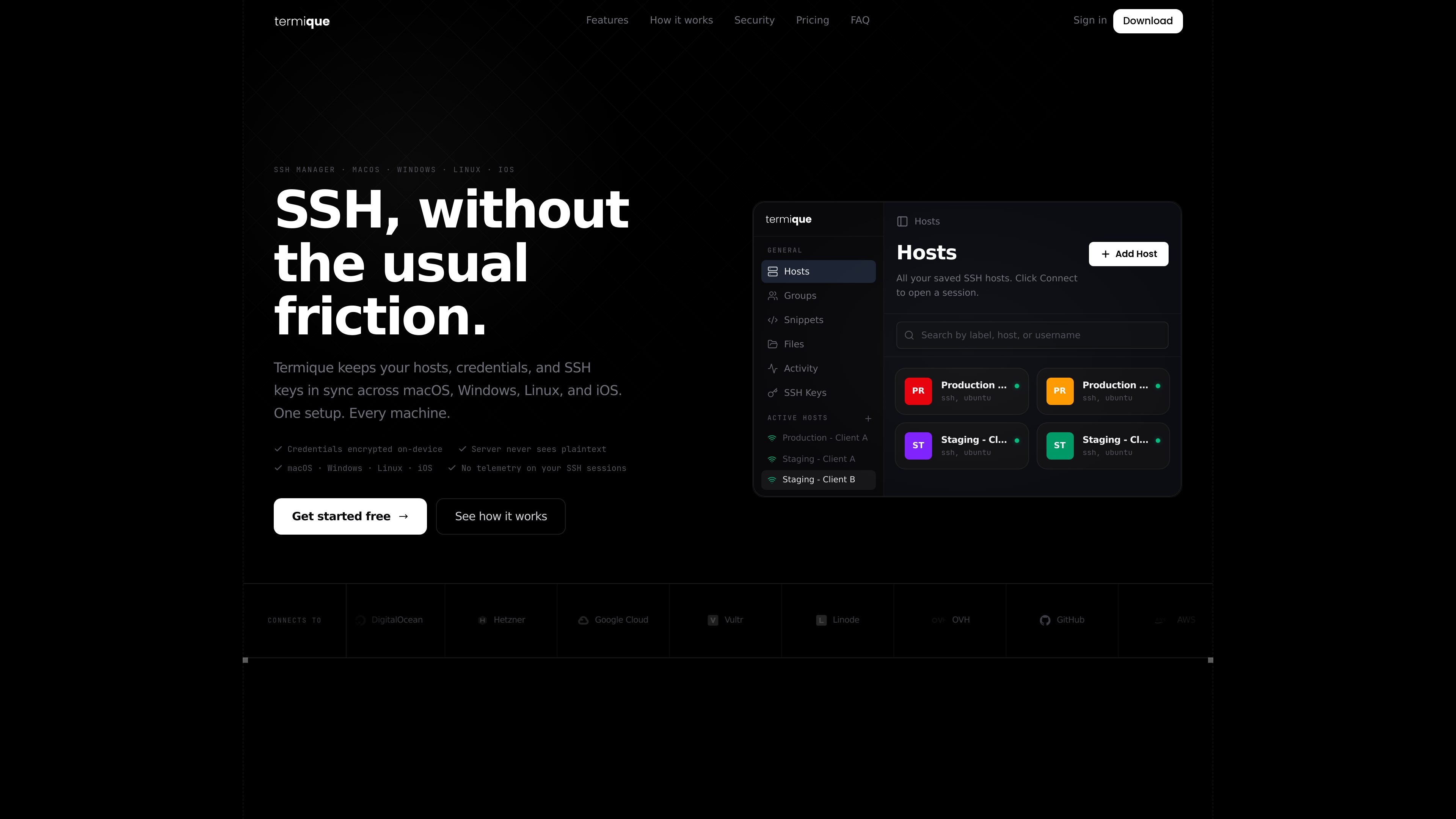
Termique is a cross-platform SSH manager and terminal for macOS, Windows, Linux, and iOS. It combines host management, SSH key handling, encrypted credentials, PTY terminal sessions, SFTP, and an AI assistant in one app.
The product is built around local-first credential handling: passwords and private keys are encrypted on the device, the server never sees plaintext, and the app says it can work fully offline. The site also emphasizes command audit logs and host grouping for people managing multiple servers.
Open SSH connections in full PTY terminal sessions with multi-tab support, so you can work with several servers in one window.
Store SSH passwords and private keys with AES-GCM encryption, local key derivation, and OS keychain storage so plaintext never leaves your device.
Organize hosts by environment or group, add servers manually, and import from an existing SSH config instead of maintaining a separate spreadsheet.
Use the built-in AI assistant in the active session. The site says commands are scoped to the current host and shown for review before execution.
Transfer files over SFTP from inside the same app, alongside terminal sessions and key management.
Audit activity with timestamped command logs for each session, which the site positions for shared hosts and review workflows.
Use Termique to keep production, staging, and client hosts organized in groups, then connect with one click instead of switching between a terminal, password manager, and notes file.
Use the app when you want SSH passwords and private keys encrypted locally and stored in the OS keychain rather than copied through the clipboard or managed in separate tools.
Use the built-in AI assistant to inspect the active host, ask for context-specific help, and review suggested commands before they run.
Use the command log to review what ran on a shared host, reconstruct activity from a session, or keep a timestamped record for later checks.
Use SFTP and multi-tab PTY sessions together when you need to move files and run commands in the same place without opening another client.
Yes. The site says Termique is available on macOS, Windows, Linux, and iOS, with download pages for macOS and Windows and references to Linux support on the home and security pages.
Termique can import hosts from an existing `~/.ssh/config` file or let you add servers manually. The download pages also describe grouping hosts by environment.
Yes. The product pages describe PTY SSH sessions, multi-tab sessions, SSH key management, SFTP transfer, and an AI assistant that is scoped to the active session and reviews commands before they run.
The site says credentials are encrypted locally with AES-GCM, protected with a key derived from your master password via PBKDF2, and stored in the OS keychain or encrypted sync storage. The server never sees plaintext credentials.
The pricing page is a 404, but the homepage and download pages say you can get started free, and the pricing table on the home page shows a Free plan and a Pro plan.

Goldfish is an AI memory app for macOS that helps you reply, write, summarize, and continue using the context already on your Mac. It stores memory locally and writes in your tone.

Biji est une plateforme polyvalente conçue pour améliorer la productivité grâce à des outils et des fonctionnalités innovants.

MacSpoof change ou randomise l’adresse MAC Wi‑Fi sur macOS pour reconnecter aux réseaux et limiter l’enregistrement de votre identité sur Wi‑Fi public.

NomNak est une app iPhone gratuite pour découvrir des restaurants grâce aux recommandations d’amis, avec spots enregistrés, passeport food et recherche par ville.

Dirac is an AI email assistant that prepares a morning brief, prioritizes important threads, and drafts replies in your voice. It is positioned for founders and other busy professionals who use Gmail and want to reduce morning inbox triage.
TyeGit, client Git natif pour développeurs, offre un contrôle rapide et précis des stages, commits, branches et remotes sur Windows, macOS et Linux.