
On-device dictation
Converts speech to text locally with Whisper AI, so dictation happens on the device instead of through a cloud service.

VoicePad AI is an offline dictation app for Windows, Android, iOS, and macOS that uses on-device Whisper AI to turn speech into text. It is designed for private, cross-platform voice typing with clipboard or direct-insert workflows.
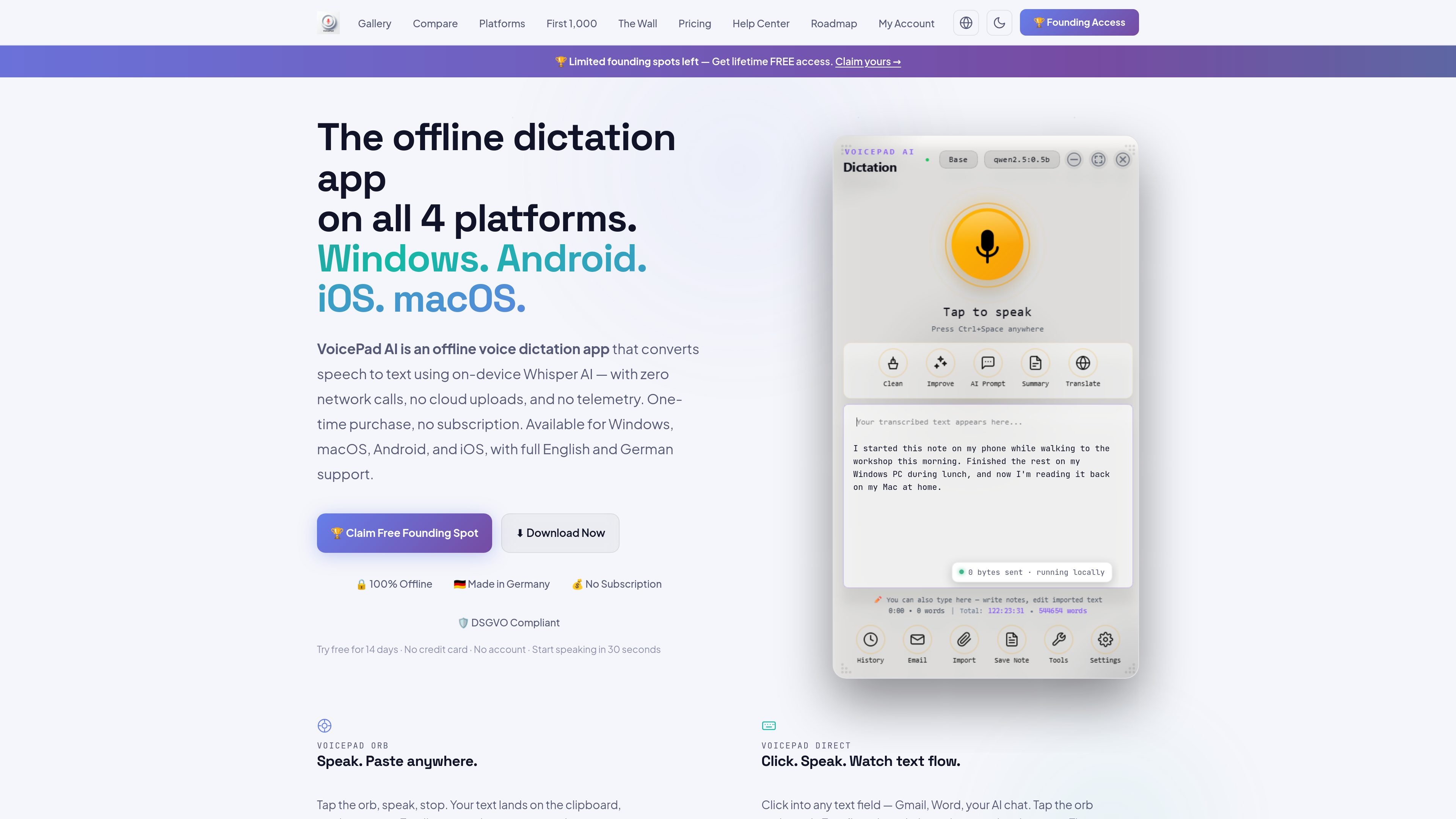
VoicePad AI is an offline voice dictation app for Windows, Android, iOS, and macOS. It uses on-device Whisper AI to convert speech to text locally, with the site stating that no network calls, cloud uploads, or telemetry are involved.
The product is positioned as a replacement for keyboard typing in everyday workflows. It can copy dictated text to the clipboard for pasting anywhere, or insert text directly into fields and apps such as Gmail, Word, and IDEs. The help center also describes a quick start flow, offline operation, and support for English and German.
Converts speech to text locally with Whisper AI, so dictation happens on the device instead of through a cloud service.
Lets you dictate into any app by using the floating Orb; text can be copied to the clipboard or inserted directly into the active field.
Supports Windows, Android, iOS, and macOS, with the help center describing a full app on each platform and one license for up to four devices.
Supports English and German with voice commands, formatting, and UI, and the site notes that more languages are planned.
Includes local AI tools for cleaning, improving, summarizing, and translating text, powered by a free local AI engine.
Offers Wi‑Fi sync to keep content in one place across devices, with setup guidance mentioned in the site navigation and help content.
Use the Orb or direct insertion mode to dictate emails, notes, documents, and messages without leaving the app you are already using.
Capture thoughts into Word, Gmail, Slack, or other text fields and let the app place the text at the cursor or clipboard for quick pasting.
Use the desktop app in VS Code, Cursor, or Claude Code to dictate comments, commit messages, and documentation without a plugin.
Use the mobile app’s floating Orb or keyboard mode to dictate on Android or iOS while keeping the same offline Whisper-based workflow.
Apply the local AI tools to clean up, summarize, improve, or translate text on the device when Ollama is available.
VoicePad runs on-device using Whisper AI and is designed for offline dictation. The help center also states that it works without an internet connection and that dictation does not require Ollama, although the local AI tools do.
The site says VoicePad supports Windows, Android, iOS, and macOS, with one license covering up to four devices.
VoicePad can copy dictated text to the clipboard for pasting anywhere, or on Windows it can inject text directly into the cursor position from other apps using its hotkey and Orb workflow.
The help center says VoicePad supports English and German fully, including voice commands, formatting, and UI, with more languages coming.
The pricing page says there is a 14-day free trial with no credit card and no account, and the product is offered as a one-time purchase rather than a subscription.

Carbon Voice is an asynchronous voice messaging app for teams and individuals, with transcripts, AI catch-up, and cross-device access. It helps people and agents communicate without needing a live call.

Sanota is an app that turns spoken memories, reflections, and interviews into clear written stories. It supports personal storytelling, family history, and shared memories, with guided prompts and subscription pricing.

Goldfish is an AI memory app for macOS that helps you reply, write, summarize, and continue using the context already on your Mac. It stores memory locally and writes in your tone.

Biji est une plateforme polyvalente conçue pour améliorer la productivité grâce à des outils et des fonctionnalités innovants.

Tactiq is an AI note taker for Google Meet, Zoom, and Microsoft Teams that transcribes meetings live and turns them into summaries, action items, and follow-up outputs. It is built around a Chrome extension and supports team workflows through sharing and integrations.

Tavus is an AI video platform for building real-time, face-to-face agents, digital twins, and AI companions. It combines APIs, custom replicas, and multilingual conversational workflows for developers and teams.