
Secure OAuth connection
Connect to Notion through the official OAuth flow, then grant and revoke access from Notion settings as needed.

Any AI for Notion connects AI models to a Notion workspace so they can read, create, and update pages. It is a paid, open source app for people who want to use their own AI model with Notion.
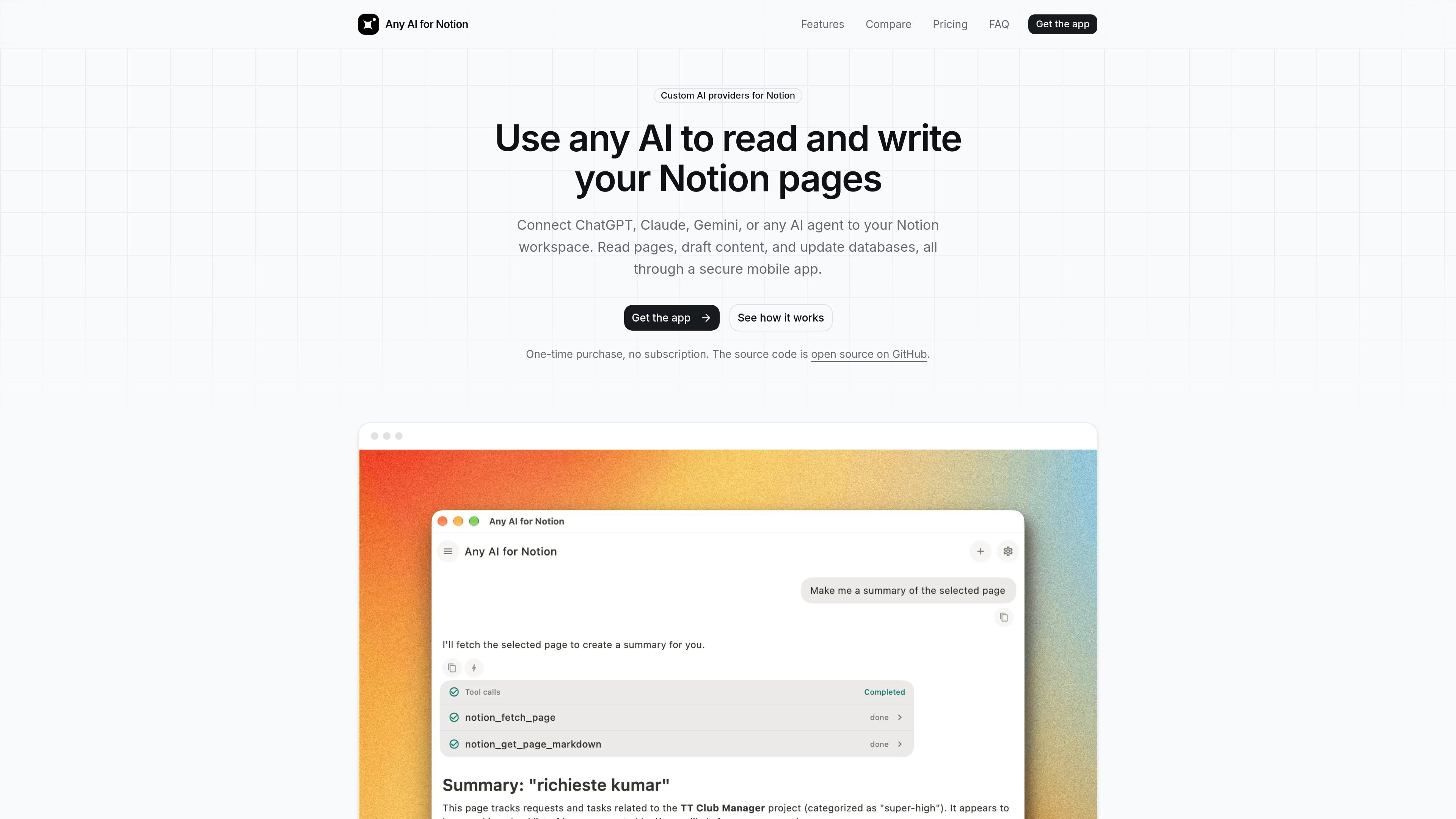
Any AI for Notion is an app that connects AI models to a Notion workspace so they can read, create, and update pages. It is presented as a paid, open source alternative to Notion AI and a turnkey way to connect an existing AI agent to Notion.
The product uses Notion’s official OAuth connection and is designed for workflows where the assistant needs direct workspace access rather than copied content. The site says it supports ChatGPT, Claude, Gemini, Cursor, Copilot, and other OpenAI-compatible models, including local models through Ollama or a self-hosted endpoint.
The app is positioned around practical Notion workflows: searching the workspace for context, drafting content, updating pages or databases, and using a mobile-first assistant experience with deep links, voice input, reminders, and persistent memory. The pricing and comparison pages describe it as a one-time purchase with no subscription.
Connect to Notion through the official OAuth flow, then grant and revoke access from Notion settings as needed.
Use the assistant to search pages, read workspace content, create new pages, and edit existing ones.
Search across the workspace so the AI can pull in context from relevant pages instead of relying only on a single chat thread.
Run the app on iOS with deep links, or use Linux snap builds and other builds from the open source repository.
Bring your own API key or endpoint and use OpenAI-compatible models, including local Ollama setups.
Use voice input, on-device reminders, persistent memory, and web page URL fetching in the app.
Connect a preferred model such as ChatGPT, Claude, Gemini, or a local Ollama setup to work directly against a Notion workspace instead of copying text into a separate chat app.
Search the workspace, read the relevant pages, draft content, and update existing pages or databases from the same assistant session.
Use the iOS app with deep links, voice input, and reminders to capture tasks or notes when away from a desktop browser.
Use the open source code and BYOK flow to connect personal or self-hosted AI infrastructure without a recurring subscription.
Compare the app against Notion AI or MCP-style setups when you want direct workspace access without being tied to Notion’s model choice or desktop-only tooling.
Any AI for Notion connects your Notion workspace to an AI model through Notion’s official OAuth flow. After you authorize access, the app can search, read, create, and update pages you allow it to reach.
The site says it works with ChatGPT, Claude, Gemini, Cursor, Copilot, Codex, Amp, and also with local models such as Ollama or any OpenAI-compatible model you point it at through an API key or endpoint.
The source says the app uses Notion’s official OAuth and stores tokens and keys in platform-native secure storage on your device. It also states the backend is stateless and keeps no user records.
The comparison pages say the app is a one-time purchase and does not require a subscription. They also mention all future updates are included.
The site positions the app as useful for solo power users, developers, and consultants, but also says it is available as an iOS app, Linux snap build, and from the open source repository, which suggests it is not limited to one device or account type.

Goldfish is an AI memory app for macOS that helps you reply, write, summarize, and continue using the context already on your Mac. It stores memory locally and writes in your tone.

ArtDeck is a visual reference board app for iPhone, iPad, and Mac that lets artists collect mixed reference material on one canvas and study it with ToolBox lenses. It works offline, supports optional iCloud sync, and is sold as a one-time purchase with no account required.

Dcyde is a decision log for product teams that captures what was decided, the reasoning behind it, and the source in one shared place. It supports pinning decisions from Slack, Figma, or inside Dcyde and keeps the record searchable over time.

Lasso is an ecommerce product data platform for enriching catalog records, processing supplier files, generating product content, and monitoring competitors. It combines a web app with a REST API, SDK, and MCP server for teams and developers.

CreateOS Sandbox is an isolated compute environment for running code and agent workloads inside Firecracker micro-VMs. It is designed for workflows that need machine-level isolation, private networking between sandboxes, and programmatic control through SDK, CLI, or MCP.

Biji è una piattaforma versatile progettata per migliorare la produttività attraverso strumenti e funzionalità innovative.