
Virtual try-on from your own photo
Upload a photo of yourself and a clothing item, then generate a virtual try-on preview in seconds.

Ask My Wardrobe is a browser-based virtual try-on and outfit planning tool that lets people preview clothes on their own photo, save looks, and organize outfits by date. It is free to start, requires no download, and can be used without creating an account first.
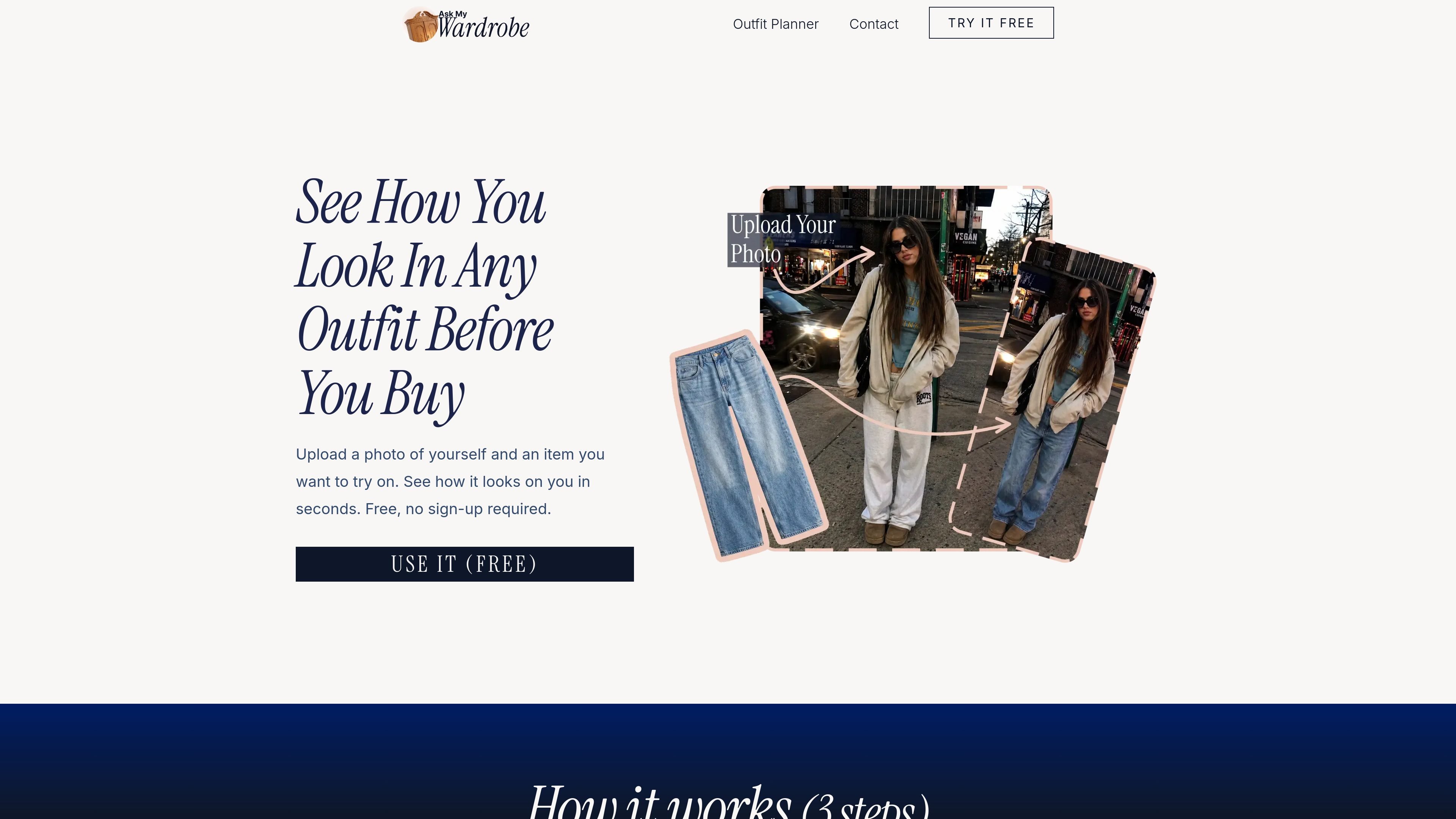
Ask My Wardrobe is a virtual try-on and outfit planning web app that helps people preview clothes on their own photo before buying or wearing them. The homepage says you upload a photo of yourself and a clothing item, then generate a look in seconds without needing to sign up first.
Beyond try-on, the site also includes tools for saving outfits, sharing looks with friends, and planning outfits ahead of time. The outfit planner page adds a calendar-based workflow, a customizable canvas, and calendar sync options so users can organize what they want to wear by day.
Upload a photo of yourself and a clothing item, then generate a virtual try-on preview in seconds.
The site asks for a full-body, forward-facing photo with good lighting and a simple background to improve results.
Generated outfits are saved automatically, so you can return to looks later and build a personal lookbook.
Create a private shareable link or download a look to send to friends for feedback before you buy or wear it.
Use the outfit planner to create daily looks, organize outfits by date, and view them in a monthly calendar.
Build a visual outfit canvas by adding clothes from a digital wardrobe, uploading images, writing text, choosing backgrounds, and removing backgrounds from images.
Preview how a top, bottom, or full outfit looks on your own photo before making a purchase.
Generate outfit options ahead of a party, dinner, workday, weekend plan, or date so you are not deciding at the last minute.
Save generated looks and revisit them later as a personal reference for styles that worked.
Share a private outfit preview with friends or through messaging and social apps to get feedback before you commit.
Organize outfits by date in a monthly calendar and sync them with a calendar app to keep clothing plans tied to real events.
Yes. The homepage says you can try it without an account, and the FAQ text says you can start first and sign up later if you want more tries or want to save looks.
The site says it is free to try, with a few free tries available right away. It also says more unlock after you sign up, but it does not publish detailed pricing on the site content provided.
You upload two things: a photo of yourself and a clothing item. The site’s guidance says a full-body, forward-facing photo with good lighting and a simple background works best.
The site says it works with clear images and can be used for tops, bottoms, and full outfits. It also notes that results are directional rather than perfect.
Yes. The site says you can use it on phone or desktop without downloading anything, and the outfit planner page says planned outfits can be synced with Apple Calendar, Google Calendar, Outlook Calendar, or any calendar app.

Revy is a fashion app for organizing your wardrobe, generating outfit ideas, and recreating looks with clothes you already own. It supports outfit tagging, creator-linked shoppable looks, and free plus Premium mobile plans.

Liam is an AI copilot for managing inboxes, writing replies, prioritizing email, and scheduling meetings. It is offered free for individuals, with custom pricing for teams and enterprise.

Gemma AI is a phone call reminder app that calls you with scheduled reminders instead of push notifications. It helps people who want a more direct way to stay on schedule, with Google Calendar sync and conversational call interactions.

ClawTick is an AI agent automation platform for scheduling jobs from the CLI, dashboard, or REST API. It is aimed at developers and teams running LangChain, CrewAI, webhook, or custom agent workflows that need monitoring, alerts, and logs.

ClawEase is an AI business operator that captures requests across calls, email, SMS, WhatsApp, LINE, and web forms, then completes booking and service workflows in existing web systems. It is aimed at appointment-based businesses that need intake, follow-up, and execution without API changes.

Wearvue AI generates personalized outfit previews from a photo, lets users refine the style for an occasion, and surfaces similar real products to shop. It is aimed at people who want to preview outfit ideas before buying and compare them with shoppable alternatives.