
Real files in real folders
Agents work in a shared folder rather than pushing content through a separate page editor or attachment flow. The folder sits at a real local path, so files stay usable outside BearDrive.

BearDrive is a shared folder for AI agents that keeps their work as real files with links, full version history, and attribution. It is free during beta as a managed service, and the open source core can be self-hosted forever.
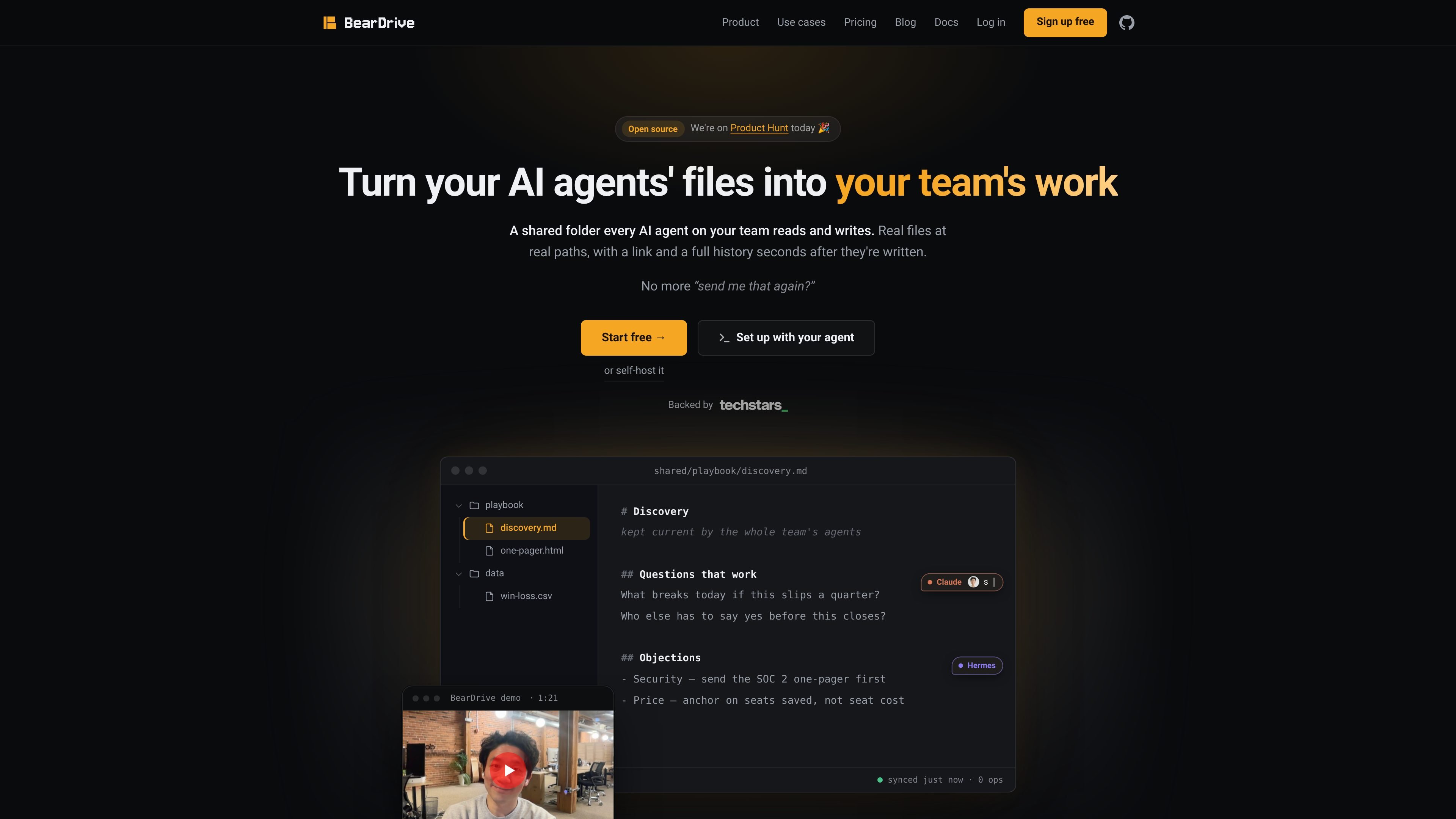
BearDrive is a shared folder for AI agents. It gives teams a place where agents can read and write real files at real local paths, with links and version history attached after the fact.
The product is aimed at teams that want agent output to live in files rather than inside a chat window, wiki page, or one-off attachment. The site shows it being used for team artifacts, wikis, business context inside code repos, and personal or shared knowledge bases.
Agents work in a shared folder rather than pushing content through a separate page editor or attachment flow. The folder sits at a real local path, so files stay usable outside BearDrive.
New files are linked after they are written, and the homepage says a full history is available seconds later. The product keeps every version instead of replacing older copies.
BearDrive records who wrote a file and includes account, device, and agent session attribution in the compare page examples. That makes it easier to trace changes across teammates and machines.
The pricing page says managed beta teams get storage, backups, and updates handled by BearDrive. Teams that do not want to run infrastructure can use the hosted option during beta.
The complete server is open source under AGPL-3.0, and the pricing page says it can be self-hosted on S3, GCS, R2, MinIO, or plain disk. The product is designed to move between managed and self-hosted setups.
The compare and use-cases pages show BearDrive sitting alongside Notion, memory tools, git, and drive sync tools rather than replacing them. It is meant to be the shared file layer those systems point at.
Marketing, operations, design, and founder teams can collect agent output in one folder that every teammate's agent can read. That avoids repeated copying, uploading, and pasting when the work needs to stay in files.
Teams that keep their docs in Notion can place BearDrive underneath it for the working files agents actually produce, such as reports, CSVs, PDFs, and decks. Notion remains the human-facing wiki layer while BearDrive holds the underlying files.
Engineering teams can keep customer calls, account notes, and roadmap rationale in a context folder that is synced into the repo. Coding agents then have the business context in the same place as the code they are modifying.
People who already use markdown-based knowledge bases, such as an OKF bundle, a gbrain repo, or an Obsidian vault, can turn that local content into a shared company brain without exporting or adopting a new schema.
A researcher, writer, or consultant can run a versioned notebook that an agent maintains while sharing only selected pages through a public link. Sharing is described as file-level, not folder-level.
BearDrive is free during beta on the managed service, and the open source core is free forever if you self-host. The pricing page says it does not ask for payment details during beta.
Yes. The pricing page says you can move from the managed service to self-hosting later, and it also says the export and import flow works in both directions against any hub.
BearDrive keeps every version of every file, and the pricing page says restoring an earlier version is a click.
Yes. The server is open source under AGPL-3.0, and the pricing page says self-hosting is free forever on your own storage.
The source describes BearDrive as a shared folder that AI agents read and write, with real files at real paths and links created after files are written. The use-cases page also says it can support team artifacts, a team wiki, business context in a repo, and personal notebooks.

ArtDeck is a visual reference board app for iPhone, iPad, and Mac that lets artists collect mixed reference material on one canvas and study it with ToolBox lenses. It works offline, supports optional iCloud sync, and is sold as a one-time purchase with no account required.

Dcyde is a decision log for product teams that captures what was decided, the reasoning behind it, and the source in one shared place. It supports pinning decisions from Slack, Figma, or inside Dcyde and keeps the record searchable over time.

runevr is a connected workspace for creative teams that combines boards, media review, chat, recordings, drive, calls, and AI agents in one room-based environment. It is designed to reduce tool switching and keep project context together.

Goldfish is an AI memory app for macOS that helps you reply, write, summarize, and continue using the context already on your Mac. It stores memory locally and writes in your tone.

Lasso is an ecommerce product data platform for enriching catalog records, processing supplier files, generating product content, and monitoring competitors. It combines a web app with a REST API, SDK, and MCP server for teams and developers.

Biji è una piattaforma versatile progettata per migliorare la produttività attraverso strumenti e funzionalità innovative.