Canva Craft icon

Canva Craft

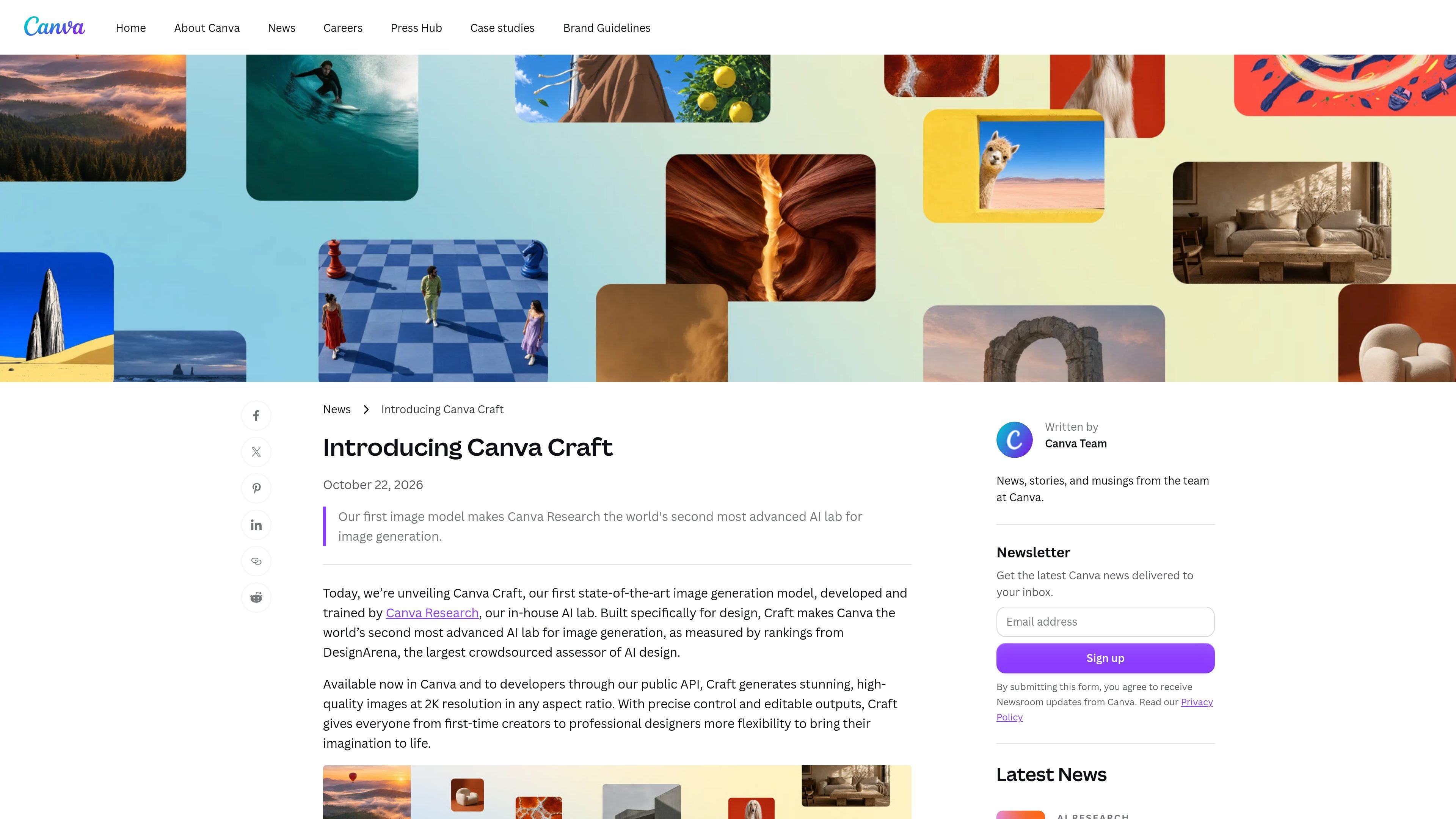
Canva Craft is an AI image generation model built for design-oriented work, including layouts, typography, photorealistic scenes, illustrations, and conceptual imagery. It is available in Canva and is also stated to be accessible to developers through Canva’s public API.

Canva Craft

Overview

Canva Craft is Canva’s image generation model, developed and trained by Canva Research for design-oriented image creation. It generates images at up to 2K resolution, supports more than 30 aspect ratios plus custom dimensions, and is available within Canva; the source also states that developers can access it through Canva’s public API.

Craft is built around a two-stage architecture that separates compositional planning from image rendering. It interprets a prompt into a plan covering elements, spatial relationships, scale, hierarchy, and text before producing the final image. This approach is intended to help with precise layouts, object placement, typography, and later editing in Canva’s Magic Layers.

Key features

Two-stage image generation

Craft uses separate planning and rendering stages: it first maps composition, element relationships, scale, hierarchy, and text, then renders the image. This is intended to improve object placement, consistency, and typography.

Flexible dimensions

Generate images at up to 2K resolution using more than 30 aspect ratios, or enter a custom aspect ratio for formats such as social posts, stories, posters, and banners.

Design-focused training

Craft is trained with an emphasis on design, including Canva templates containing layouts, hierarchy, and typography. Canva says professional designers contributed feedback during fine-tuning and evaluation.

Typography and composition control

The model is designed to render legible text and complex layouts, including compositions with deliberate alignment, spacing, visual hierarchy, and multiple objects.

Editable layer workflow

JSON boundary boxing helps convert generated images into editable layers with Magic Layers, enabling more targeted changes to elements within a composition.

Multilingual prompting and text

Prompts can be written in any language, and Craft can create text in 55 languages, supporting multilingual image and design work.

Use cases

  • Marketing and social content

    Create posters, flyers, ads, presentation visuals, and other marketing assets with planned layouts, hierarchy, and embedded text.

  • Lifestyle and editorial imagery

    Generate realistic scenes involving people, places, food, travel, interiors, architecture, and everyday moments for editorial or lifestyle work.

  • Illustration and digital art

    Explore flat, vector, painterly, hand-drawn, or otherwise stylized visual directions when a project calls for illustration or digital art.

  • People and character concepts

    Build portraits, groups, fashion scenes, and character compositions while maintaining relationships between multiple people or objects.

  • Environment and conceptual work

    Produce landscapes, cityscapes, nature scenes, and imaginative compositions that combine realistic and stylized elements for visual exploration.

Pros and Cons

Pros

  • Supports high-resolution image generation up to 2K with custom sizing options.
  • Designed to handle composition, object relationships, and text rather than focusing only on pixel-level image generation.
  • Outputs can be used with Canva Magic Layers to create editable design elements.
  • Covers photorealistic, illustrative, conceptual, people, environment, and design-asset workflows.
  • Supports prompts in any language and text generation in 55 languages.

Cons

  • The source does not provide detailed public API documentation, usage limits, or a complete setup workflow for developers.
  • Access and AI usage may depend on the Canva plan or allowance available to the user; the pricing page lists different AI allowances across plans and notes that fair-use limits apply.
  • The source describes future reference-image and more advanced editing capabilities as forthcoming, so those capabilities should not be assumed to be available now.

FAQ

How do I access Canva Craft?

Canva Craft is available globally to Canva users through Canva, with access beginning in Dream Lab according to the source page. The source also states that developers can access Craft through Canva’s public API, but it does not provide implementation details.

What kinds of outputs and formats does Craft support?

Craft generates images at up to 2K resolution, supports more than 30 aspect ratios, and allows a custom aspect ratio. The source says prompts can be written in any language and that Craft can create text in 55 languages.

What can I create with Canva Craft?

Craft is designed for image generation and can produce photorealistic imagery, illustrations, digital art, people and character scenes, environments, and design-oriented compositions such as posters and social assets.

Can Craft images be edited after generation?

Craft outputs are suited to Canva’s Magic Layers, which can transform generated images into editable design elements. The source describes this as a Canva workflow and does not document broader editing or export workflows outside Canva.

Quick Facts

Category
AI image generation
Platform
Canva
Primary workflow
Prompt-based generation in Canva, with editing through Canva tools
Maximum stated resolution
Up to 2K
Aspect ratios
More than 30, plus custom dimensions
Availability
Available globally to Canva users; public API access is stated for developers