
Grounded AI resolution
Retrieval-augmented generation uses an indexed knowledge base to produce grounded answers, while a configurable confidence threshold routes uncertain conversations to a human.

Concierge is an AI-first customer support workspace for WhatsApp, email, and social channels. It grounds answers in an indexed knowledge base, escalates uncertain conversations to human agents, and provides SLAs, role-based access, and support analytics on customer-controlled infrastructure.
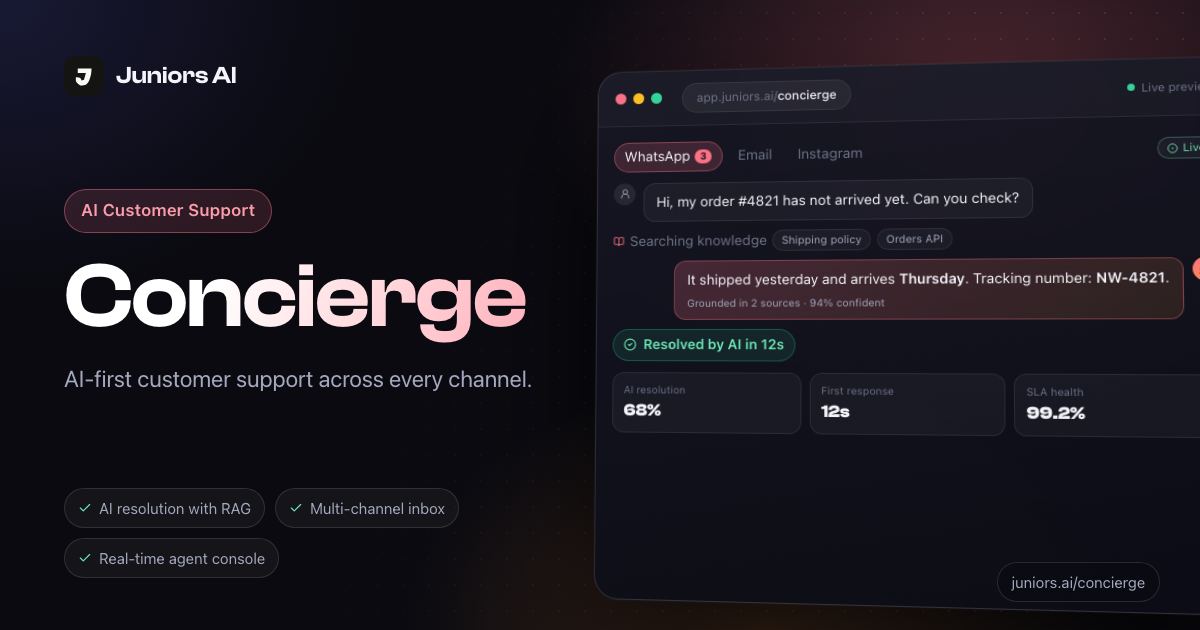
Concierge is an AI-first customer support workspace for handling conversations across WhatsApp, email, and social channels. It combines a shared inbox with retrieval-augmented answers from an indexed knowledge base, allowing teams to resolve routine questions while keeping a human involved when the system is uncertain.
Support teams can connect channels and existing systems, configure roles, service-level targets, escalation rules, and an AI confidence threshold, then review operations through conversation history and analytics. The product is designed to run with the organization’s database, cache, storage, and LLM keys; the site states that conversations, messages, attachments, and knowledge-base embeddings remain in the organization’s database and object storage.
Retrieval-augmented generation uses an indexed knowledge base to produce grounded answers, while a configurable confidence threshold routes uncertain conversations to a human.
WhatsApp, email, and social conversations appear in one workspace through pluggable provider adapters, including Gupshup and other providers.
Agents get live chat, internal notes, slash-command saved replies, park-and-resume handling, and Slack alerts for blocked departments.
First-response, resolution, and escalation targets can be set by priority, with automatic breach alerts delivered through Slack or email.
Separate My Performance, Team Performance, Organization, and AI Resolution dashboards can be filtered by period, channel, priority, and assignee.
HUMAN_AGENT, SUPERVISOR, and ADMIN roles define access to tickets, team views, and organization-wide controls; permissions are enforced on every API call.
Use the shared inbox to answer routine delivery, policy, and account questions across WhatsApp, email, and social channels, with responses grounded in the organization’s knowledge base.
Set priority-based first-response, resolution, and escalation targets, then use Slack or email breach alerts to help teams act before service commitments are missed.
Let AI handle questions within the configured confidence threshold and route uncertain conversations to the appropriate human team member with the relevant history available.
Give agents live conversation tools, internal notes, saved replies, and park-and-resume workflows for cases that require investigation or input from another department.
Use performance and AI-resolution dashboards, filtered by channel, priority, period, or assignee, to identify repeat work and service-quality patterns.
Concierge brings WhatsApp, email, and social channels into one support workspace. The site also lists provider adapters such as Gupshup for WhatsApp, plus Slack alerts, custom webhooks, and internal APIs as connected sources or destinations.
It uses retrieval-augmented generation to answer from an indexed knowledge base. A configurable confidence threshold determines when an uncertain conversation is escalated to a human.
Teams can configure first-response, resolution, and escalation targets by priority. Concierge sends automatic breach alerts to Slack or email.
The documented roles are HUMAN_AGENT, SUPERVISOR, and ADMIN. Access is enforced in middleware on every API call, with permissions ranging from an agent's tickets to organization-wide access.
Concierge stores conversations, messages, attachments, and knowledge-base embeddings in the customer's database and object storage. Juniors AI retains organization/member metadata and encrypted credentials needed to connect to the customer's services.

IntellAgents is an AI voice and chat agent service for businesses handling customer calls, outbound calls, and messaging across WhatsApp, Instagram, Facebook, Telegram, and websites. It uses a shared knowledge base, provides conversation summaries, and can escalate interactions to human staff.

ClawEase is an AI business operator that captures requests across calls, email, SMS, WhatsApp, LINE, and web forms, then completes booking and service workflows in existing web systems. It is aimed at appointment-based businesses that need intake, follow-up, and execution without API changes.

Communicate is an AI customer-support product that answers from a team’s help content and past replies, with source citations and controlled task execution. It helps software companies, startups, agencies, and larger teams provide self-service support while handing conversations to people when needed.

Wapi Sender is a WhatsApp automation platform for businesses and developers. It combines a visual Flow Builder and AI Agent nodes with messaging APIs, webhooks, SDKs, and Claude Code MCP tools for support, sales, notifications, and operational workflows.

Fini AI’s Knowledge Atlas is an AI-native knowledge base that turns resolved tickets and existing support content into cited articles. It is designed for support teams that want a self-maintaining knowledge layer behind an AI agent and customer-facing help center.

Userlens is a customer adoption and retention engine for B2B SaaS and PLG teams. Its agent Lumi turns product behavior into personalized guidance and campaigns that help users adopt the next feature or workflow.