
Group calling
Kadoink can start group calls for up to 9 people from the homepage flow, and the API exposes call and grid endpoints for conference calls and grid-based calling.

Kadoink is a web, mobile, and desktop communication service for group calls, group texting, and contact-based messaging. It lets users ring people directly by phone and manage related contacts, groups, inbox items, and events through the site or API.
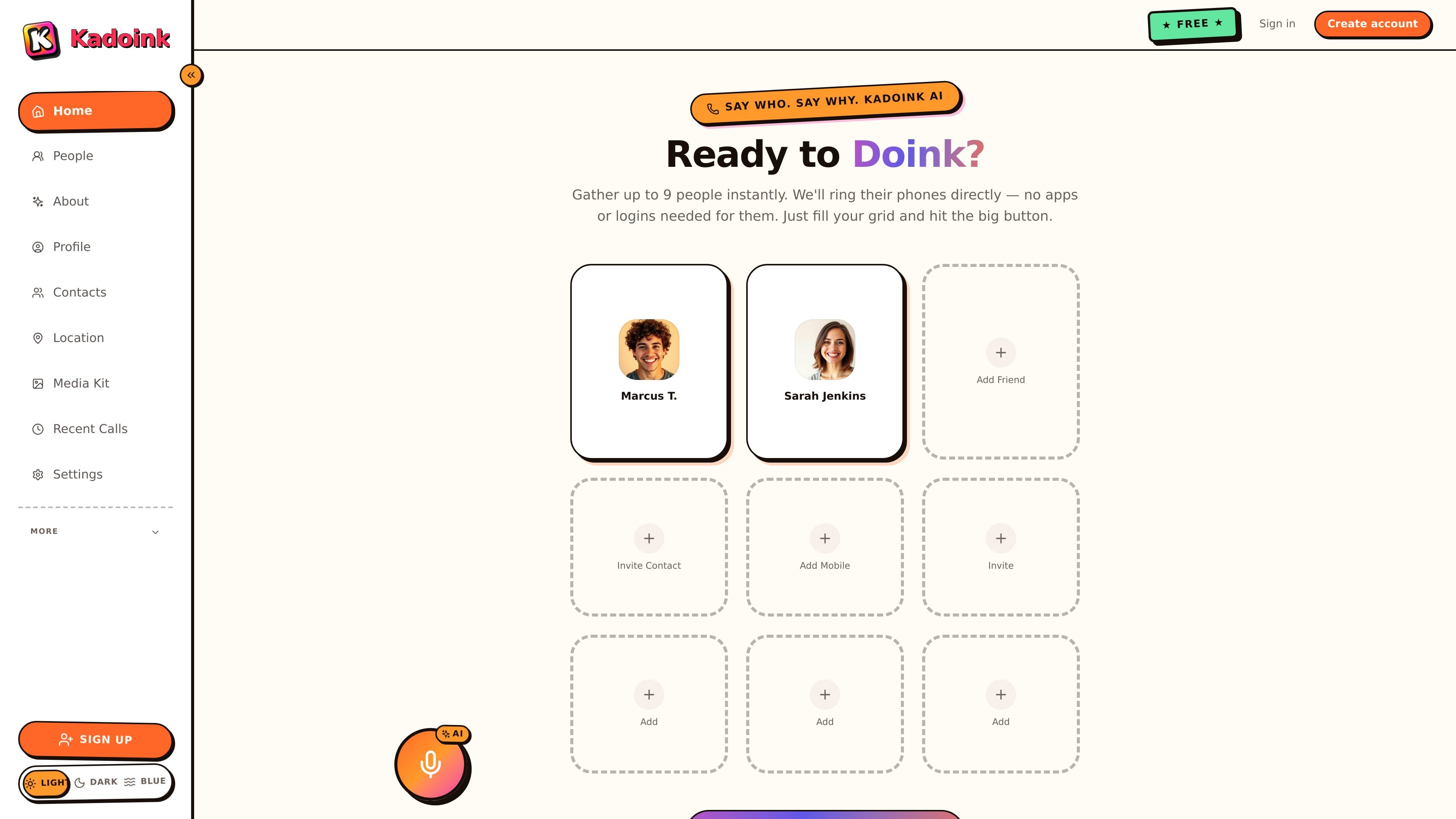
Kadoink is a social communication service that connects a web interface, mobile phones, and a desktop app around group calling, group texting, and contact-driven messaging. The homepage positions it around a simple prompt to “Say Who. Say Why.” and a call flow that can ring up to 9 people directly on their phones without requiring them to install an app or create an account.
The support pages and API docs show a broader system behind that flow: users can manage contacts and groups, post statuses, read inbox messages, handle calendar events, and run text commands through a versioned JSON REST API. The service is built around phone numbers, bearer-token authentication, and mobile verification, with SMS used for signup and alerts.
Kadoink can start group calls for up to 9 people from the homepage flow, and the API exposes call and grid endpoints for conference calls and grid-based calling.
The site says invited people do not need apps or logins, because Kadoink rings their phones directly through SMS and voice workflows.
The product supports group text messages, contact-based texting, and text-command workflows from mobile or web according to the help pages and API docs.
The API docs include profile, contacts, groups, inbox, statuses, feed, calendar, and media endpoints, indicating support for messaging, contact management, status posting, and event management.
How-it-works and about pages mention recorded audio, audio sharing, and embeddable widgets as part of the product's communication model.
Use the homepage grid to gather a small group quickly and ring everyone at once, without asking participants to install software or create an account first.
Add people as contacts and organize them into groups so you can trigger calls or texts by nickname or group name from the web or by SMS command.
Use the API or web dashboard to read inbox items, handle alerts, and manage verified sessions when building around Kadoink as a messaging layer.
Use statuses, feed endpoints, recordings, and media tools when you want a communication workflow that includes updates or shared audio rather than only live calls.
Create and manage calendar events when the product is being used as part of a wider coordination flow across calls, messages, and scheduled activity.
Kadoink is designed to work from the web and a mobile phone. The site also offers a desktop app, and the API documentation describes the same JSON REST API used by the mobile apps.
The how-it-works page says Kadoink is currently free, but mobile carrier charges may still apply for text messages depending on your plan.
The how-it-works page says Kadoink was in beta and only available to users in the United States at the time of that documentation.
The API docs describe bearer-token authentication, email or username login flows, mobile verification for most endpoints, and a desktop-app signup flow that can also start with text message registration.

Biji è una piattaforma versatile progettata per migliorare la produttività attraverso strumenti e funzionalità innovative.

Dcyde is a decision log for product teams that captures what was decided, the reasoning behind it, and the source in one shared place. It supports pinning decisions from Slack, Figma, or inside Dcyde and keeps the record searchable over time.

Carbon Voice is an asynchronous voice messaging app for teams and individuals, with transcripts, AI catch-up, and cross-device access. It helps people and agents communicate without needing a live call.
SignalLEMO is a B2B lead intelligence and outreach platform for field-service and specialized service teams. It helps users find prospects, draft outreach, and track pipeline activity in one place.

Goldfish is an AI memory app for macOS that helps you reply, write, summarize, and continue using the context already on your Mac. It stores memory locally and writes in your tone.

hob is an independent workspace for coding agents that keeps agent sessions, terminals, history, and follow-up work organized around the tools and providers you already use. It is aimed at developers who want local control over routing, history, and workspace structure rather than a bundled model stack.