
LinkedIn CRM
Import LinkedIn connections and add new leads from profiles or search using the sidebar, then manage them in one place instead of across separate lists.

LeadDelta is a LinkedIn CRM with an AI inbox for teams that manage relationships, warm intros, and follow-up on LinkedIn. It supports shared workspaces, enrichment, and workflow tools for sales, recruiting, and partnership outreach.
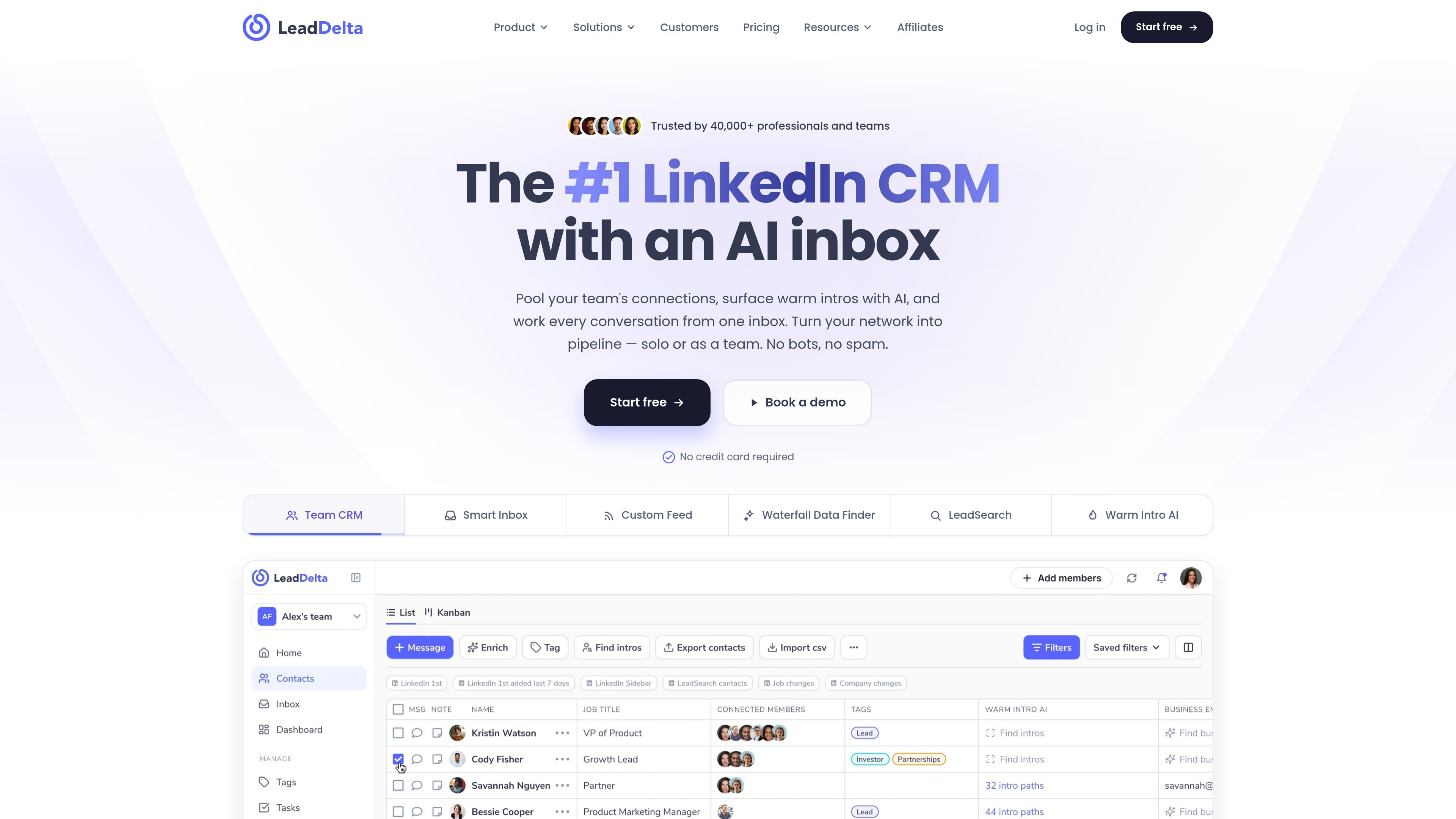
LeadDelta is a LinkedIn CRM built for teams that want to manage relationships, messaging, and follow-up from one workspace. It combines connection sync, tagging, notes, tasks, warm intro discovery, and an AI inbox around LinkedIn-based workflows.
The product is positioned for people who rely on LinkedIn to build pipeline and collaborate on relationships. The homepage and pricing page describe a shared network model for teams, plus tools such as custom feeds, LeadSearch, enrichment, HubSpot integration, Zapier, API/MCP access, and enterprise custom integrations.
Import LinkedIn connections and add new leads from profiles or search using the sidebar, then manage them in one place instead of across separate lists.
Centralize LinkedIn messages, notes, and follow-ups in a single inbox, with AI help to reduce noise and draft replies.
Merge team members’ LinkedIn networks into a shared workspace, deduplicate connections, and surface who knows whom across the group.
Find mutual contacts and ranked warm-path options into prospects, then review and send intro requests through LinkedIn.
Find verified business and personal emails plus phone numbers, with credit-based pay-as-you-go enrichment.
Create shared or private tags, lists, tasks, reminders, custom feeds, and kanban stages to organize outreach and follow-up workflows.
Sales teams can pool teammate connections, search for warm paths to target accounts, and move deals through shared pipeline stages instead of starting from cold outreach.
Founders and operators can keep customer, partner, and investor relationships organized in one place, then use notes, tags, and reminders to manage follow-up.
Recruiters and talent teams can search across LinkedIn connections, shared networks, and custom feeds to find and engage relevant people faster.
Teams running post-event follow-up can use the AI inbox, custom feeds, and contact enrichment to prioritize replies and keep conversations moving.
Enterprise groups can standardize how relationship data moves through the organization with shared workspaces, custom integrations, and security options such as SSO.
LeadDelta is designed for LinkedIn-based relationship management. It syncs LinkedIn connections into a CRM, supports an AI inbox, and adds tools for shared workspaces, warm intro paths, enrichment, and pipeline tracking.
The pricing page shows plans for individuals and teams, starting with a free trial and paid Starter, Pro, Business, and Enterprise options. Enterprise is customized, while the self-serve plans can be started without a credit card.
Yes. The product pages say each teammate connects their own LinkedIn account, then the workspace merges and deduplicates networks so the team can search shared connections and request warm intros.
LeadDelta includes a HubSpot integration, Zapier integration, CSV import/export, API/MCP access, and custom integrations on Enterprise plans. The pricing page also mentions sync with CRM, email, and calendar tools.
The source describes LeadDelta as a LinkedIn CRM with an AI inbox and warm intro tools, so it is aimed at people and teams who use LinkedIn for sales, partnerships, recruiting, or relationship-driven outreach.

Sumora is an autonomous outreach agent for finding, qualifying, warming, and booking leads through LinkedIn and Instagram. It helps users manage replies from one inbox while keeping final sends under review.

Podium is an AI lead generation and lead management platform for local businesses. It centralizes lead conversations, automated follow-up, reviews, payments, and booking, with a 24/7 AI Employee available as an add-on.

Blinked is a free Chrome extension for LinkedIn outreach that helps users research leads, draft personalized messages, and manage follow-ups inside LinkedIn. It is local first, with outreach data kept in the browser rather than on Blinked’s servers.

Ninjō AI is an AI sales agent platform for creators and agencies that qualifies leads, handles sales conversations, and supports multi-channel follow-up. It can also be controlled from Claude or ChatGPT through MCP for users who want to manage agents by chat.

Salestrics is an AI-native CRM and revenue platform for startups. It combines pipeline management, workspace files, analytics, automations, finance, and team communication in one connected workspace.

Oppora AI is an outbound sales platform that automates lead finding, enrichment, outreach, inbox replies, and CRM sync. It is built for teams and operators who want to run repetitive sales workflows from one system instead of piecing together separate tools.