
Goal-based session setup
Set a goal for the session before you begin. Legere uses that stated goal to decide whether the window you are looking at is on task or off task.

Legere is a study assistant for Apple Silicon Macs that measures on-task time by checking window titles during a session. It works offline, provides session feedback after you finish, and is free while in beta.
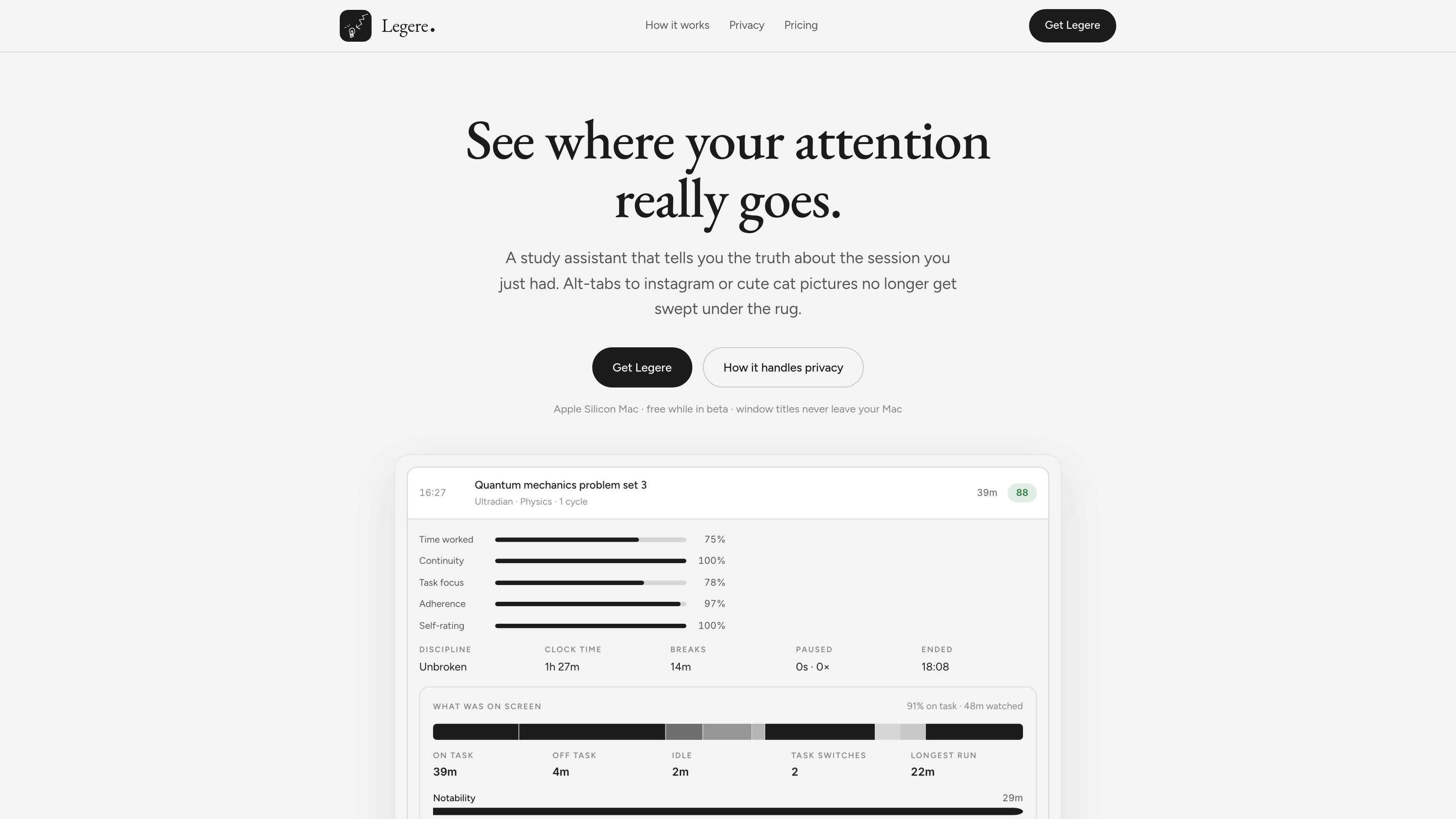
Legere is a study assistant for Apple Silicon Macs that measures where your attention went during a session. You set a goal, start a timer, and the app checks window titles as you switch between apps to decide whether you were on task.
It is designed to turn a study period into a readable session record rather than a vague timer history. After the session, Legere shows what held your attention, what pulled it away, and how long each part lasted. The site also says it works offline, and that signed-out use stays local without judging windows.
Set a goal for the session before you begin. Legere uses that stated goal to decide whether the window you are looking at is on task or off task.
Start the clock with or without a Pomodoro-style timer. The app focuses on measuring time spent on task rather than forcing a single timer format.
Legere checks your window title every time you switch windows, then uses that information to build session feedback and totals.
After a session, you can read back what happened during the study period: what kept your attention, what pulled it away, and how long each part lasted.
The app records the session while offline and judges windows later when it can reconnect, so it can keep track of time even without a live connection.
The privacy notes say window titles never leave your Mac, while only the app name, window title, and stated goal are sent through Legere's server for classification when reading a new window.
Use Legere while studying a single topic or assignment and want a session record that shows where your attention drifted, not just how long the timer ran.
Use the app when you want a Pomodoro-style session or a plain timer, then review the session afterward to see which windows were judged on task or off task.
Use it on a Mac with spotty internet or no connection. The app keeps recording the session and later asks about windows it could not judge at the time.
Use Legere when you want a local-first workflow. Signed out, it behaves as a timer that records your windows without judging them.
Use the app when you want a simple record of distraction-heavy browsing during a study block, with messaging, mail, calls, and password apps excluded from sampling.
Legere is an Apple Silicon Mac app. The homepage says it needs Screen Recording permission so it can read window titles while you study.
When you start a session, you name the task, start the clock, and Legere checks the window title each time you switch windows. Afterward it shows what held your attention, what took it away, and for how long.
The homepage says Legere works without a connection. It records the session locally and judges windows later when it can reconnect, then folds the judged windows into your totals.
Signed out, Legere acts as a local timer that records your windows but does not judge them. The page also says sessions sync, but the record of your screen does not.
The site says Legere is free while in beta and there is no subscription yet.

Goldfish is an AI memory app for macOS that helps you reply, write, summarize, and continue using the context already on your Mac. It stores memory locally and writes in your tone.

ArtDeck is a visual reference board app for iPhone, iPad, and Mac that lets artists collect mixed reference material on one canvas and study it with ToolBox lenses. It works offline, supports optional iCloud sync, and is sold as a one-time purchase with no account required.

Biji è una piattaforma versatile progettata per migliorare la produttività attraverso strumenti e funzionalità innovative.

Malyatko is a baby tracker for logging feeding, sleep, growth, teething, and milestones in one app. It works on iPhone, Apple Watch, and widgets, with no sign-up, offline use, and family sharing through iCloud.

Redline is a budgeting tool for Claude Code that paces sessions to stay within time, token, cost, or plan-percentage limits. It uses Claude Code’s native hooks and statusline to help sessions finish with a usable result instead of stopping abruptly.

Claude Overlay is a Windows desktop overlay for Claude Code that reads your screen so you can ask questions, inspect content, and request edits without leaving the current app. It runs on your existing Claude subscription through the Claude CLI, so no separate API key is required.