Lofi Cities icon

Lofi Cities

Lofi Cities is a free browser app that pairs 16 animated pixel-art city scenes with lofi music composed live through the Web Audio API. It is designed for background listening during study, work, relaxation, and sleep preparation, with no sign-up or installation required.

Lofi Cities

Browser-based lofi music with animated city scenes

Lofi Cities is a browser-based ambient music app that combines animated pixel-art views of cities with endlessly generated lofi music. Users choose a city, start playback, and let the scene and soundtrack provide a background for studying, working, relaxing, or winding down.

The music engine composes tracks live in the browser, while each city contributes a four-minute seamless visual loop and a separate layer of local-style sounds. The interface supports scene changes, weather, music style, mood, track selection, timers, and independent ambience levels without requiring an installation or account.

Features

Animated pixel-art city scenes

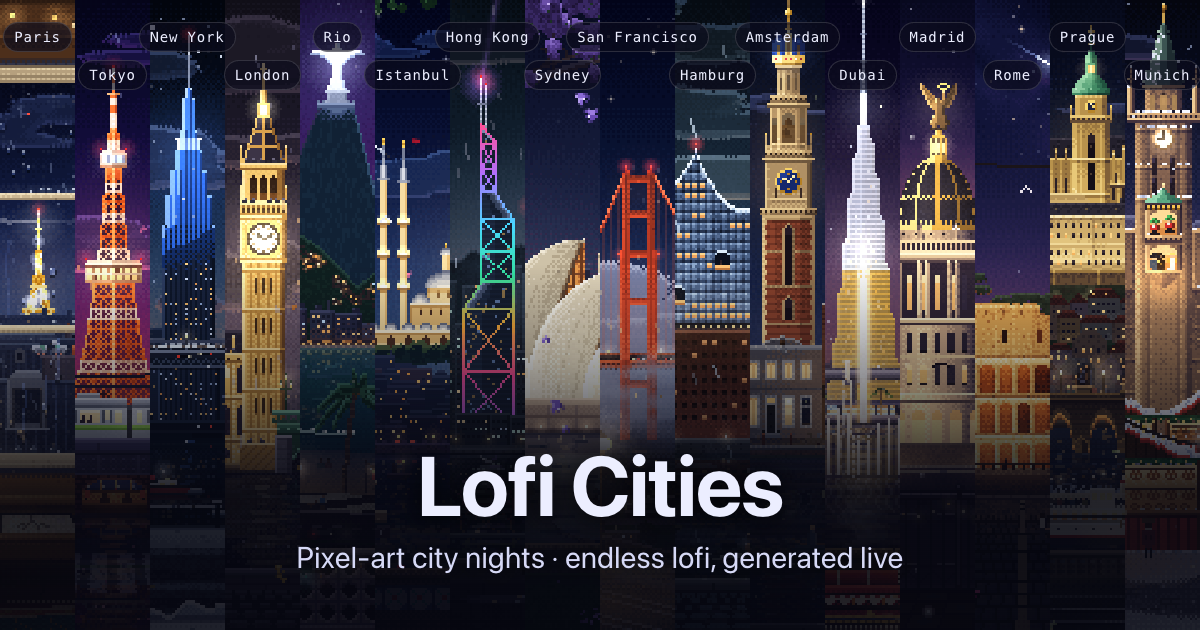
Select among 16 illustrated locations, including Paris, Tokyo, New York, London, Rio de Janeiro, Istanbul, Hong Kong, Sydney, San Francisco, Hamburg, Amsterdam, Dubai, Madrid, Rome, Prague, and Munich. Each scene has its own landmarks, ambience, and four-minute seamless animation loop.

Generative lofi music

The browser composes chords, drums, bass, and often a melody in real time through the Web Audio API. Tracks use synthesized sound with tape-style processing and vinyl crackle, without samples or recordings.

Style and arrangement controls

The Vibe panel offers nine styles—Jazzhop, Piano, Ambient, Bossa, Synth, House, Guitar, Sad, and Medieval—along with chill, balanced, or upbeat moods and full-band, no-drums, or chords-only variations.

Weather and ambience mixing

Weather can be set to a city's own conditions, rain, snow, autumn leaves, or clear skies. The city-sounds mixer provides separate levels for available sounds such as rain, traffic, bells, water, or birds.

Automatic tours and track queue

A city tour changes locations every 5, 10, 15, 20, or 30 minutes, or can follow the night by selecting the city closest to 1 a.m. An Up Next list lets listeners choose an upcoming track.

Focus, sleep, and background listening

Focus timers repeat 25/5 or 50/10 intervals, while a sleep timer fades out and pauses playback. The app also includes a mini player on computers, offline use after opening, and an installable app mode.

Use cases

  • Studying and focused work

    Select a low-intensity style such as Ambient or Piano, adjust the city sounds, and use a 25/5 or 50/10 focus timer for repeated work intervals.

  • Background listening while working

    Leave a city scene running as a non-demanding backdrop while reading, writing, coding, or doing routine tasks. The mini player can keep the scene available over other computer applications.

  • Winding down or sleep preparation

    Choose slower music, reduce or remove drums, and set a sleep timer to fade playback out and pause it rather than leaving the stream running indefinitely.

  • Visual ambience and streaming

    Use the weather controls, city tour, and local ambience mixer to create a changing visual and sound backdrop for a room, stream, or recording setup. OBS mode provides a clean stream-background view, while downloaded loops are available without audio.

Pros and Cons

Pros

  • Free to use in the browser with no sign-up, installation, or pop-ups.
  • Real-time synthesis means the stream is designed to continue without a fixed playlist running out.
  • Detailed controls cover musical style, mood, arrangement, weather, city ambience, timers, and track selection.
  • Works across computers, phones, and tablets, with offline use after the site has been opened.
  • Provides 16 city scenes and optional 1080p PNG and no-audio video-loop outputs.

Cons

  • The music is generated in real time, so listeners looking for specific pre-recorded songs or conventional audio-library playback may find the workflow less predictable.
  • The documented export options cover PNG frames and no-audio video loops; audio export is not described.
  • The available documentation does not specify integrations or team collaboration features.

FAQ

Do I need to install anything or create an account?

No. Lofi Cities runs in a web browser, with no installation or account required. The site says it works on computers, phones, and tablets, and can work offline after it has been opened.

How do I use Lofi Cities?

Choose a city, press play, and let the generative music run. You can change the city, weather, musical style, mood, instrumentation, track queue, and separate city-sound levels while listening.

Is the music pre-recorded or AI-generated?

The music is composed and synthesized in real time with the Web Audio API. It uses generated oscillators, filters, and noise rather than samples, recordings, or an AI model. Individual tracks are described as roughly two and a half to four minutes long, with new tracks continuing indefinitely.

Does it support focus sessions or sleep listening?

Yes. Focus timers can repeat 25/5 or 50/10 work-and-break rounds, while a sleep timer fades the music out and pauses playback. The site also offers a city tour that changes scenes on a schedule or follows the night to the city closest to 1 a.m.

What can I save or export?

The site provides a 1080p PNG frame export and video-loop downloads through Gumroad. The listed video loops contain no audio; the documentation does not describe audio-file export or team collaboration features.

Quick Facts

Category
Ambient music and browser-based focus app
Platform
Web app for computers, phones, and tablets
Music engine
Web Audio API; synthesized live in the browser
Scenes
16 pixel-art city locations
Access
Free to use; no account or installation required
Outputs
1080p PNG frame export and no-audio video loops via Gumroad