
Global voice capture
Hold a desktop shortcut, speak a thought, and send it to Mem Agent without leaving the app you are in. The same workflow also supports hands-free capture with a double-tap.

Mem Agent is an AI follow-up assistant inside Mem that uses your notes, meetings, messages, and calendar to surface unfinished work and check back when something needs attention. It helps people capture context quickly and return to it later with a relevant note or next step.
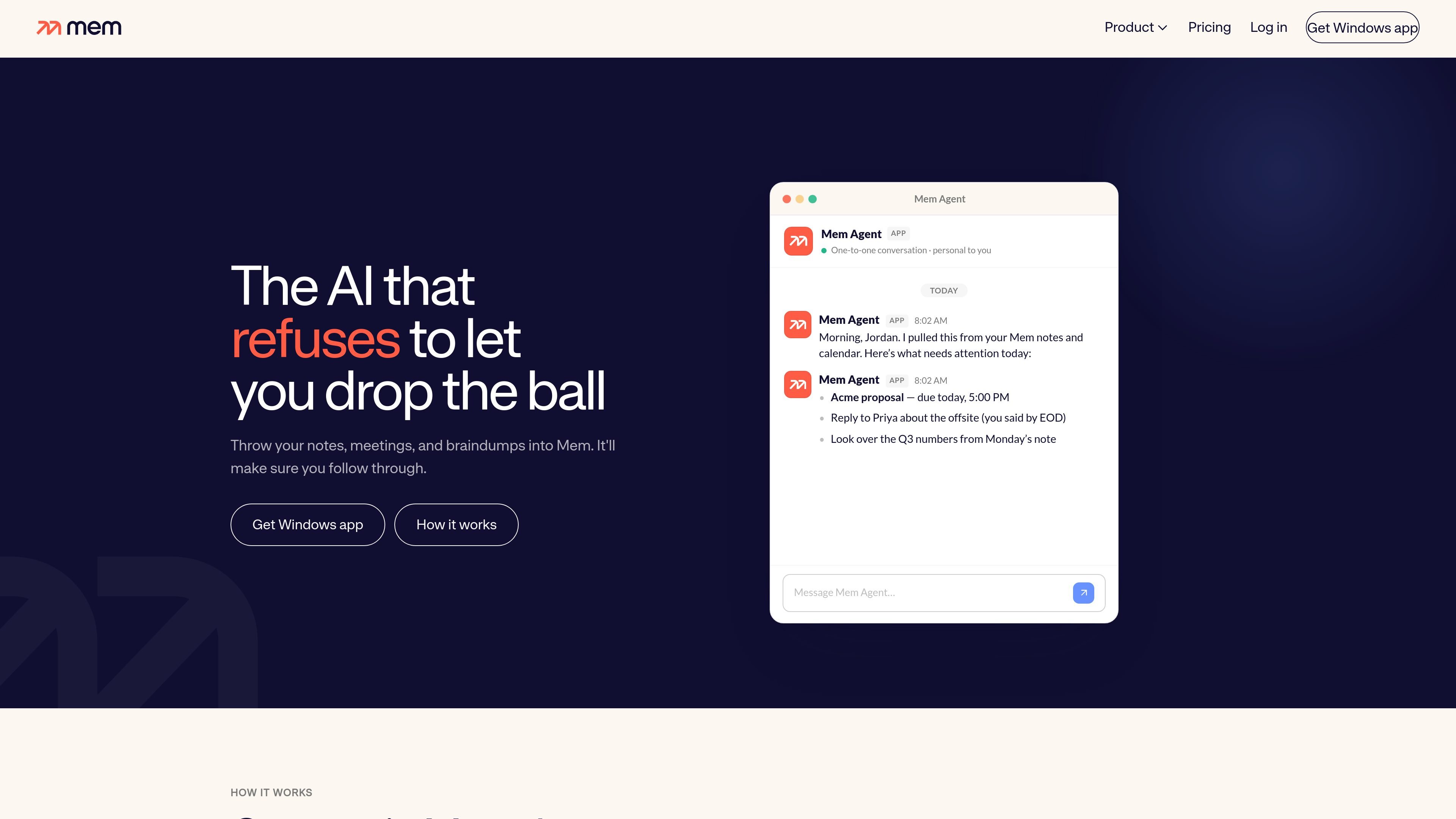
Mem Agent is the follow-up layer inside Mem. It learns from the notes, meetings, messages, and calendar items you already save in Mem Workspace, then checks in when something needs attention.
The product is built around capture-first workflows. You can push a thought into Mem from the desktop, add notes directly in the workspace, or send a message to the Agent, and Mem uses that context to surface unfinished work, upcoming commitments, and relevant notes when it is time to act.
Hold a desktop shortcut, speak a thought, and send it to Mem Agent without leaving the app you are in. The same workflow also supports hands-free capture with a double-tap.
Mem Agent uses notes, messages, and your connected calendar to identify unfinished work, upcoming deadlines, and open loops. It can then surface what needs attention and when you have time to act.
When Mem Agent brings something back, it can include the relevant note or a useful first step instead of only a reminder. That makes it easier to act without searching for details again.
Mem Workspace keeps notes, meetings, ideas, and collections visible and editable while the Agent learns from them. Captured items remain in place rather than being moved into a separate system.
The workspace can connect to email and API access on the Pro plan, and Mem also supports MCP connections for bringing workspace context into Claude and ChatGPT.
Push-to-Remember can be used to save ideas, update lists, organize context, or find something you captured before, depending on plan capabilities.
Capture a commitment, question, or loose end from any desktop app with Push-to-Remember, then let Mem Agent bring it back later with the surrounding note or next step attached.
Save meeting notes, decisions, and follow-ups in Mem Workspace, then use the Agent to surface deadlines, open loops, and items that need attention before they slip.
Ask Mem Agent to remind you later, then let it check your calendar so the follow-up lands when you actually have time to respond.
Store a note, list, or project detail in Mem and ask the Agent to bring back the saved context when you need it again, instead of rebuilding the thread from scratch.
Use the Pro plan’s email and API connections or MCP-based connections to carry Mem context into other tools such as Claude or ChatGPT without retyping the background.
Mem Agent is designed to work from the notes, messages, and calendar you already keep in Mem. You can capture a thought, ask it to save or organize information, and let it use that context when it follows up later.
Push-to-Remember is available in the latest Mem desktop app for Mac and Windows. It works from other desktop apps as long as the Mem desktop app is running, and it is not currently available in the web or mobile apps.
No. Push-to-Remember is available on Free, Pro, and Proactive plans. The actions Mem Agent can take after receiving a message depend on your plan, with proactive reminders and fuller task tracking on Proactive.
Mem supports one-click exports of notes and collections into Markdown files.
The latest Mem desktop app lets you change or disable the Push-to-Remember shortcut in Settings. Supported shortcut choices include Tab, Caps Lock, Right Shift, Right Option or Alt, Right Control or Ctrl, and Scroll Lock.

garden-md is an open-source Node.js CLI that turns meeting transcripts into a local company wiki. It links entities across transcripts, keeps the original text intact, and renders the result as a browsable wiki.

recall is an AI flashcard app that turns reading and notes into study cards through Claude, ChatGPT, or another MCP client. It uses one-time lifetime access pricing and spaced repetition review.

Goldfish is an AI memory app for macOS that helps you reply, write, summarize, and continue using the context already on your Mac. It stores memory locally and writes in your tone.

Lasso is an ecommerce product data platform for enriching catalog records, processing supplier files, generating product content, and monitoring competitors. It combines a web app with a REST API, SDK, and MCP server for teams and developers.

ArtDeck is a visual reference board app for iPhone, iPad, and Mac that lets artists collect mixed reference material on one canvas and study it with ToolBox lenses. It works offline, supports optional iCloud sync, and is sold as a one-time purchase with no account required.

Liam is an AI copilot for managing inboxes, writing replies, prioritizing email, and scheduling meetings. It is offered free for individuals, with custom pricing for teams and enterprise.