
Behavior-based reminders
Uses a Behavior Chains approach to prepare reminders with visible actions such as yawning, looking around, or stretching, rather than interrupting abruptly.

Mitra is a desktop companion app that reacts to your activity, reminders, weather, music, and meetings on Windows, macOS, and Linux. It is described as a local, offline-friendly tool with native installers and a built-in auto-updater.
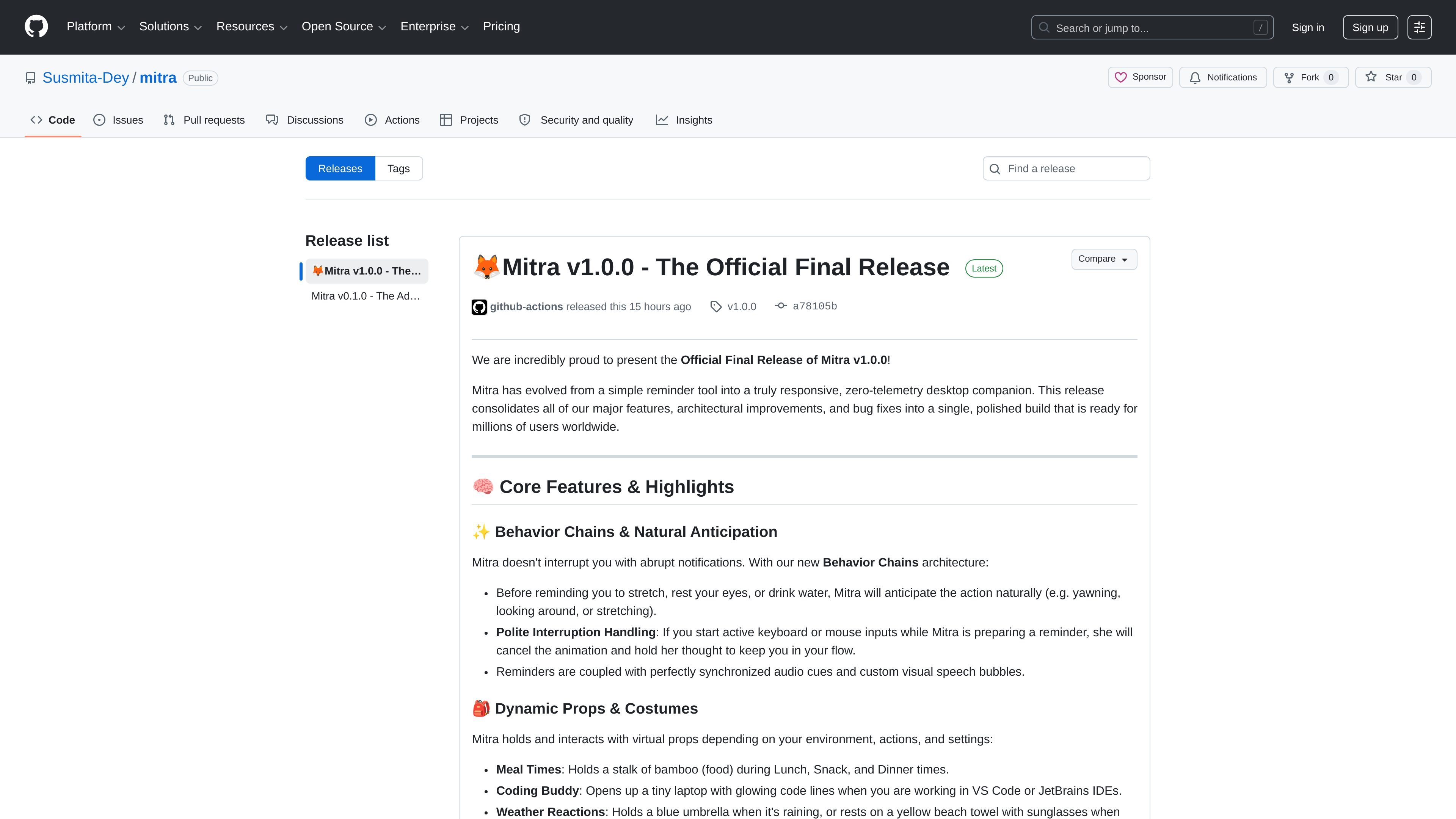
Mitra is a desktop companion app from Susmita-Dey/mitra. The release notes describe it as a “local friend living in your device,” and the v1.0.0 release positions it as a responsive, zero-telemetry desktop companion rather than just a reminder tool.
Its core job is to sit on the desktop, react to context, and deliver reminders in a more animated way. The release notes mention stretch, eye-rest, hydration, birthdays, weather, music, and work-state awareness, with support for Windows, macOS, and Linux installers.
Uses a Behavior Chains approach to prepare reminders with visible actions such as yawning, looking around, or stretching, rather than interrupting abruptly.
Cancels its animation when you start typing or moving the mouse so it does not get in the way of active work.
Shows different props and costumes based on context, including food during mealtimes, a laptop for coding, an umbrella for rain, and a party hat and cake for birthdays.
Detects active calls in apps such as Zoom, Teams, Discord, Webex, and Slack, and stays silent during meetings or calls.
Listens to media controls on Windows via win-gsmtc so it can sway along with music while staying on the desktop.
Fetches weather from public IP data and is described as requiring no invasive native OS location permissions.
Use Mitra for gentle reminders to stretch, rest your eyes, or drink water without harsh notification behavior.
Keep it running during focused work so it can react to coding sessions, active input, and meetings without interrupting the flow.
Let it respond to the day’s context with weather, music, meals, or birthday cues that change its props and behavior.
Install it locally on your preferred operating system and receive app updates through the built-in updater when you approve them.
Mitra is described in the release notes as a desktop companion that lives on your device, handles reminders, and reacts to context such as activity, weather, and media playback. It is positioned as a local, offline-friendly app rather than a web service.
The release notes say Mitra can remind you to stretch, rest your eyes, or drink water, and it uses Behavior Chains so it can anticipate actions naturally instead of firing abrupt notifications.
The release notes list Windows, macOS, and Linux installer formats. They also mention that some context features are Windows-only, such as media-control listening via win-gsmtc.
The release notes say you can download the native installer for your system: .msi or .exe for Windows, .dmg for macOS, and .deb or .AppImage for Linux. They also mention a built-in auto-updater for approved new builds.
According to the release notes, Mitra is built to work offline and keep privacy boundaries by avoiding invasive OS location permissions. It detects active calls to stay silent and uses public IP for local weather instead of native location access.
MealTime è il tuo assistente personale per le ricette, progettato per funzionare prima offline, che ti aiuta a salvare, organizzare, pianificare i pasti e generare liste della spesa intelligenti, mantenendo sempre privati i tuoi dati.

Goldfish is an AI memory app for macOS that helps you reply, write, summarize, and continue using the context already on your Mac. It stores memory locally and writes in your tone.

Biji è una piattaforma versatile progettata per migliorare la produttività attraverso strumenti e funzionalità innovative.

Gemma AI is a phone call reminder app that calls you with scheduled reminders instead of push notifications. It helps people who want a more direct way to stay on schedule, with Google Calendar sync and conversational call interactions.

Redline is a budgeting tool for Claude Code that paces sessions to stay within time, token, cost, or plan-percentage limits. It uses Claude Code’s native hooks and statusline to help sessions finish with a usable result instead of stopping abruptly.

Claude Overlay is a Windows desktop overlay for Claude Code that reads your screen so you can ask questions, inspect content, and request edits without leaving the current app. It runs on your existing Claude subscription through the Claude CLI, so no separate API key is required.