
Clock and date
Show the current time and date as a calm, always-visible part of the desktop.

Orbl is a macOS live wallpaper and desktop widget app that turns the desktop into a calm dashboard for time, weather, focus, system status, and premium integrations. It is free to use with built-in widgets, with a one-time Premium upgrade for integrations.
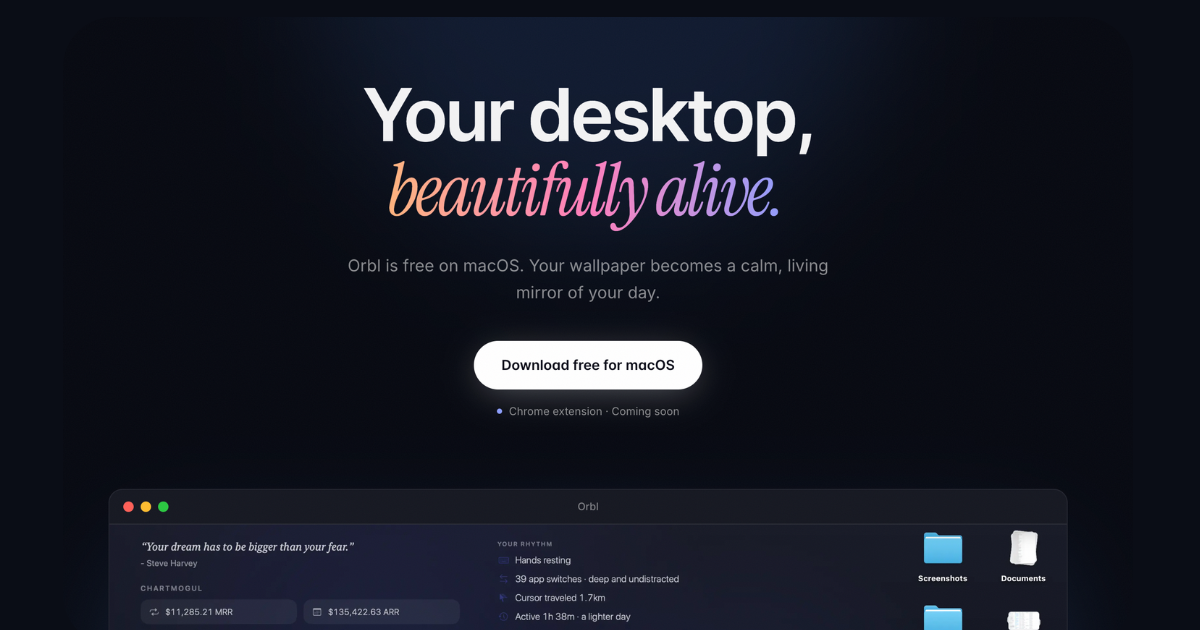
Orbl is a macOS wallpaper app that turns the desktop into a live dashboard. It places widgets behind windows so users can see time, weather, focus, system status, and selected business metrics without opening separate apps or panels.
The app is free to download on macOS and includes all built-in widgets. Orbl Premium is a separate one-time upgrade that unlocks integrations, including revenue tools, developer data, audience stats, markets, meetings, and other read-only sources, with data kept local and API keys stored in the macOS Keychain.
Show the current time and date as a calm, always-visible part of the desktop.
Display current weather, a sunset countdown, and live air quality on the wallpaper.
Track deep work sessions and a local rhythm view based on app switches, keystrokes, cursor travel, and screen time.
Surface CPU, memory, disk, Wi-Fi health, and device batteries as glanceable system widgets.
Add sticky notes, quote of the day, on-this-day content, and month or year progress indicators.
Connect read-only integrations for revenue, developer, audience, SEO, markets, tasks, and other data sources, with keys stored in the macOS Keychain.
Keep the time, weather, air quality, and sunset countdown visible on the desktop so you can check them without switching apps.
Use deep work, rhythm, and app-usage widgets to understand where attention went during the day and when focus sessions started or ended.
Monitor CPU, memory, disk, Wi-Fi, and device battery status from the wallpaper when you want system health at a glance.
Surface revenue, GitHub, RSS, audience, SEO, and market integrations on the wallpaper for read-only reference while working.
Pin reminders, event countdowns, and sticky notes to the wallpaper to keep upcoming tasks and small notes in view.
Yes. Orbl is free on macOS and includes every built-in widget, including clock and date, weather and sunset, air quality, focus and rhythm, machine stats, device batteries, sticky notes, progress bars, quote of the day, and on-this-day content. No account or card is required to download and use the free app.
Orbl Premium is a one-time purchase of $19 for the first 50 buyers, then $49. It is a lifetime license with no subscription.
Premium unlocks integrations such as Stripe, ChartMogul, Lemon Squeezy, Dodo Payments, Gumroad, Polar, TrustMRR, GitHub, RSS or Atom feeds, custom APIs, Ahrefs, Reddit, Bluesky, Product Hunt, Hacker News, crypto prices, exchange rates, meetings and tasks, app-usage ranking, and the ISS widget.
Checkout is handled by Dodo Payments. After purchase, you receive a license key by email and paste it into Settings → License Key on the same Mac or your other Macs.
The site describes Orbl as free to try with built-in widgets, and it does not present team or multi-user management features on the public pages reviewed.

Malyatko is a baby tracker for logging feeding, sleep, growth, teething, and milestones in one app. It works on iPhone, Apple Watch, and widgets, with no sign-up, offline use, and family sharing through iCloud.

Yattayo: Slider To-Do Board is a productivity app that turns tasks into a physical-style slider board with sticky notes, widgets, reminders, and iCloud sync. It helps people who want a more tactile way to manage to-dos and, in Premium, recurring habits.

ConscioussAI is an AI assistant for macOS, Windows, iOS, and Android that helps execute tasks across apps, files, the browser, and messages. It is aimed at people who want permission-based help on both desktop and mobile.
MealTime è il tuo assistente personale per le ricette, progettato per funzionare prima offline, che ti aiuta a salvare, organizzare, pianificare i pasti e generare liste della spesa intelligenti, mantenendo sempre privati i tuoi dati.

Goldfish is an AI memory app for macOS that helps you reply, write, summarize, and continue using the context already on your Mac. It stores memory locally and writes in your tone.

ArtDeck is a visual reference board app for iPhone, iPad, and Mac that lets artists collect mixed reference material on one canvas and study it with ToolBox lenses. It works offline, supports optional iCloud sync, and is sold as a one-time purchase with no account required.