
Multi-format document processing
Process PDFs, Word documents, PowerPoint decks, spreadsheets, images, and emails in one workflow, rather than treating each file type as a separate extraction problem.

Parsewise is a document processing API for structured extraction and cross-document reasoning. It helps teams turn multi-document packages into traceable structured output for review and downstream automation.
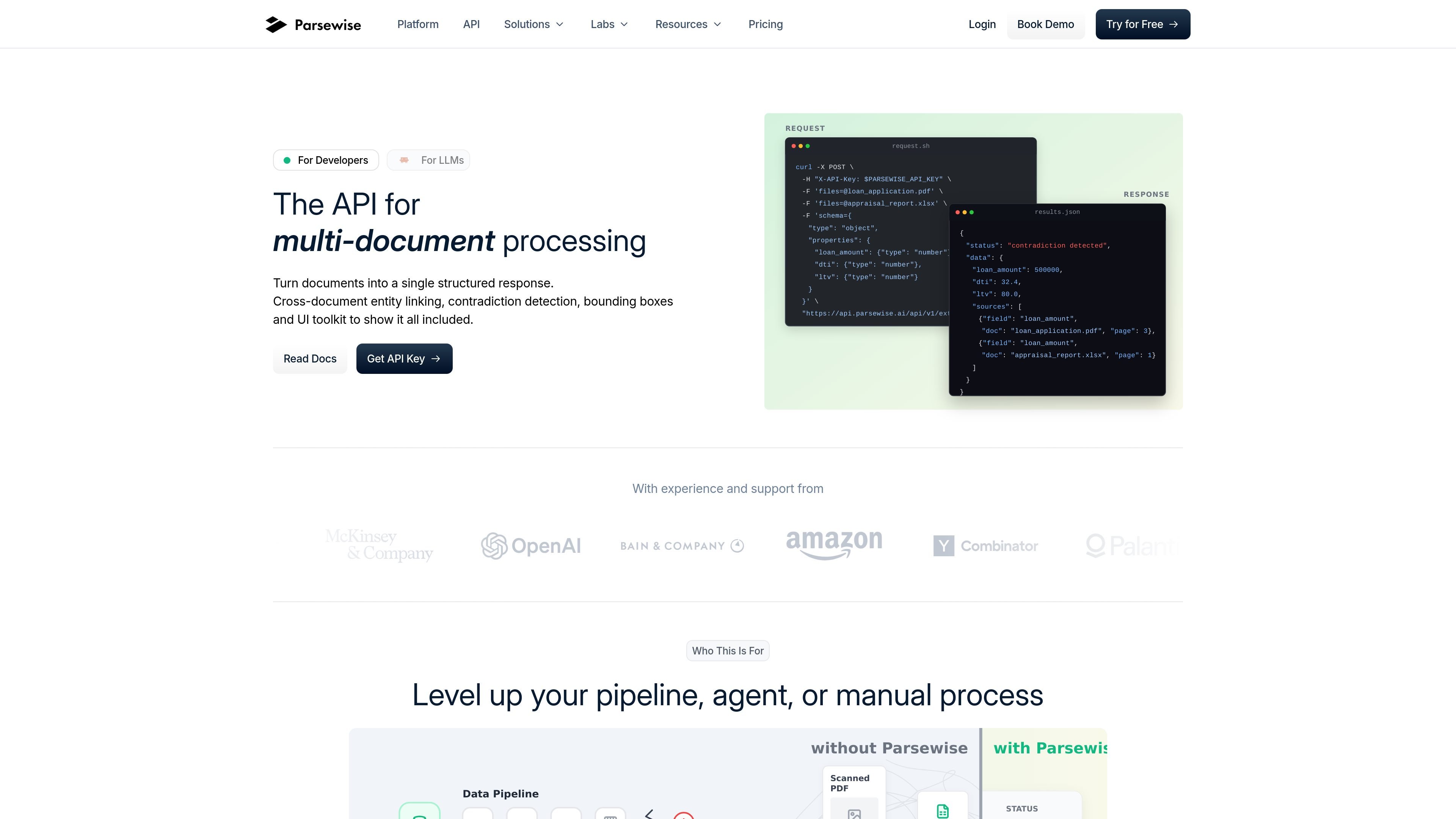
Parsewise is a document processing API for structured data extraction and cross-document reasoning. It is built to turn multi-document packages into a single structured response that can be traced back to the original pages and paragraphs.
The product focuses on workflows where simple per-document parsing is not enough. Parsewise links entities across files, detects contradictions between sources, and returns audit-ready output for teams that need reliable review and downstream automation.
Process PDFs, Word documents, PowerPoint decks, spreadsheets, images, and emails in one workflow, rather than treating each file type as a separate extraction problem.
Combine facts across a corpus and return a unified structured response, including cross-document entity linking and contradiction detection.
Return answers with page and paragraph references, plus bounding-box data at the word level, so teams can audit where each result came from.
Produce results as JSON, CSV, or Excel, and fill DOCX, PDF, and XLSX templates deterministically from extracted data.
Use built-in extraction definitions, then refine them over time as the system processes more of your data.
Let non-technical users configure schemas, review results, and continue analysis from the browser through the web app.
Extract fields from broker submissions, loss runs, schedules, and other insurance packets while keeping the results tied back to their source documents.
Review deal rooms and reconcile conflicting disclosures across hundreds of files, then export structured results for diligence workflows.
Validate complete loan packages by extracting ratios, identifying missing documents, and consolidating supporting evidence from applications, statements, and appraisals.
Build internal review tools that let analysts inspect extracted values, source citations, and bounding boxes without reprocessing the original corpus.
Configure agents for follow-up questions on an already-processed corpus when teams need additional context without re-ingesting the same files.
Parsewise is a document processing API for structured data extraction and cross-document reasoning. It is designed for teams that need to turn multi-document packages into a single structured response with traceable outputs.
The source describes outputs such as JSON, CSV, Excel, and filled DOCX, PDF, and XLSX templates. It also exposes bounding-box endpoints so applications can highlight source regions in a custom UI.
The pricing pages describe usage-based plans with a free or pay-as-you-go option, plus enterprise pricing for custom volumes, governance controls, and tailored infrastructure.
Parsewise says customer data is not used to train models. It also states support for encryption at rest and in transit, GDPR and SOC 2 Type II compliance, and VPC deployment on AWS, Azure, and GCP.
The site says Parsewise can support scanned documents, photos, handwritten notes, rotated documents, equations, and translation across 70+ languages through configured agents.

ByteAsk is a terminal-first AI coding agent for C and C++ that edits repositories and verifies changes with the real compiler, debugger, sanitizers, and tests before showing a diff. It offers a free tier plus paid plans, with editor connectors and zero-retention handling described in the source.

CreateOS Sandbox is an isolated compute environment for running code and agent workloads inside Firecracker micro-VMs. It is designed for workflows that need machine-level isolation, private networking between sandboxes, and programmatic control through SDK, CLI, or MCP.

hob is an independent workspace for coding agents that keeps agent sessions, terminals, history, and follow-up work organized around the tools and providers you already use. It is aimed at developers who want local control over routing, history, and workspace structure rather than a bundled model stack.

Ably Chat is a chat API platform for building custom realtime chat applications. It supports room-based messaging, typing indicators, presence, reactions, and message updates, with usage-based pricing options for different deployment stages.

Manta AI is an autonomous web app testing tool for teams that want to map application behavior, catch regressions, and generate tests without writing scripts or maintaining selectors. It works from a URL and supports plain-English test flows, run results with screenshots, and scheduled or deployment-triggered checks.

SonOf connects to your repo and PM tool, audits the codebase and surrounding product context, and turns approved work into shipped tickets with senior engineering review. It is aimed at founders and engineering leaders who need backlog help without hiring a full team immediately.