
At-a-glance status display
Displays the time, date, and current weather together in one calm readout so users can check the essentials without opening multiple apps.

Present: Clock, Date + Weather is an iPhone utility that shows the time, date, weather, and upcoming calendar items in a calm, glanceable layout. It is designed for quick checks on a stand or desk, with no readout controls, no notifications, and offline support for core display elements.
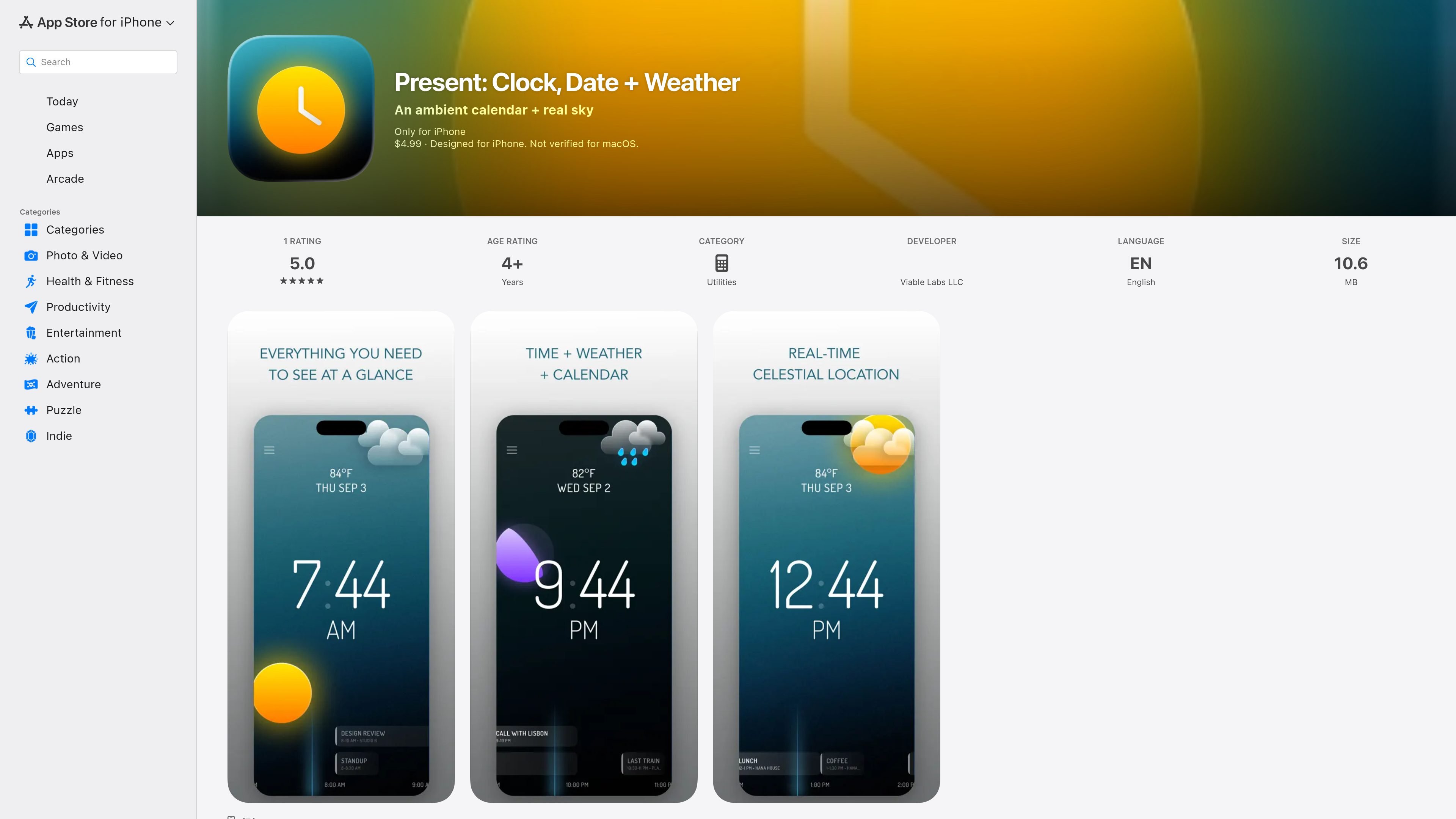
Present: Clock, Date + Weather is an iPhone utility that turns the phone into a calm, glanceable display for the current time, date, weather, and upcoming calendar items. The App Store listing describes it as “an ambient calendar + real sky” and emphasizes that it is meant to be left on a stand and checked briefly, not actively managed.
The app’s design centers on minimal interaction. The product page says there are no controls on the readout, no settings screen, no feed, no badge, and no notifications. It also states that calendar data is read on-device in read-only mode, weather uses rounded location data, and the clock, sky, and moon can continue working offline.
Displays the time, date, and current weather together in one calm readout so users can check the essentials without opening multiple apps.
Shows the next few hours of calendar events with a fixed now-marker, helping the screen function like a glanceable agenda rather than a scrolling list.
Uses the device’s coordinates to compute sunrise and sunset locally, then animates a sky that tracks the real dusk and night where you are.
Draws the sun, moon, and moon phase on the screen, so the display gives a rough sense of time of day before you read the numbers.
Has no controls on the readout and no settings screen, which keeps the interface minimal and reduces interaction demands.
Supports offline use for the clock, sky, and moon, while limiting external communication to weather data from MET Norway.
Useful on a desk, shelf, or stand when you want a constant reference for the time, date, weather, and next calendar items without opening several apps.
Helpful for people who prefer a low-interruption home screen alternative that does not send notifications or try to pull them into a feed.
Fits situations where you want to see the day’s rhythm at a glance, since the app shows sunrise, sunset, the sun’s position, and the moon phase.
Appropriate for quick calendar awareness when you only need the next few hours of events and do not need editing or account-based sync inside the app.
Present is an iPhone app that shows the time, date, current weather, and the next few hours of calendar events in a calm, glanceable layout. It is designed to sit on a stand and be read at a glance rather than used as a full interactive session.
No. The product page says there are no controls on the readout, no settings screen, no feed, no badge, and no notifications it can send.
Calendar events are read on the device, read-only, one day at a time. The page states that no title, location, attendee, or time ever leaves the phone.
The clock, sky, and moon work offline. Weather data comes from MET Norway, and the app only talks to the weather service while using rounded location data.
The App Store listing says Present requires iOS 17.0 or later and is iPhone only.

Malyatko is a baby tracker for logging feeding, sleep, growth, teething, and milestones in one app. It works on iPhone, Apple Watch, and widgets, with no sign-up, offline use, and family sharing through iCloud.

Yattayo: Slider To-Do Board is a productivity app that turns tasks into a physical-style slider board with sticky notes, widgets, reminders, and iCloud sync. It helps people who want a more tactile way to manage to-dos and, in Premium, recurring habits.

ConscioussAI is an AI assistant for macOS, Windows, iOS, and Android that helps execute tasks across apps, files, the browser, and messages. It is aimed at people who want permission-based help on both desktop and mobile.
MealTime è il tuo assistente personale per le ricette, progettato per funzionare prima offline, che ti aiuta a salvare, organizzare, pianificare i pasti e generare liste della spesa intelligenti, mantenendo sempre privati i tuoi dati.

Goldfish is an AI memory app for macOS that helps you reply, write, summarize, and continue using the context already on your Mac. It stores memory locally and writes in your tone.

ArtDeck is a visual reference board app for iPhone, iPad, and Mac that lets artists collect mixed reference material on one canvas and study it with ToolBox lenses. It works offline, supports optional iCloud sync, and is sold as a one-time purchase with no account required.