
Unified agent history
Reads local history from eleven supported coding agents, groups sessions by day, filters by project, and provides search across tools.

Prompt Deck is a macOS app that brings coding-agent transcripts from eleven supported tools into one searchable interface, alongside reusable prompts and agent memory files. It is intended for developers who work across multiple coding agents and want to review, reuse, and maintain that local context in one place.
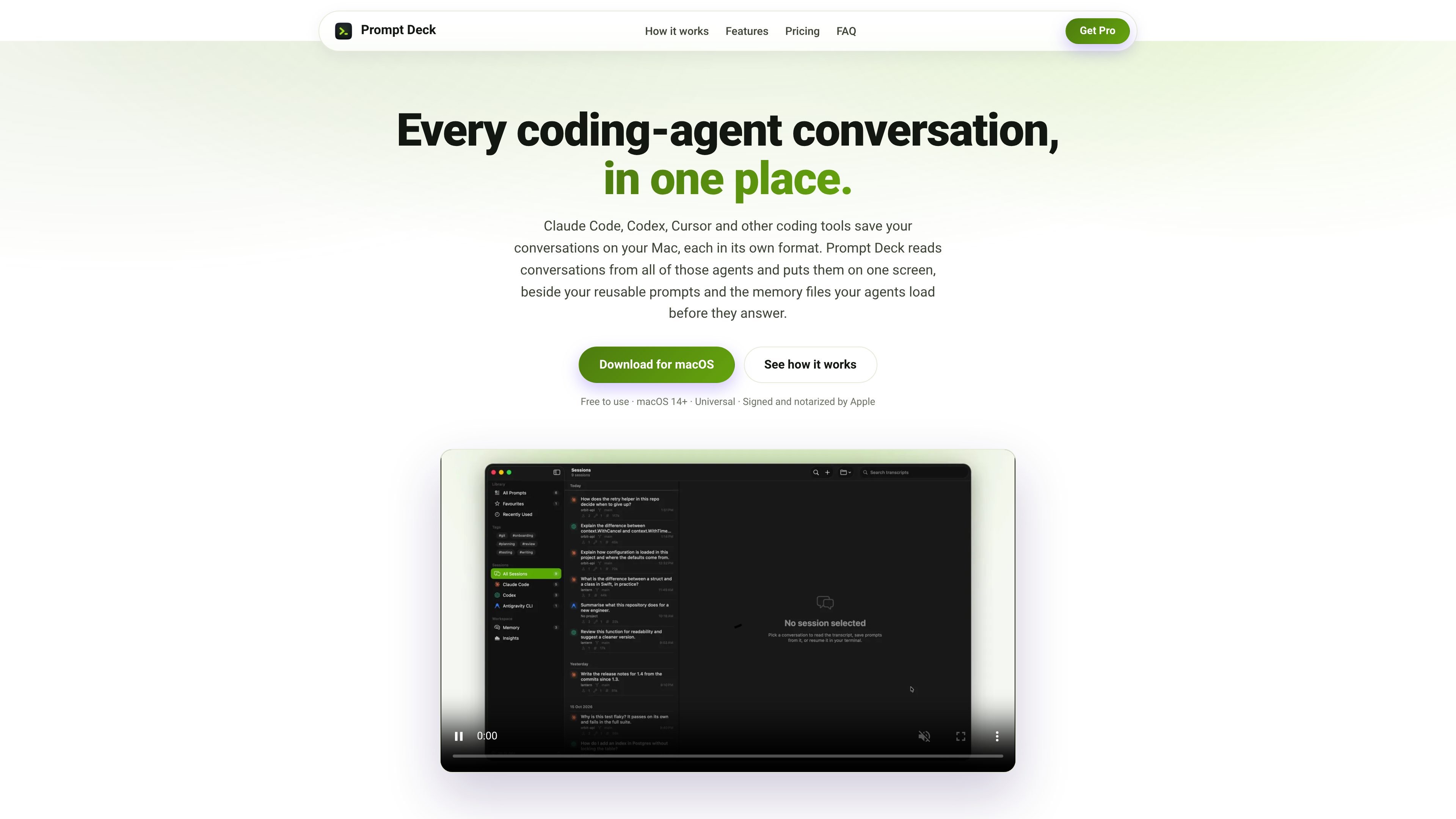
Prompt Deck is a native macOS application for reading coding-agent conversations from multiple local storage formats in one interface. It brings together transcripts from Claude Code, Codex CLI, Cursor, OpenCode, Antigravity CLI, GitHub Copilot in VS Code, Qwen Code, DeepSeek Harness, Continue, Pi, and Aider, with sessions grouped by day, filterable by project, and searchable across agents.
Alongside history browsing, Prompt Deck organizes reusable prompts and agent memory files. Users can save messages as variable-based prompts, install them as slash commands in selected agents, and review or edit supported global and project-specific instruction files. The app is free to use on macOS 14 or later, with a Pro subscription for additional capacity and features.
Reads local history from eleven supported coding agents, groups sessions by day, filters by project, and provides search across tools.
Opens nested sub-agent conversations inline beneath the call that started them, making otherwise hidden delegated work available for review.
Stores prompts with {{variables}}, defaults, tags, and version history; prompts can be installed as slash commands in supported agents.
Displays global and per-project CLAUDE.md, AGENTS.md, GEMINI.md, QWEN.md, .cursorrules, and Copilot instruction files together, with editing and multi-file note appending.
Reopens Claude Code, Codex, and OpenCode terminal sessions by session ID, while editor-based chats can open their project in Cursor or VS Code.
Reads and writes supported data on the local Mac. Transcripts are read-only; changes occur when the user explicitly edits memory files, appends notes, or installs prompts as slash commands.
Search sessions from several coding agents in one place, filter them by project or day, and inspect tool calls and delegated sub-agent work without opening each tool's native history separately.
Turn a useful response into a parameterized prompt with defaults, then install it as a slash command for repeated use in Claude Code, Codex, OpenCode, Antigravity, or Qwen Code.
Compare and update global or project-specific instruction files across agents, or append the same note to multiple supported memory files when project conventions change.
Resume a Claude Code, Codex, or OpenCode terminal session by ID, or open the relevant project in Cursor or VS Code for editor-based conversations.
No. Prompt Deck has a free tier with no trial clock and no card required. The free version reads agent history, stores prompts, and edits memory files, with Pro adding further capabilities and limits being lifted.
It supports macOS 14 (Sonoma) or later on Apple Silicon and Intel Macs. It is distributed as a universal binary signed with a Developer ID and notarized by Apple, rather than through the Mac App Store.
Prompt Deck reads local data from Claude Code, Codex CLI, Cursor, OpenCode, Antigravity CLI, GitHub Copilot in VS Code, Qwen Code, DeepSeek Harness, Continue, Pi, and Aider. It ignores agents that are not installed.
The app reads transcripts and memory files from your Mac. It does not upload them; the only network request described by the product is a licence check with Polar. It can write to memory files or install prompts as slash commands when you explicitly request those actions.
The free tier remains available, and Pro continues until the end of the paid billing period. Cancelling stops future charges; existing sessions, prompts, and memory files are not deleted. The refund policy states that completed payments are non-refundable.