
Exact-lyrics rap videos
Provide four lyric lines yourself, or generate and edit lyrics for free before creating the video. The site says the finished performance is checked against the supplied lyrics.

AI Rap Video Generator turns a photo and four lyric lines—or AI-written lyrics—into a 12-second vertical rap video with beat, vocals, and lip sync. It supports people, pets, and two-photo rap battles for personalized social clips.
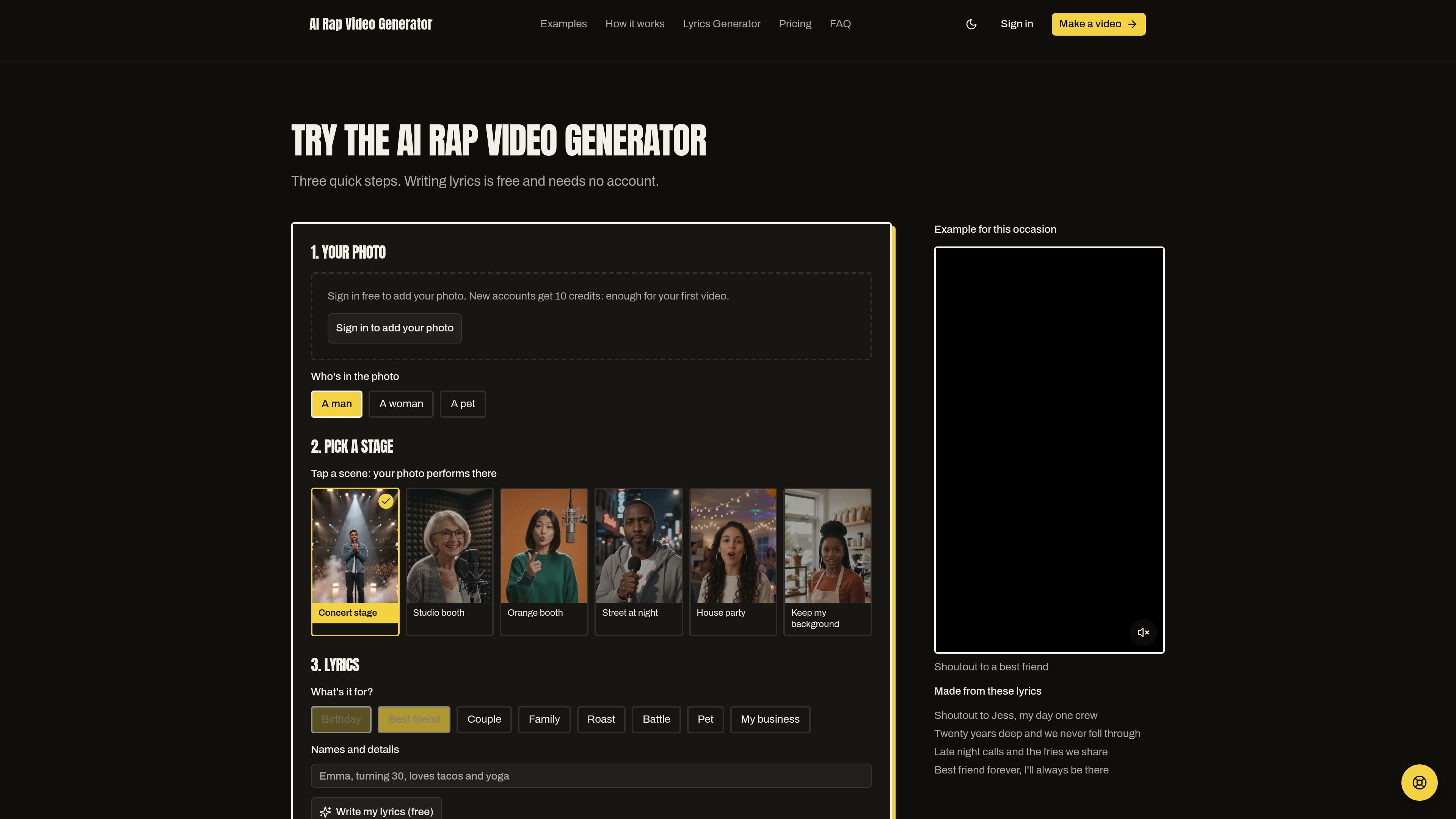
AI Rap Video Generator is a browser-based tool at rapvideogenerator.io that turns a photo and a short lyric prompt into a lip-synced rap video. Users can paste four lines or have the service write them, then choose a scene, rap style, tone, and output quality. The main result is a 12-second vertical MP4 with beat, vocals, and generated performance.
The product is designed for short personalized clips featuring people or pets. Its related battle workflow supports two photos trading two lines each, while the separate lyrics generator can produce editable rap material before video creation. Writing lyrics is free; video rendering uses credits, with failed renders stated to be refunded.
Provide four lyric lines yourself, or generate and edit lyrics for free before creating the video. The site says the finished performance is checked against the supplied lyrics.
Choose Trap, Drill, Old School, or Melodic styles, plus tones including Hype, Funny, Sweet, and Savage.
Place the performer on a concert stage, studio booth, orange booth, street at night, or house party, or preserve the original photo background.
Create a vertical 12-second MP4 with generated beat, vocals, and lip sync from a single photo of one person or pet.
Use a two-photo battle mode with alternating lines, selectable arenas, and distinct AI voices for the two performers.
Generate verses, hooks, freestyles, or battle bars without signing up, with controls for length, style, mood, and rhyme scheme; individual lines can be rewritten.
Enter a name and birthday details, then turn a portrait into a short personalized greeting suitable for sharing as a vertical social clip.
Use the best-friend, couple, or family prompts to create an affectionate or humorous message around shared details and names.
Upload a pet photo and generate a playful performance that gives a dog or cat a short set of lyrics and a chosen stage.
Create a friendly roast or battle with two consenting participants, assigning two lines to each person and choosing an arena for the face-off.
Write a concise rap advertisement for a shop, café, business, or launch using the 12-second format and a selected performance setting.
Upload one clear, front-facing photo of a person or pet, choose a stage or keep the photo's background, then provide four lyric lines or have the AI write them. Select a style, tone, and quality before rendering.
Writing lyrics is free and does not require an account. Video creation requires a free account; new accounts receive 10 credits after email verification, enough for one standard video.
The standard output is a 12-second vertical 9:16 MP4. Standard quality uses 10 credits, while HD 720p uses 20 credits. Videos are stated to be ready in about two minutes.
Yes. You can paste your own four lines, or edit lyrics generated by the AI. The main generator describes a limit of four lines and up to 36 words for the 12-second format.
A rap battle uses two photos, one for each person, and four lines: the first two belong to Rapper 1 and the last two to Rapper 2. The photos do not need to be taken together.

Official HeyGen API documentation for building AI avatar videos, translations, lipsync, and interactive video-agent sessions. It supports direct API use plus MCP and CLI-style workflows for developers and AI agents.

Wallie is an open-source AI streamer that watches your screen, hears chat, and generates live commentary in a configurable persona. It runs locally on your machine with your own keys and is aimed at faceless content, autonomous streams, and real-time reactions.

VIDEOAI.ME is an AI video generator for making spokesperson-style videos, ads, explainers, and social content from a script. It is aimed at founders, marketers, agencies, and creators who want to produce videos without filming.

Omni AI is a browser-based image and video generator for creating visuals from text prompts or reference photos. It supports text-to-image, image-to-image, text-to-video, and image-to-video workflows, with free sign-up credits and downloadable results.
Kling 4.tv is a third-party browser-based video-creation service with prompt and reference-based workflows. It offers a model picker, generation settings, and credit-based plans; its branding does not establish affiliation with the developers of Kling AI.

Wisry is an AI advertising studio for ecommerce brands that researches competitor ads, develops evidence-backed campaign concepts, and generates static and video creatives. It also supports editing and connected campaign workflows for Meta and Google.