
Searchable prompt library
Save prompts in a personal library, then search by title, text or tags. Recently used prompts can appear first, and frequently used prompts can be pinned.

Save My Prompts is a web-based prompt library for saving, searching and reusing AI instructions with fill-in templates, tags and boards. Its Chrome and Edge extension works beside ChatGPT, Claude, Gemini and Perplexity, with sharing and expanded limits available on paid plans.
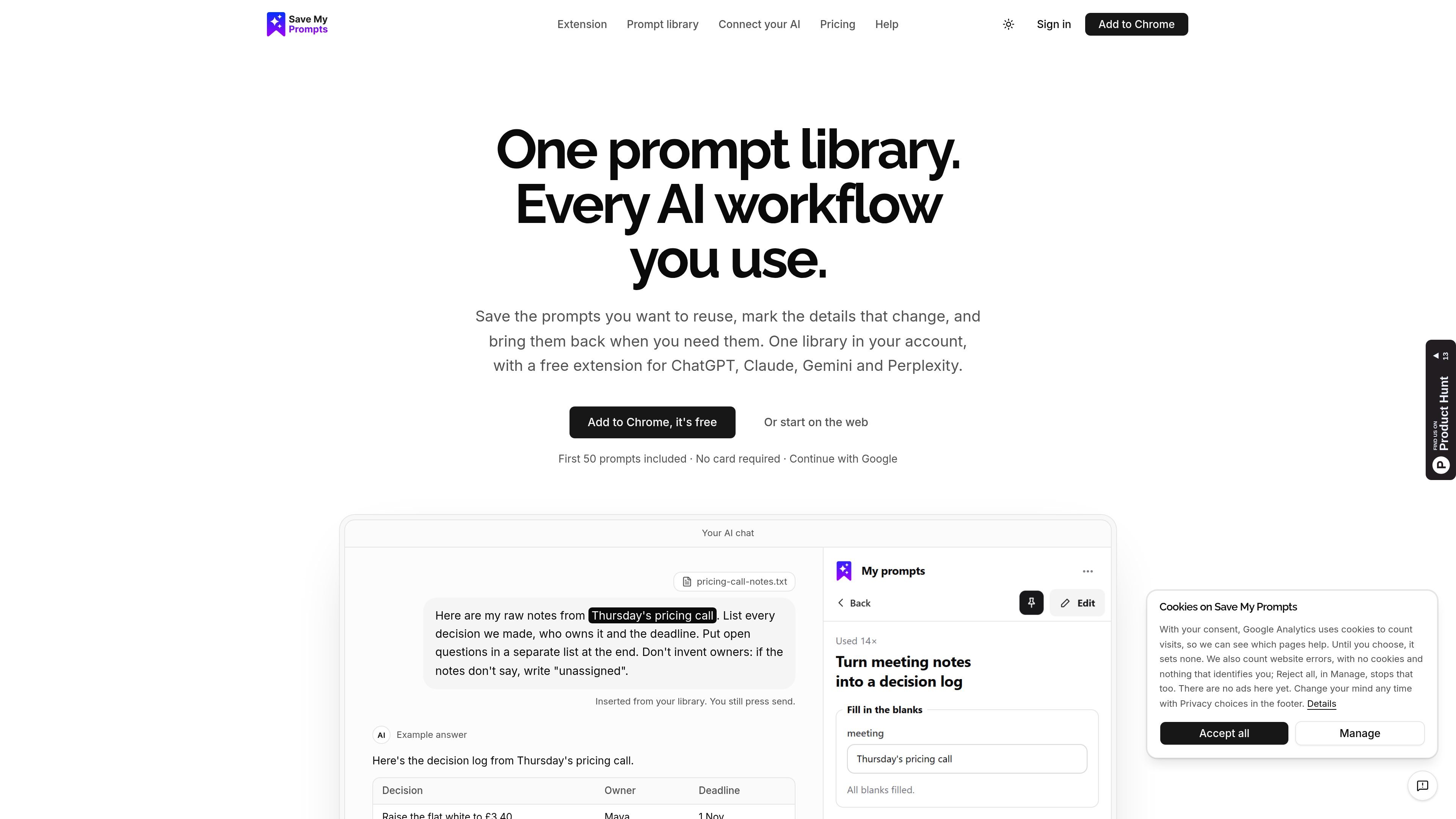
Save My Prompts is a prompt library for saving, searching and reusing AI instructions with templates, tags and boards. It helps users organise prompts, mark variable details as fill-in fields, and retrieve the resulting text when needed.
Use the Chrome or Edge extension beside ChatGPT, Claude, Gemini and Perplexity to insert or copy prompts; the user still presses send. The service also supports private libraries, shared boards, imports and exports, with additional sharing and capacity available on paid plans.
Save prompts in a personal library, then search by title, text or tags. Recently used prompts can appear first, and frequently used prompts can be pinned.
Mark changing details with blanks such as [audience] or {{topic}}, fill them in before use, and review the completed text before inserting or copying it.
Use the Chrome or Edge side panel beside ChatGPT, Claude, Gemini and Perplexity. On Copilot, copy the prompt and paste it into the chat.
Get suggestions as you type, use quick search on any page, and receive prompts to address missing information before sending. Chrome's built-in AI can rewrite a prompt on the device when available.
Organise prompts into boards for clients, launches, reports, courses or recurring jobs. Boards can remain private or be shared with collaborators, by link or publicly, depending on the plan.
Import and export prompts, save a useful prompt from a conversation, and turn a conversation into a reusable template. The product warns users to check sensitive content before saving or sharing.
Store repeatable instructions for rewriting, summarising, drafting emails and preparing updates. Fill in the audience, source text or other changing details instead of rebuilding the prompt each time.
Keep prompts for reading stack traces, explaining SQL and handling on-call handovers in one searchable collection. Boards can group prompts around a service, project or operational routine.
Create a board for a client, launch, report or course, then share selected prompts with collaborators who need to read and copy them without exposing the rest of the library.
Turn useful prompts from an AI conversation into reusable templates after checking the text for sensitive information. Imports and exports also support moving or backing up a collection.
Save My Prompts is available through its website and a free Chrome or Edge extension for use beside ChatGPT, Claude, Gemini and Perplexity. On Copilot, the extension lets you copy a prompt for pasting; you still press send in the AI app.
Save a prompt in the library, add changing details such as [audience] or {{topic}}, then search for it, fill in the blanks and insert or copy the resulting text. The extension does not send the message automatically.
Every prompt and board starts private. Pro supports sharing boards with collaborators, by link or publicly. Collaborators can read and copy prompts but cannot edit them, while public boards may appear in search engines.
The Free plan includes up to 50 prompts, two private boards, importing and exporting, and 20 prompt improvements per month in ChatGPT, Claude and Cursor. Improvement in the extension is unlimited on every plan.
Pro and Team subscriptions renew automatically until cancelled. Cancelling leaves the plan active through the paid period; payments already made are generally not refunded, except for a duplicate charge or a charge where the plan did not activate.

Prompty Town is a web product that turns a link into a building in a small internet city. It appears to let users buy a tile, add a prompt, and publish the result alongside other buildings.

Creativly is a web-based AI creative studio for generating visual concepts, mockups, and stylized images from short inputs. It is aimed at designers, creators, and entrepreneurs who want fast visual ideation without writing long prompts.

Edgee is an AI gateway for coding agents and LLM-powered apps. It compresses token traffic, routes requests across models, and provides observability and team controls to help reduce cost and keep sessions running.

Snack Prompt is a community marketplace for discovering, sharing, and remixing AI prompts, automations, and image prompts. It is aimed at prompt engineers and AI builders who want reusable starting points and visual or workflow inspiration.

ImagePrompt.org is an AI toolset for generating, editing, translating, and reverse-engineering image prompts, with additional image description and image generation features. It includes a free tier, subscription plans, and one-time credit packs for different usage needs.

PromptPaste is a private AI prompt library for Mac, iPhone, and iPad. It helps users save, organize, and instantly paste reusable prompts with templates, folders, iCloud sync, and Siri/Shortcuts support.