
Steam Input configuration
Steam Controller is presented as a full-input controller for the entire Steam library, intended to work through Steam Input configuration.

Steam Controller is Valve’s configurable game controller for Steam, built around Steam Input and multiple connection options. It is shown with magnetic TMR thumbsticks, gyro support, haptic feedback, and compatibility examples including PC, Steam Deck, Steam Machine, and Steam Frame.
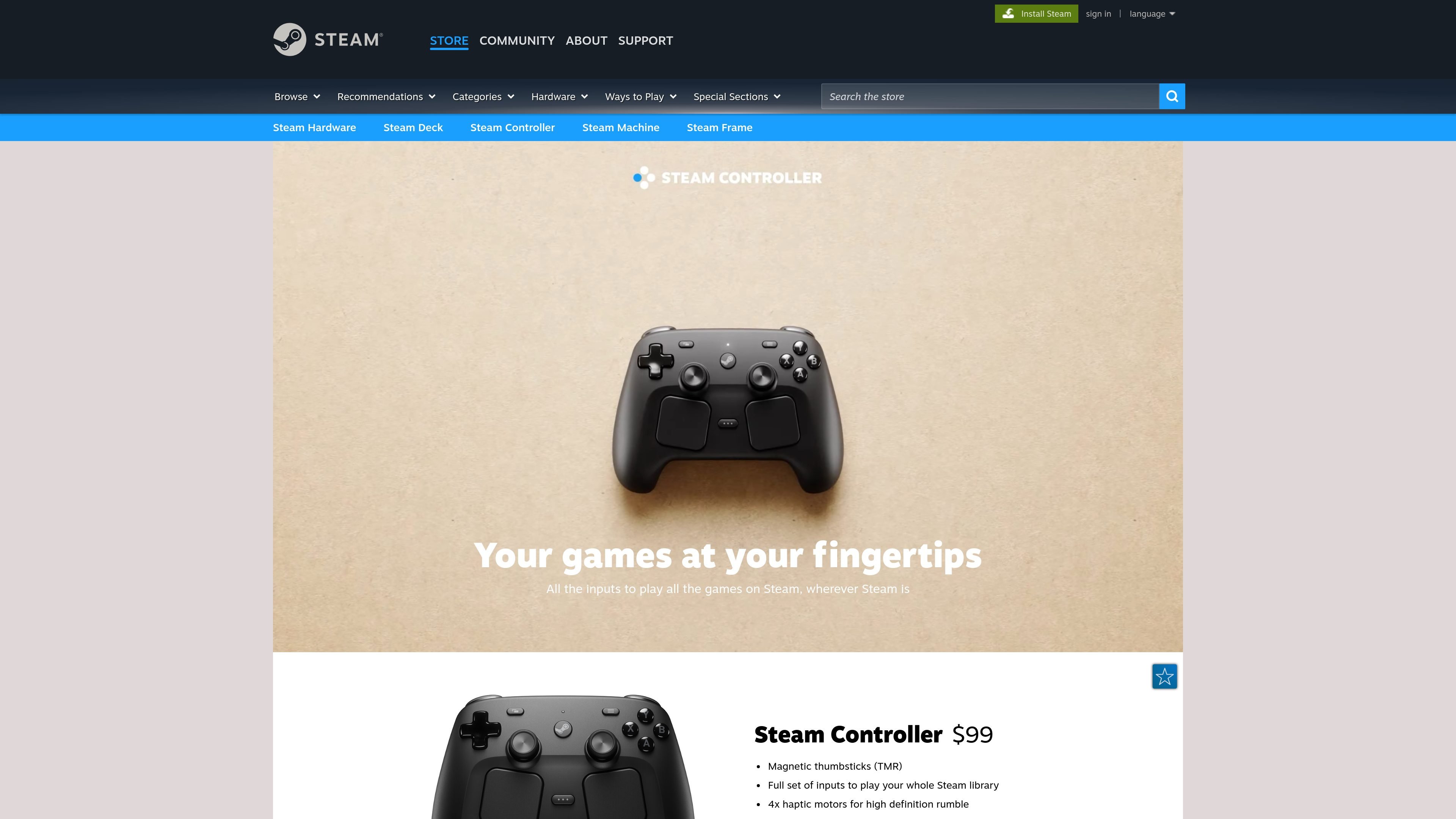
Steam Controller is Valve’s game controller for Steam, built to provide the inputs needed to play a full Steam library across supported devices. The product page presents it as a controller for Steam Input configuration rather than a general-purpose accessory with a fixed control layout.
The current product page highlights magnetic TMR thumbsticks, capacitive touch support, a grip-sensing gyroscope, four haptic motors, and a Steam Controller Puck that provides low-latency wireless connectivity and magnetic charging. The controller can also connect over Bluetooth or USB, and Valve describes it as usable on PC, laptops, Steam Deck, Steam Machine, and Steam Frame.
Steam Controller is presented as a full-input controller for the entire Steam library, intended to work through Steam Input configuration.
The controller uses magnetic TMR thumbsticks, which Valve says provide improved feel, faster response, and better durability.
The thumbsticks support capacitive touch, enabling gyroscope-based motion input when touched.
Valve says the controller includes four haptic motors for higher-fidelity vibration and more complex feedback waveforms.
The controller includes a grip-sensing gyroscope input that can be enabled or disabled by touch, hold, or release and can also be mapped like other buttons.
The Steam Controller Puck works as both a low-latency wireless receiver and a magnetic charging dock, and the controller also supports Bluetooth and USB.
Set up custom bindings in Steam Input for games that benefit from nonstandard layouts, such as action games, platformers, or titles that play better with tailored stick, touch, and gyro behavior.
Use the puck for a quick wireless setup when you want low-latency play without a separate pairing workflow, then dock the controller magnetically for charging afterward.
Connect by Bluetooth or USB when you want a direct link to a PC, laptop, or Steam hardware device and do not need the puck receiver.
Use grip-sensing gyro input for aiming or camera control in games where motion control improves precision, then map the gyro behavior like other inputs when needed.
Play across Steam-focused devices such as PC, laptops, Steam Deck, Steam Machine, and Steam Frame while keeping the same controller and input setup.
Steam Controller is a Steam hardware controller designed to provide full input for playing Steam games on supported devices. It can be used through Steam Input configuration, and the source states it works with PC, laptops, Steam Deck, Steam Machine, and Steam Frame.
The source says Steam Controller supports quick, stable wireless connectivity through the Steam Controller Puck, and it also supports Bluetooth and USB connections.
The source describes Steam Controller as being for playing your Steam library with full input, and specifically notes support for PC, laptops, Steam Deck, Steam Machine, and Steam Frame. It does not provide a formal compatibility list beyond those examples.
The Chinese product page shows Steam Controller priced at $99 and includes a login prompt to reserve it. No subscription or plan structure is shown.
The page links to hardware limited warranty information, refund policy, and a safety manual. It does not provide additional setup steps on the page itself.

GameGrad turns PDF study material into quiz questions that appear inside arcade games, so users can practice active recall while they play. It offers a free tier with one PDF and a Pro plan with more uploads, more questions, and answer explanations.

DailyPlay.ai is a behavioral growth platform that uses AI site scanning and micro-games to help brands improve engagement and conversion. It supports web, mobile, and other digital touchpoints, with a one-line script setup and a free engagement scan.

ChessWoodie is a chess tactics training app based on the Woodpecker Method. It helps players build pattern recognition through repeated puzzle cycles, track speed and accuracy, and review missed tactics from their own games.

PixelForge turns a single photo into a game-ready 2D character sprite pack, including a 4×4 sheet, transparent frames, direction strips, and looping walk GIFs. It is designed for engine-ready use in Godot, Unity, Phaser, GameMaker, and web games.

Loniva is a mobile puzzle app that offers a calm daily mix of games across memory, attention, language, speed, logic, and focus. It runs on iPhone, iPad, and Android, with a free 7-day trial and a free daily workout after the trial.

RageLayer is a framework-neutral JavaScript package that turns a captured web page into a destructible canvas with 15 procedural tools, rigid-body debris, and browser effects. It is intended for developers building interactive website experiences, creative coding projects, and custom browser tools.