
Parent-approved jobs
Parents create jobs and approve them when finished; the approval is what releases the associated pocket money.

TONKO is a pocket money and financial learning app for families with children aged 6–14. Parents set jobs and allowances while children record earnings, allocate money to Spend, Save, and Grow jars, and save toward goals.
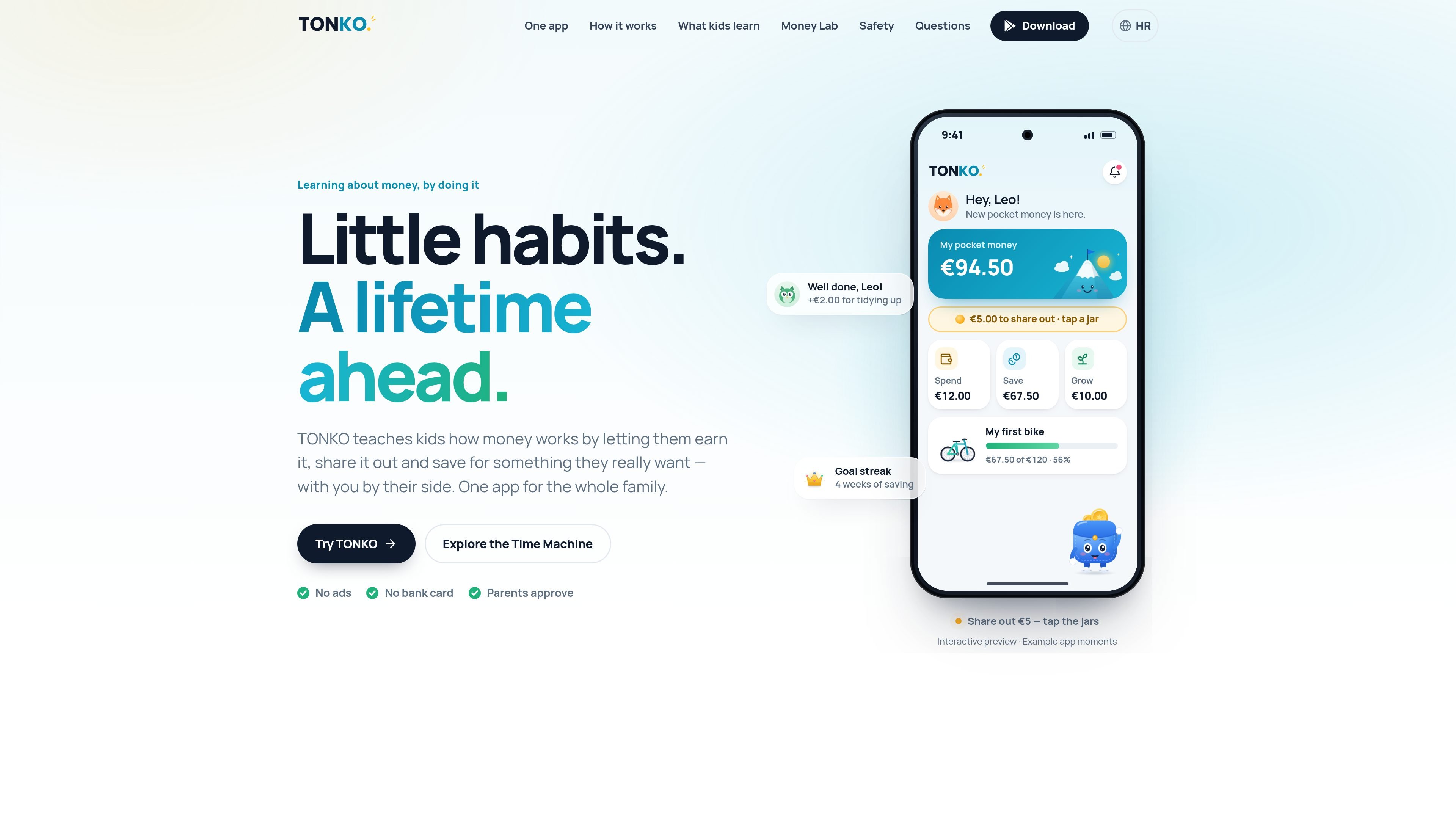
TONKO is a pocket money and financial learning app for families with children aged 6 to 14. It helps parents set up jobs and allowances, approve completed work, and give each euro a purpose without requiring the app to hold or transfer money.
Children use the same app in a child-specific space to record earnings, divide money between Spend, Save, and Grow jars, and work toward pictured goals. The product is designed around repeated household decisions—earning, sharing out, and waiting—rather than lectures about money.
Parents create jobs and approve them when finished; the approval is what releases the associated pocket money.
Children assign pocket money to Spend, Save, and Grow jars, making short-term spending, goal-based saving, and longer-term waiting visible.
A goal can include a picture and a target amount, letting children see progress as they save over time.
The Money Time Machine lets families adjust a weekly amount and time period to see how contributions and a parent-set family bonus could accumulate. The examples are illustrative and do not involve investing.
Parents can set pocket money and jobs, invite a second parent, and control how money is approved. Children receive a separate space in the same app.
The child experience includes an introductory tour, practice coins, short lessons, and age-band selection for ages 6–14.
Set recurring or one-off household jobs, review the child's completion, and approve the payout from a parent phone. This creates a clear link between agreed work and pocket money.
Give a child a weekly amount and let them decide how much is available for immediate spending versus a pictured goal. The jars make the trade-off visible without moving funds in the app.
Use a shared parent phone when a child does not yet have a device. The child enters their own space, then the parent reclaims the rest of the app with device authentication or the family PIN.
Use the Money Time Machine to discuss what regular contributions might become over a chosen period, including the effect of a parent-set family bonus. It can support conversations about patience without presenting a real investment product.
TONKO is designed for children aged 6 to 14. During setup, parents choose an age band—6–8, 9–11, or 12–14—so the content can adjust to the child.
The parent downloads TONKO, adds each child with a nickname and avatar, and sets pocket money and jobs. A child's phone can be paired with a one-time code, or the child can use a shared parent phone in their own space.
Yes. A child can use the parent's phone. TONKO stays in the child's space until the parent takes it back using fingerprint, face authentication, or the family PIN.
TONKO records pocket money that the family already gives in real currency, but it does not hold or transfer funds. Parents pay out money in their usual way, while TONKO provides the ledger and learning workflow.
A parent approves completed jobs before pocket money is paid out. Children can then assign money to Spend, Save, or Grow jars and work toward a savings goal.

GameGrad turns PDF study material into quiz questions that appear inside arcade games, so users can practice active recall while they play. It offers a free tier with one PDF and a Pro plan with more uploads, more questions, and answer explanations.

LangPanda is a browser extension for learning languages from streaming video and other supported sites. It combines instant subtitle lookup, flashcard creation, vocabulary tracking, and spaced-repetition review for 36 languages.

recall is an AI flashcard app that turns reading and notes into study cards through Claude, ChatGPT, or another MCP client. It uses one-time lifetime access pricing and spaced repetition review.

Talkpal is an AI-powered language learning web and mobile app for practicing speaking, listening, writing, and pronunciation. It offers guided courses, roleplays, and call-style conversation practice across 130+ languages.

BeFreed is a personalized audio learning app that turns books and other knowledge sources into narrated listening experiences. It helps people learn on demand through interactive audio, voice selection, and built-in learning tools.

MentorSpace is an AI-powered mentoring product for startup and academic planning. It helps students, founders, and small groups create 90-day roadmaps, get context-aware guidance, and track progress over time.