
Multi-format capture
Save web links with their title, description, and thumbnail populated in the background, alongside text notes, screenshots, images, and voice notes.

Trezio is a bookmark manager and personal knowledge library for saving links, notes, screenshots, images, and voice notes in one searchable place. It suits people who want to organize scattered web research and personal reference material, with an encrypted vault for login credentials.
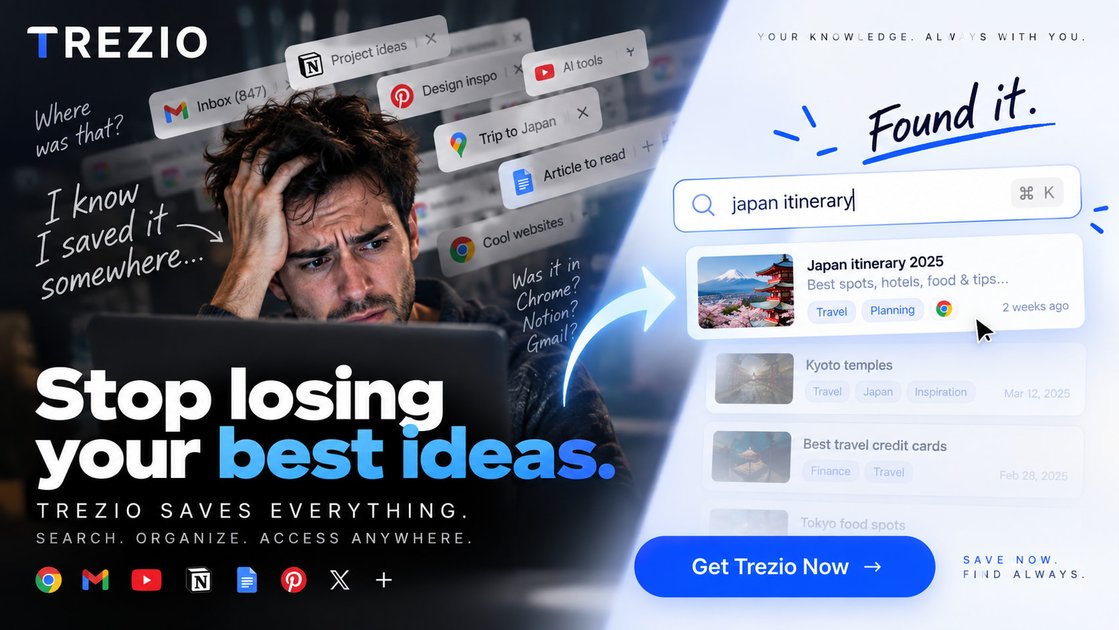
Trezio is a bookmark manager and personal knowledge library for keeping web links, text notes, screenshots, images, and voice notes in one searchable library. It is designed for people who want a single place for material otherwise spread across browser bookmarks, chats, and note apps.
Saved links keep their URL and associated details rather than an archived copy of the page. Trezio can search library metadata, note text, and voice-note transcripts, including with semantic matching. It also includes a separate encrypted vault for login credentials and organization tools such as nested folders, charms, smart filters, and favorites.
Save web links with their title, description, and thumbnail populated in the background, alongside text notes, screenshots, images, and voice notes.
Search note text and voice-note transcripts as well as titles, descriptions, links, tags, and AI summaries. Semantic search can match related meaning, but it does not search inside saved web pages.
Arrange saves in arbitrarily deep nested folders, add custom icons, use charms (tags), and narrow the library with favorites, trash, and smart filters.
Record voice notes that can be transcribed into searchable text, and request AI summaries or tag suggestions from an item's edit view rather than sending content automatically at save time.
Store login credentials in a separate vault. Vault data is encrypted on the device with AES-256-GCM, while the master password remains on the user's device.
Share a folder as a public, read-only ShareSpace that visitors can copy into their own Trezio library, and switch between card, list, and masonry views.
Save articles, research PDFs, datasets, and reference links with notes or tags, then retrieve them through metadata, note text, and semantic search instead of browsing old bookmark folders.
Keep screenshots, inspiration links, image references, and short voice memos together in folders such as moodboards or project ideas, with card, list, or masonry views for browsing.
Capture field notes or spoken reminders as voice notes and use transcription to make them searchable alongside related links and written notes.
Store login details separately from the general library in the encrypted vault, while using folders, favorites, and smart filters for the rest of a personal reference collection.
Share a curated folder through a public, read-only ShareSpace so visitors can copy items into their own Trezio library without receiving edit access to the source folder.
Yes. Trezio has a free plan with a 100-item limit, up to 5 folders, one secure vault, and 3 transcribed voice notes. It includes AI summaries, all view modes, voice-note recording, and the browser extension; no credit card is required to start.
You can use Trezio in a modern web browser, with a Chrome or Edge browser extension and an Android app. There is no dedicated iOS or desktop app; on iPhone, it works in Safari.
Search covers titles, descriptions, links, tags, AI summaries, note text, and voice-note transcripts. Semantic search can find related meaning even when the exact words differ, but Trezio does not search inside the web pages represented by saved links.
Trezio imports bookmark files and supported exports from Chrome, Edge, Firefox, Safari, Raindrop.io, Pocket, Instapaper, and Trezio itself. Import is available on every plan. Folders carry over, and imported tags become charms.
Vault credentials are encrypted on the device with AES-256-GCM before they reach Trezio's servers, using a key derived from a master password that Trezio never receives. Ordinary library content is protected by HTTPS/TLS and account-level row security rather than end-to-end encryption.