
Lucid AI diagram generation
Create diagrams from text prompts or ask questions to get started, then refine the result directly on the canvas.

Lucidchart is a web-based diagramming tool for creating flowcharts, process maps, technical diagrams, org charts, and system visuals. It supports AI-generated diagrams, data linking, and team collaboration, with free, paid, and enterprise options.
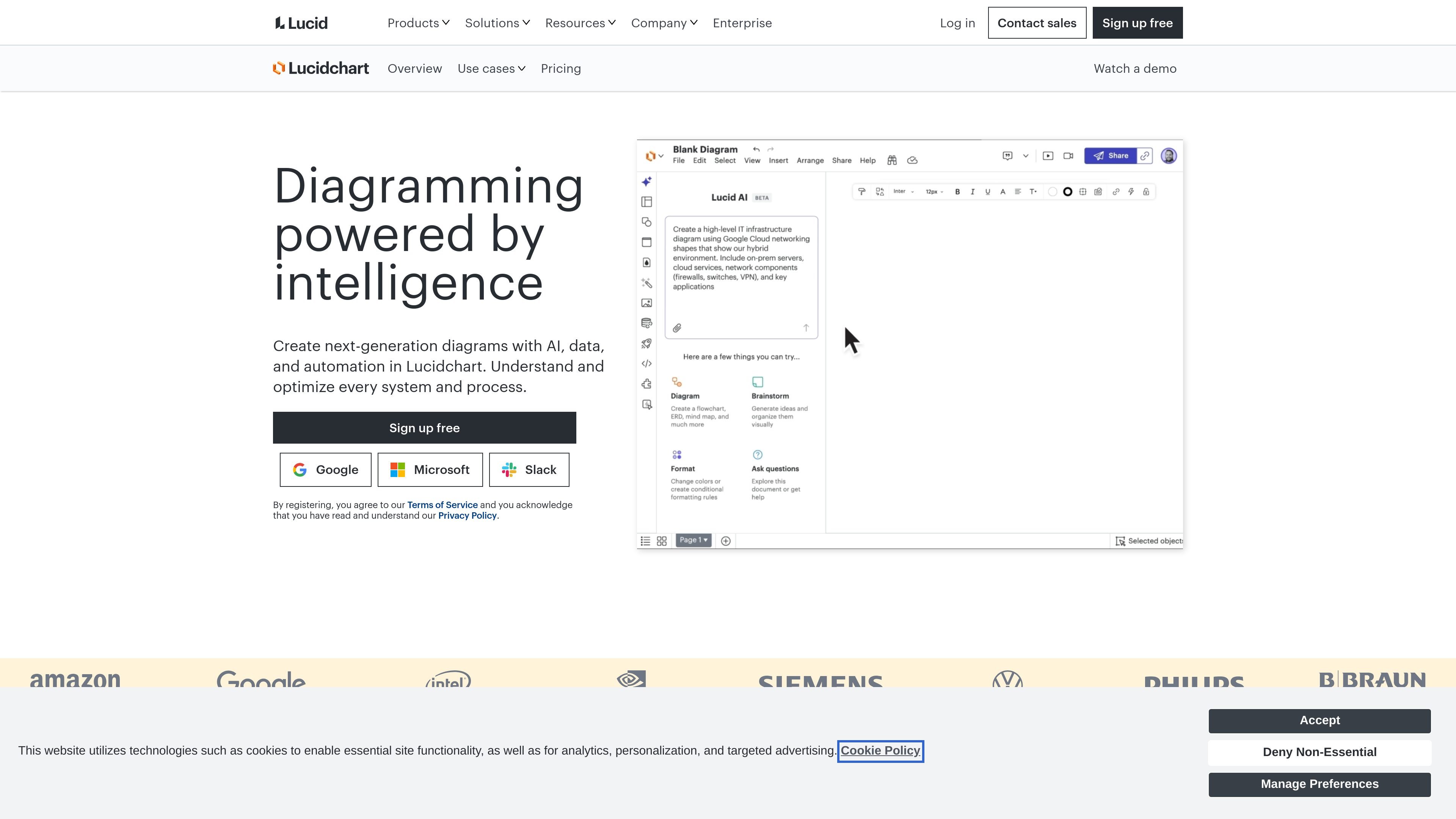
Lucidchart is a web-based diagramming product from Lucid that helps teams create flowcharts, process maps, technical diagrams, org charts, and systems visuals. The product focuses on turning ideas, structured data, and text prompts into diagrams that can be edited, shared, and kept in sync across teams.
The site positions Lucidchart as an intelligent diagramming tool, combining AI generation, data linking, conditional formatting, markup-based diagramming, and collaboration features. It is offered with a free version, paid Individual and Team plans, and an Enterprise option that is sold through contact with sales.
Create diagrams from text prompts or ask questions to get started, then refine the result directly on the canvas.
Connect Google Sheets, Excel, CSV, Salesforce schemas, and other data sources so diagrams update from structured inputs.
Highlight patterns and changes visually to make complex information easier to scan and understand at a glance.
Generate sequence diagrams from text markup and use diagram as code workflows for process maps and technical diagrams.
Work with shared shape libraries, custom templates, layers, and assisted layout to keep diagrams consistent and easier to edit.
Connect Lucidchart with collaboration and workflow tools such as Jira, Confluence, Notion, Slack, Microsoft 365, and ServiceNow.
Map end-to-end workflows, document next steps, and keep process documentation current with collaborative editing, comments, and data-linked visuals.
Create ERDs, sequence diagrams, and architecture visuals for engineering or IT teams that need clearer documentation and standardized notation.
Turn prompts into diagrams, summarize existing work, or start from AI-generated structure when you need a faster first draft.
Build org charts and team-planning views that reflect people, workloads, and departments using data imports and data linking.
Embed diagrams in tools such as Jira, Confluence, Notion, or Slack so documentation stays attached to the work it supports.
Lucidchart offers a free version with basic diagramming features, including three editable documents, up to 75 shapes per document, and 100 professional templates. Paid Individual and Team plans add premium features, more storage, and collaboration tools.
A Lucidchart free trial lasts seven days. During the trial, you can use premium features, and payment information is required at sign-up. You are not charged until the trial ends.
Lucidchart supports collaborative diagramming in real time, commenting, revision history on Team plans, and integrations with tools such as Google Workspace, Salesforce, Jira, Confluence, Slack, Microsoft 365, Notion, and ServiceNow.
Lucidchart can generate diagrams from text prompts with Lucid AI, create flowcharts from Mermaid markup, and import or link data from sources such as Google Sheets, Excel, CSV, Salesforce schemas, and database structures.
Paid plans unlock premium features such as unlimited editable documents, unlimited objects per document, premium templates, Visio import and export, advanced controls, and additional integrations. Enterprise plans are available by contacting sales.

Chronicle is an AI presentation maker for teams that need to turn notes, docs, or existing decks into polished business presentations. It supports AI slide generation, brand controls, collaboration, and export to PPT, PDF, or a published website.

Bijiは、革新的なツールと機能を通じて生産性を向上させるために設計された多目的プラットフォームです。

Carbon Voice is an asynchronous voice messaging app for teams and individuals, with transcripts, AI catch-up, and cross-device access. It helps people and agents communicate without needing a live call.

imgcook is a design-to-code tool that converts design drafts into front-end code. It supports plugin-based and developer workflows for Sketch, Photoshop, VS Code, and CLI usage.
MealTimeは、レシピの保存、整理、献立計画、スマートな買い物リストの作成を支援するために設計された、パーソナルでオフラインファーストのレシピコンパニオンです。すべての操作においてプライバシーを重視しています。

ClawCard gives AI agents a dedicated identity stack: email, US phone number, virtual cards, wallet, on-chain identity, and access to paid APIs. It is built for automated signups, checkouts, credential storage, and machine payments through CLI and REST workflows.