
Full-screen meeting fly-by
A plane flies across the screen above every app, carrying a banner with the next meeting reminder so it is harder to miss than a standard corner toast.

Quakpit is a macOS meeting reminder app that sends a duck in a plane across your screen before meetings, syncing from your calendar without a backend. It is free and open source, with a paid Pro upgrade for extra customization and multi-calendar support.
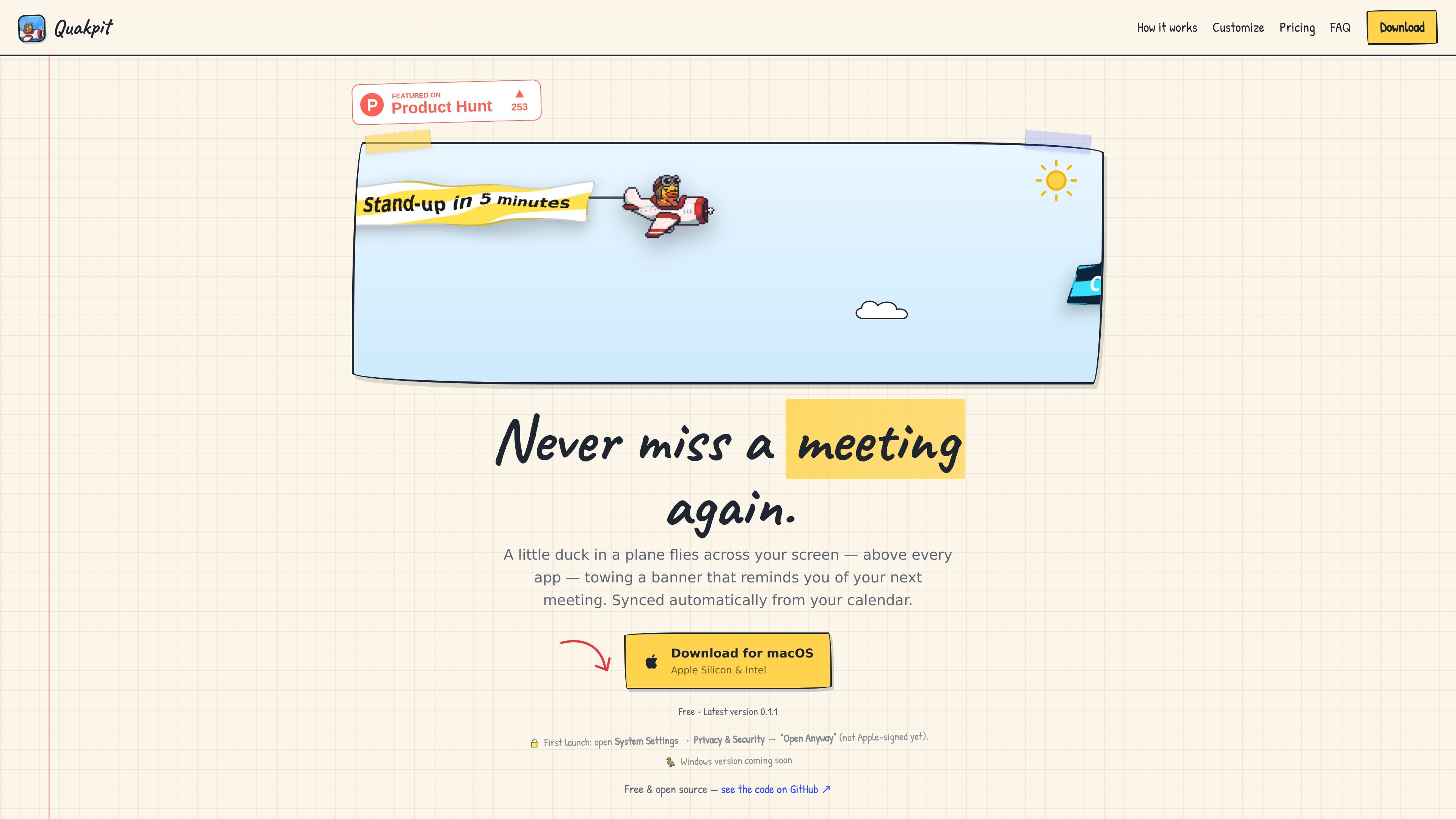
Quakpit is a meeting reminder app that sends a duck in a plane across your screen before a scheduled meeting. It syncs with your calendar, runs from the menu bar, and is designed to be visible even when other apps are full screen.
The app currently ships for macOS, with Apple Silicon and Intel support, and the site says a Windows version is coming soon. Quakpit is presented as free and open source, with a paid Pro upgrade that unlocks additional characters, colors, themes, faster fly-bys, and multi-calendar support.
A plane flies across the screen above every app, carrying a banner with the next meeting reminder so it is harder to miss than a standard corner toast.
Set up the app with an iCal/ICS link or Apple iCloud, and it reads the calendar from your device without a login flow for the basic connection.
Choose from multiple characters, plane colours, banner themes, your own message, font, and sound so the reminder can be adjusted to the meeting or your preference.
Pick a 5- or 10-minute heads-up, with an optional ping at the meeting start, to match how early you want the reminder.
The app lives in the menu bar, launches the fly-by automatically, and is described as click-through so it does not block interaction with other apps.
The site says the app is free and open source, with Pro available as a one-time purchase for extra characters, colours, themes, faster fly-bys, and multi-calendar support.
Use it as a visual pre-meeting nudge when you want a reminder that is more noticeable than a silent notification or a small system toast.
Connect a calendar once and let the app launch reminders automatically without checking a separate reminder list throughout the day.
Use the customization options to make the reminder fit your workflow, from message text and fonts to the character, plane colour, and banner theme.
Keep working during calls or presentations while the reminder still appears above fullscreen apps and does not block clicks.
Start with the free version for a single calendar source, then move to Pro if you need multiple calendars, extra characters, or faster fly-bys.
Quakpit supports either an iCal/ICS link or Apple iCloud. The site says Google and Outlook are on the way.
Yes. The duck-and-plane alert is designed to sit above fullscreen apps, including calls and presentations, while remaining click-through.
Free includes the duck, one calendar source, 5- or 10-minute reminders, your own message, and all five fonts. Pro adds more characters, more plane colours, more banner themes, faster fly-bys, several calendars at once, and a custom plane.
Quakpit says it has no backend, no database, no telemetry, and no analytics. Calendar data is read directly on the device, kept in memory, and not written to disk or sent anywhere.
macOS is available now for Apple Silicon and Intel. The site says a Windows version for 10 and 11 is coming soon.

Liam is an AI copilot for managing inboxes, writing replies, prioritizing email, and scheduling meetings. It is offered free for individuals, with custom pricing for teams and enterprise.

Gemma AI is a phone call reminder app that calls you with scheduled reminders instead of push notifications. It helps people who want a more direct way to stay on schedule, with Google Calendar sync and conversational call interactions.
Side Reminderは、Apple Remindersを画面端にすぐ表示できるネイティブmacOSアプリ。音声入力、集中タイマー、ターミナル操作に対応し、アプリを切り替えずにリマインダーを管理できます。

Tactiq is an AI note taker for Google Meet, Zoom, and Microsoft Teams that transcribes meetings live and turns them into summaries, action items, and follow-up outputs. It is built around a Chrome extension and supports team workflows through sharing and integrations.

garden-mdは、会議の文字起こしをローカルの社内Wikiに変換するオープンソースのNode.js CLIです。本文を保持したまま、文字起こし同士のエンティティをリンクして閲覧しやすいWikiを生成します。

ClawTick is an AI agent automation platform for scheduling jobs from the CLI, dashboard, or REST API. It is aimed at developers and teams running LangChain, CrewAI, webhook, or custom agent workflows that need monitoring, alerts, and logs.