Smodin icon

Smodin

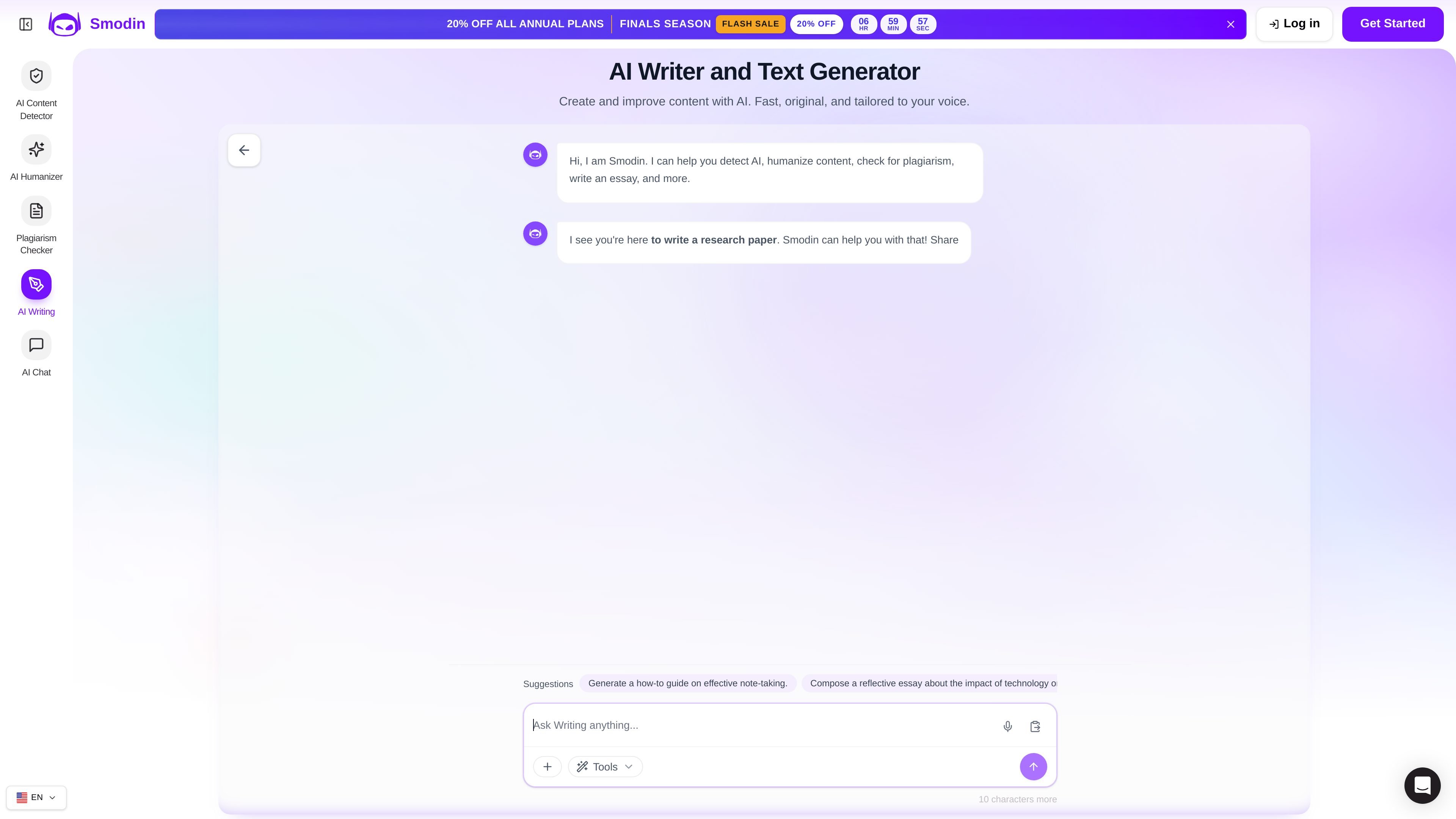
Smodin is an AI writing and text generation tool for drafting, revising, humanizing, and checking text. It supports essays, articles, research papers, marketing copy, and plagiarism review for students, writers, and professionals.

Smodin

Overview

Smodin is an AI writing and text generation product that helps users draft, improve, and verify text across writing workflows. The site positions it for students, writers, and professionals who need help with essays, articles, research papers, marketing copy, and other everyday content.

Across the product pages, Smodin combines AI writing, essay drafting, plagiarism checking, AI humanization, and AI content detection in one workflow. The pricing page also shows plan differences for access levels, output limits, support, and optional tools such as a Chrome extension and API access.

Core capabilities

AI writing generation

Generate essays, articles, research papers, emails, website copy, social posts, and other text from prompts, then refine the output in later passes.

Essay drafting workflow

Turn a fuzzy prompt into a working outline and rough paragraphs, with workflows that emphasize structure, quotes, data, and revision.

Plagiarism checking

Scan pasted text or uploaded documents against billions of sources and review similarity scores, matched sources, and highlighted sections.

Humanizer and AI detection

Humanize AI text and check whether content is AI-generated, giving users a way to edit, review, and verify the text in one product family.

References and source handling

Work with citation styles such as APA or MLA, add references in one click, and update resources in real time for research-oriented writing.

Multilingual generation controls

Create content in more than 12 target languages and choose tone and length when generating output.

Common use cases

  • Essay drafting and revision

    Generate outlines, rough drafts, and revised sections for argumentative, narrative, or expository essays while keeping the assignment requirements nearby.

  • Academic writing support

    Produce research papers, reports, and other academic writing with help from references, citation formatting, and source-finding workflows.

  • Professional content creation

    Create marketing copy, emails, website text, product descriptions, and blog posts with tone and length controls for more polished business writing.

  • Plagiarism review before publishing

    Check essays, articles, reports, or uploaded documents for similarity before submission and review source matches to correct citations.

  • AI text cleanup and verification

    Rewrite or humanize AI-generated text, then scan it again to confirm the final version is original and still aligned with the intended meaning.

Pros and Cons

Pros

  • Covers multiple adjacent writing tasks in one product family, including drafting, rewriting, humanizing, plagiarism checking, and AI detection.
  • Supports a broad mix of content types, from essays and research papers to emails, website copy, social posts, and creative writing.
  • Offers document scanning for plagiarism with source links, similarity scores, and highlighted matches.
  • Provides research-oriented helpers such as references, citation styles, and source-finding workflows.
  • Shows plan options that distinguish limited and unlimited output, plus support and extension access on higher tiers.

Cons

  • Some product details, especially integrations and platform support, are not fully documented on the public pages used here.
  • Several capabilities are described at a high level, so users may need to test the product to understand output quality and workflow limits for their own use case.

FAQ

What tools are included in Smodin?

Smodin provides an AI writing tool, a plagiarism checker, an AI humanizer, and an AI content detector. The pricing page also shows a Chrome extension, API access, text summarizer, translator, AI chat, and custom AI templates for higher plans.

What kinds of writing can it help with?

The home page says Smodin AI Writer can generate essays, articles, research papers, website copy, emails, social posts, and other content. The essay writer page focuses on turning a prompt into an outline and rough paragraphs for essay drafts.

How does the plagiarism checker work?

Smodin’s plagiarism checker scans pasted text or uploaded files such as .txt, .doc, .docx, and .pdf documents. It compares content against billions of sources and returns similarity scores, matched sources, and highlighted sections.

How are the paid plans different?

The pricing page compares Starter and Premium plans and says Premium adds unlimited access, no output limits, and Chrome Extension use. It also lists email support for Starter and 24/7 priority support for Premium.

Does Smodin list integrations or platform support?

The source pages do not provide a full public integration list or a complete platform matrix. The pricing page does show Chrome Extension and API Access on the plan comparison table.

Quick Facts

Category
AI Writing
Product type
Text generator and writing workflow tool
Primary users
Students, writers, educators, researchers, and professionals
Source domain
smodin.io
Supported workflow
Drafting, rewriting, humanizing, plagiarism checking, and AI detection
Pricing model
Free access plus paid Starter and Premium plans are shown

Smodinの代替品

Paperpal icon

Paperpal

Paperpal 是一款面向学术写作的 AI 工具,提供文献阅读、语言润色、引用、查重、AI 检测和投稿前检查。它适合需要在英文论文和学术材料上进行写作、修改与合规自检的学生、研究人员和教师。

Scite icon

Scite

Sciteは、論文の検索、引用文脈の確認、学術文献に基づく回答取得に役立つAI研究プラットフォームです。全文ソース、特許、関連研究資料を横断してエビデンスを評価できます。

Hype icon

Hype

Hypeは、カテゴリ・期間・スコア基準で急上昇中のYouTubeトピックを見つけるWebツール。クリエイターが注目のアイデアを素早く把握し、元動画を確認して次の企画を判断できます。

ProWritingAid icon

ProWritingAid

ProWritingAid is a writing assistant for storytellers that offers grammar checking, style editing, paraphrasing, and story analysis inside popular writing apps. It includes a free plan, paid tiers, and tools for chapter critique, manuscript review, and collaborative editing.

Sanota icon

Sanota

Sanota is an app that turns spoken memories, reflections, and interviews into clear written stories. It supports personal storytelling, family history, and shared memories, with guided prompts and subscription pricing.

VForms icon

VForms

VForms lets you place questionnaires directly inside YouTube videos so viewers answer in context instead of switching to a separate form. It is aimed at collecting feedback and insights through timestamped, embeddable video forms.