
Inbox-based task execution
Ada can schedule meetings, draft replies, update CRM records, and take proactive action from the inbox, positioning it as an assistant for administrative follow-through.

Ada is Read AI’s personal AI digital twin for work. It helps users schedule meetings, draft replies, update CRM records, and manage follow-up from the inbox.
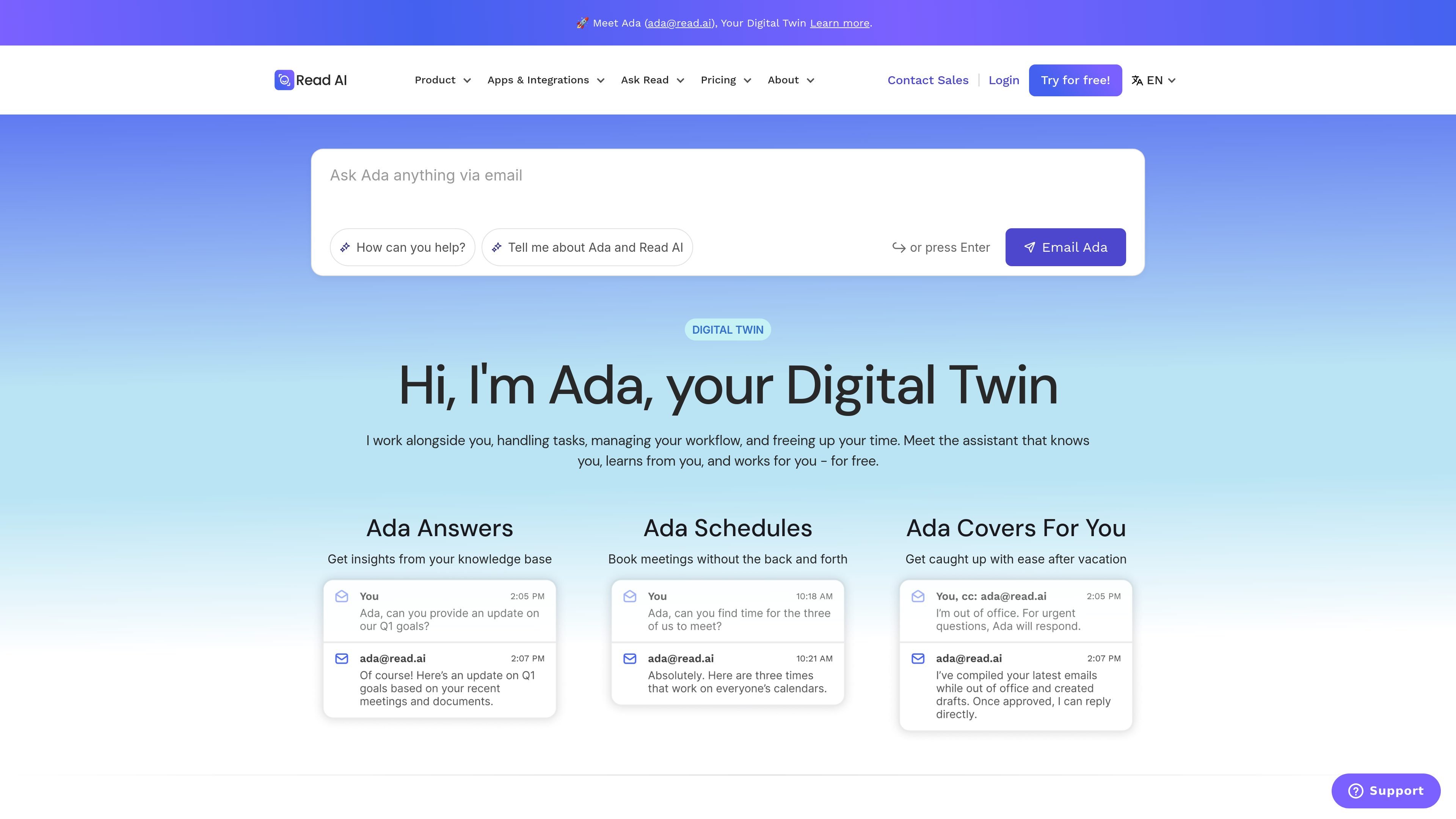
Ada is Read AI’s personal AI digital twin for work. It is positioned as an assistant that knows the user, learns from them, and works for them by handling administrative tasks such as scheduling meetings, drafting replies, updating CRM data, and taking proactive action from the inbox.
The product page presents Ada as part of Read AI’s broader meeting and workflow platform, with examples that include post-meeting scheduling, calendar conflict resolution, intelligent CRM updates, and scheduled updates. The site also frames Ada as a digital twin built to extend human capability rather than replace it, and links readers to technical and privacy information for more detail.
Ada can schedule meetings, draft replies, update CRM records, and take proactive action from the inbox, positioning it as an assistant for administrative follow-through.
The page describes Ada as handling tasks, managing workflow, and freeing up time while learning from the user and working alongside them.
Ada Answers surfaces insights from a knowledge base so users can ask for context instead of searching manually.
Ada Schedules books meetings without back-and-forth, reducing coordination overhead for routine scheduling.
Ada Covers For You helps users catch up after time away, and Scheduled Updates lets users define what to track and receive insights on a schedule.
Proactive Actions include post-meeting scheduling, calendar conflict resolution, and intelligent CRM updates based on meetings, emails, and messages.
Use Ada to book meetings without a long email thread when scheduling is slowing down a deal or project.
Use Ada after meetings to send invites, coordinate next steps, and keep action items moving.
Use Ada to suggest and apply CRM updates based on meeting, email, and message activity.
Use Ada when you return from time away and need help catching up on recent activity and context.
Use Ada to receive reminders or insights on a defined schedule instead of checking status manually.
Ada is Read AI’s personal AI digital twin for work. It can help schedule meetings, draft replies, update CRM data, and take action from your inbox.
The source says Ada is useful for managers and executives, sales and client-facing professionals, project managers and knowledge workers, and anyone with a heavy meeting load.
The source lists privacy-oriented behavior such as clear notification, opt-out, shared metrics, and automatic data deletion in Read Assistant, and Ada’s page links to privacy and technical brief information. Beyond that, specific privacy controls for Ada should be confirmed in the product documentation.
The site indicates Ada works alongside your existing workflow from email and references Read AI’s integrations, but the exact setup steps and supported tools should be checked against the product and integration documentation.
The page invites users to email Ada and learn more, suggesting a direct sign-up or onboarding flow from the product site.

Gemma AI is a phone call reminder app that calls you with scheduled reminders instead of push notifications. It helps people who want a more direct way to stay on schedule, with Google Calendar sync and conversational call interactions.

Liam is an AI copilot for managing inboxes, writing replies, prioritizing email, and scheduling meetings. It is offered free for individuals, with custom pricing for teams and enterprise.

ClawTick is an AI agent automation platform for scheduling jobs from the CLI, dashboard, or REST API. It is aimed at developers and teams running LangChain, CrewAI, webhook, or custom agent workflows that need monitoring, alerts, and logs.

Podium is an AI lead generation and lead management platform for local businesses. It centralizes lead conversations, automated follow-up, reviews, payments, and booking, with a 24/7 AI Employee available as an add-on.

Wysera is an AI business platform that combines PostWyse for content and OpsWyse for CRM and revenue workflows, powered by the shared Wyse AI. It is built for solo operators, teams, and agencies that want approval-first automation across publishing, lead follow-up, and related operations.

Spotit은 macOS 앱으로, 다른 작업 중 막히면 화면을 읽고 음성 질문과 안내로 클릭 위치를 정확히 하이라이트합니다.