
Task-isolated worktrees
Each task gets its own git worktree, branch, files, and sessions, so agents can make changes in parallel without overwriting one another.
ADE is a local-first desktop app for coordinating AI coding agents across worktrees, terminal sessions, and an iOS companion. It helps developers run parallel tasks, review diffs and pull requests, and keep state synced across devices.
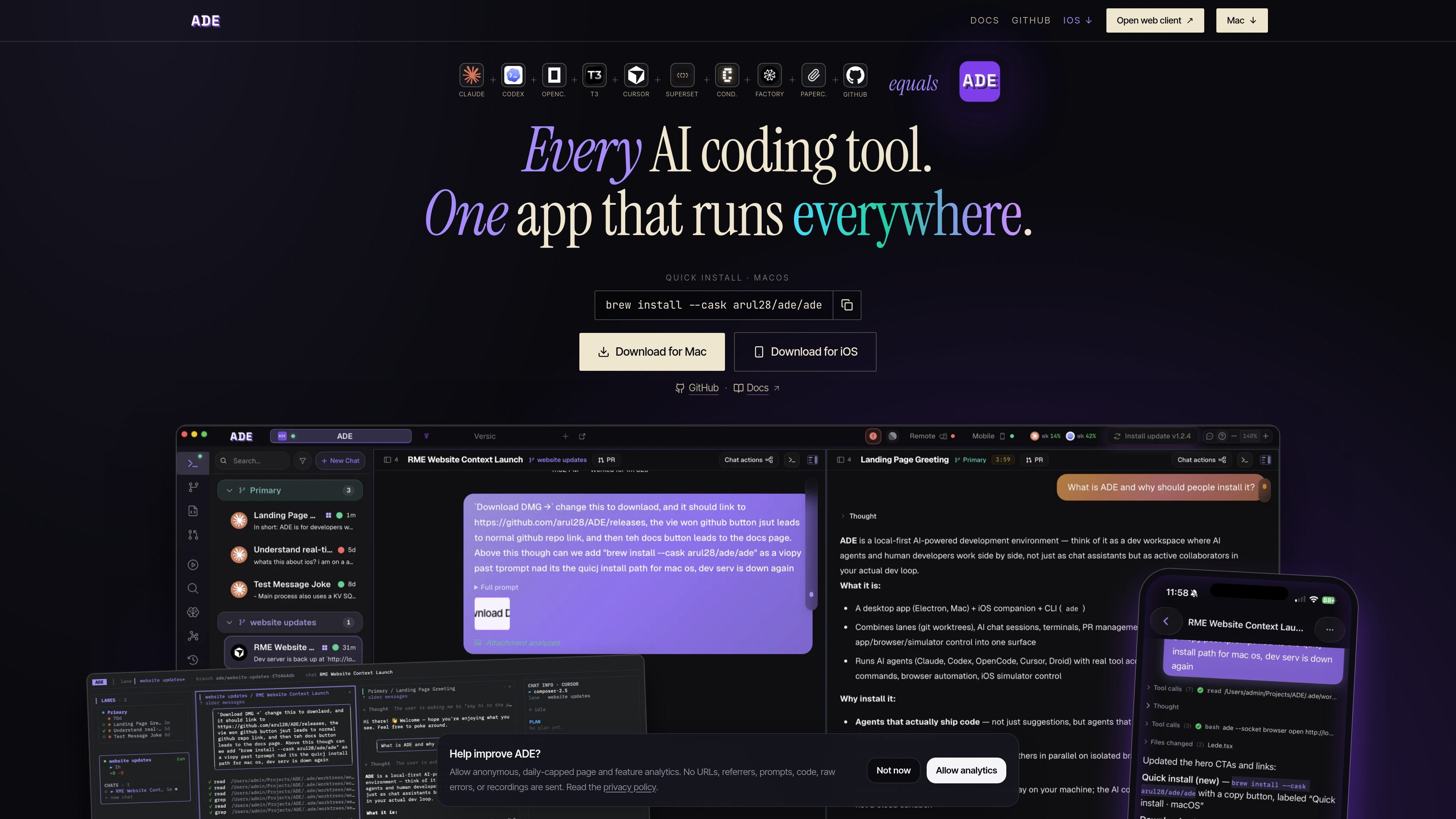
ADE is a local-first desktop app for orchestrating parallel AI coding agents in one native workspace. It brings agent chats, git worktrees, pull requests, terminals, browser tooling, and other development surfaces together so tasks can move from prompt to merge without switching between separate apps.
The product is built around isolated worktrees called lanes. Each lane keeps a task’s branch, files, sessions, and review state separate, which lets you run multiple agents side by side, inspect diffs and proofs, and keep progress synced across the desktop app, terminal, and iOS companion.
Each task gets its own git worktree, branch, files, and sessions, so agents can make changes in parallel without overwriting one another.
Run Claude Code, Codex, Cursor, Factory Droid, and OpenCode in one workspace, with a single chat flow that can launch a live ADE chat or a headless CLI session.
View multiple runs side by side in a grid, with messages, tool calls, and proof artifacts mirrored across the desktop app, terminal, and iOS companion.
Create, inspect, stack, archive, and clean up lanes from the app, with lane topology and merge risk visible for stacked work.
Review diffs, read CI, manage GitHub pull requests, and merge changes without leaving ADE; the docs also mention auto-merge when checks pass.
Use built-in browser, Files, Git, and iOS tools alongside agent chats, plus a shared browser pane for web QA, element inspection, and proof capture.
Use ADE when you want to break a feature into separate tasks and let different agents work in parallel on isolated lanes, then review the results side by side before merging.
Use the in-app browser, element inspection, and proof capture to check how changes behave on a live page or app without leaving the workspace.
Open a chat, turn the result into a pull request, inspect the diff and checks, and merge from ADE instead of moving between a chat app, GitHub, and your editor.
Start work on your Mac or in the terminal, then continue reviewing or approving from the iOS companion app while the same lane state stays in sync.
Manage stacked worktrees when tasks depend on one another, using the lane graph and merge-risk view to understand the order of work and rebase dependencies.
ADE is a local-first desktop app for orchestrating AI coding agents in one workspace. It also connects to the terminal and an iOS companion app, with the same lanes, chats, and PR state syncing across surfaces in real time.
The source shows support for Claude Code, Codex, Cursor, Factory Droid, and OpenCode. It positions them as agents you can run against the same worktrees inside ADE.
ADE creates isolated git worktrees for tasks, called lanes, so agents can work in parallel without colliding. The app also surfaces diffs, tests, terminal output, and PR state in one place.
The documentation says ADE is free and open source, and the site footer lists the AGPL-3.0 license. The rendered page also mentions macOS 13+ and an iOS companion app via TestFlight.
The available source does not show a full pricing model or plan breakdown. The pricing page currently rendered as a 404, so the site does not provide confirmed pricing details in the collected content.

ByteAsk is a terminal-first AI coding agent for C and C++ that edits repositories and verifies changes with the real compiler, debugger, sanitizers, and tests before showing a diff. It offers a free tier plus paid plans, with editor connectors and zero-retention handling described in the source.

hob is an independent workspace for coding agents that keeps agent sessions, terminals, history, and follow-up work organized around the tools and providers you already use. It is aimed at developers who want local control over routing, history, and workspace structure rather than a bundled model stack.

SonOf connects to your repo and PM tool, audits the codebase and surrounding product context, and turns approved work into shipped tickets with senior engineering review. It is aimed at founders and engineering leaders who need backlog help without hiring a full team immediately.

Ghost는 채팅, 코드 생성, 터미널 작업 실행을 지원하는 터미널 기반 AI assistant입니다. 무료 모델을 제공하며 Linux, macOS, Windows를 지원하는 오픈 소스입니다.

CreateOS Sandbox is an isolated compute environment for running code and agent workloads inside Firecracker micro-VMs. It is designed for workflows that need machine-level isolation, private networking between sandboxes, and programmatic control through SDK, CLI, or MCP.

Biji는 혁신적인 도구와 기능을 통해 생산성을 향상시키기 위해 설계된 다목적 플랫폼입니다.