
Session status overview
Shows every Claude Code session in one list, with status labels for running, waiting, done, and idle plus the amount of time each state has lasted.

AgentManager is a macOS app for monitoring Claude Code sessions in a floating window. It helps users notice when a session needs input, jump back to the right terminal or IDE window, and track session status from the menu bar or keyboard.
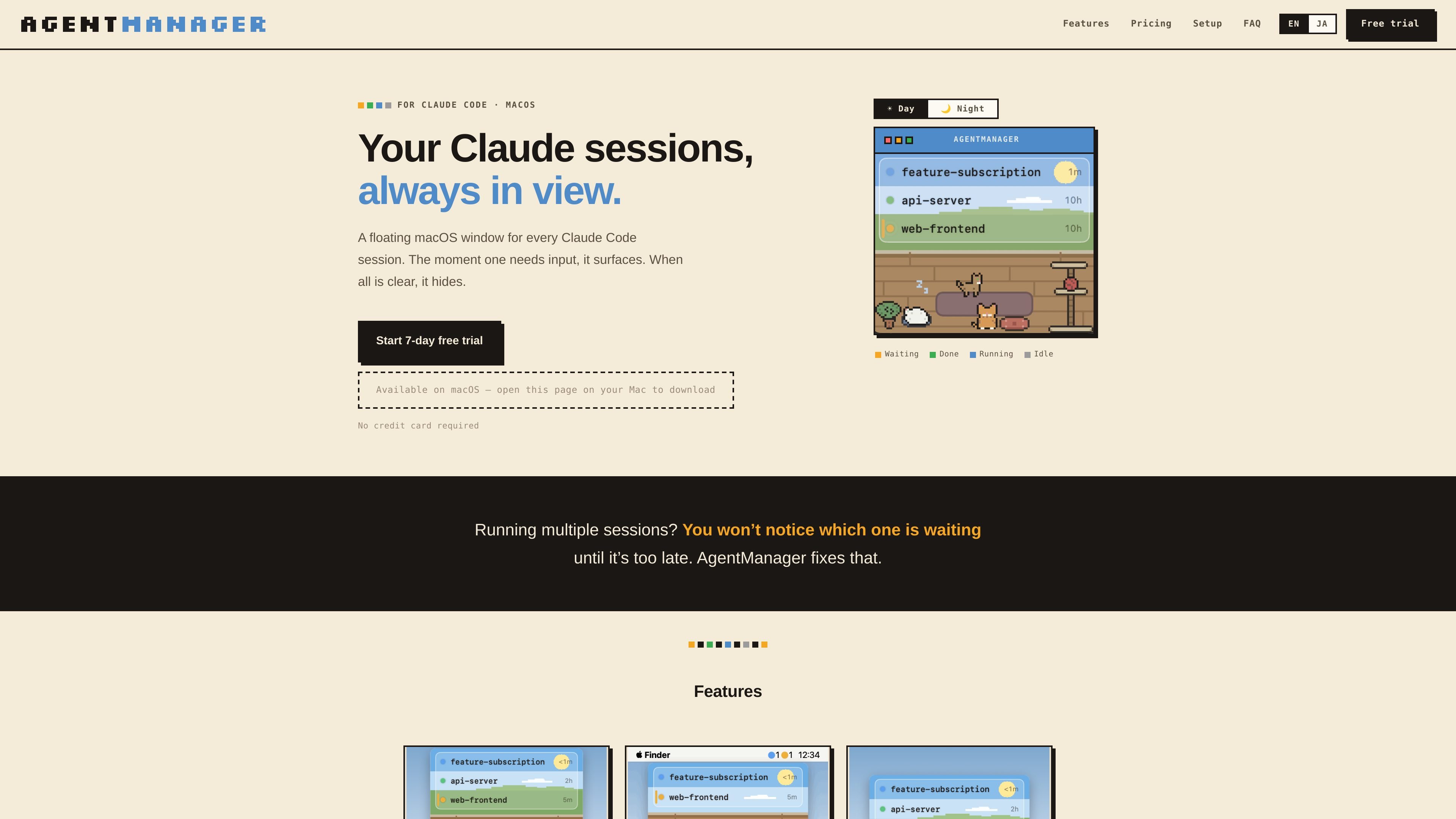
AgentManager is a macOS companion app for Claude Code sessions. It keeps active sessions visible in a floating window, shows which ones need input, and hides itself when all sessions are clear.
The product is designed for people running multiple Claude Code sessions at once and wanting a faster way to notice when one is waiting, jump back to the right terminal or IDE window, and track session status from the menu bar or keyboard.
Shows every Claude Code session in one list, with status labels for running, waiting, done, and idle plus the amount of time each state has lasted.
Automatically opens when any session needs input and hides again when everything is clear, so the app stays out of the way when nothing needs attention.
Lets you click a session to jump to the matching terminal location, including the exact pane in iTerm2, the right tab in Terminal and Ghostty, or the project window in an IDE.
Supports keyboard-first control with a customizable window toggle and navigation for moving between sessions without relying on the mouse.
Shows session counts in the menu bar using colored dots, giving a compact status view without opening the main window.
Includes sound alerts, with a cat meow that plays when a session needs input and can be muted in Settings.
Keep an eye on several Claude Code sessions at once and see which one is waiting for input without switching between terminals manually.
Jump from the session list back to the exact terminal pane, tab, or IDE window that needs attention instead of searching for it by hand.
Use the menu bar dots, floating window, or keyboard shortcut to check status quickly while staying focused in another app.
Run Claude Code inside supported IDE terminals and still have those sessions appear in AgentManager for status tracking and navigation.
Leave audio enabled for attention-grabbing prompts or mute it when you want status tracking without sound.
Yes. The site says AgentManager offers a 7-day free trial with all features unlocked and no credit card required. After the trial, a paid plan is required.
AgentManager is built for macOS 13 Ventura or later. The site says it supports Apple Silicon and Intel Macs, and Claude Code (the claude CLI) must be installed.
Session detection is powered by Claude Code hooks, so sessions appear automatically once AgentManager has registered its hook during onboarding. Jump precision varies by destination app: some terminals jump to a pane, tab, window, or app, while tmux sessions are detected but not yet jumpable.
Session data stays on your Mac. The site says prompts, file paths, and session names never leave the device, while only anonymized crash reports and usage statistics are sent.
The site says one license can be installed and activated on multiple Macs, with each Mac activated individually and deactivated later from Settings → License.

ByteAsk is a terminal-first AI coding agent for C and C++ that edits repositories and verifies changes with the real compiler, debugger, sanitizers, and tests before showing a diff. It offers a free tier plus paid plans, with editor connectors and zero-retention handling described in the source.

CreateOS Sandbox is an isolated compute environment for running code and agent workloads inside Firecracker micro-VMs. It is designed for workflows that need machine-level isolation, private networking between sandboxes, and programmatic control through SDK, CLI, or MCP.

hob is an independent workspace for coding agents that keeps agent sessions, terminals, history, and follow-up work organized around the tools and providers you already use. It is aimed at developers who want local control over routing, history, and workspace structure rather than a bundled model stack.

Manta AI is an autonomous web app testing tool for teams that want to map application behavior, catch regressions, and generate tests without writing scripts or maintaining selectors. It works from a URL and supports plain-English test flows, run results with screenshots, and scheduled or deployment-triggered checks.

Redline is a budgeting tool for Claude Code that paces sessions to stay within time, token, cost, or plan-percentage limits. It uses Claude Code’s native hooks and statusline to help sessions finish with a usable result instead of stopping abruptly.

SonOf connects to your repo and PM tool, audits the codebase and surrounding product context, and turns approved work into shipped tickets with senior engineering review. It is aimed at founders and engineering leaders who need backlog help without hiring a full team immediately.