

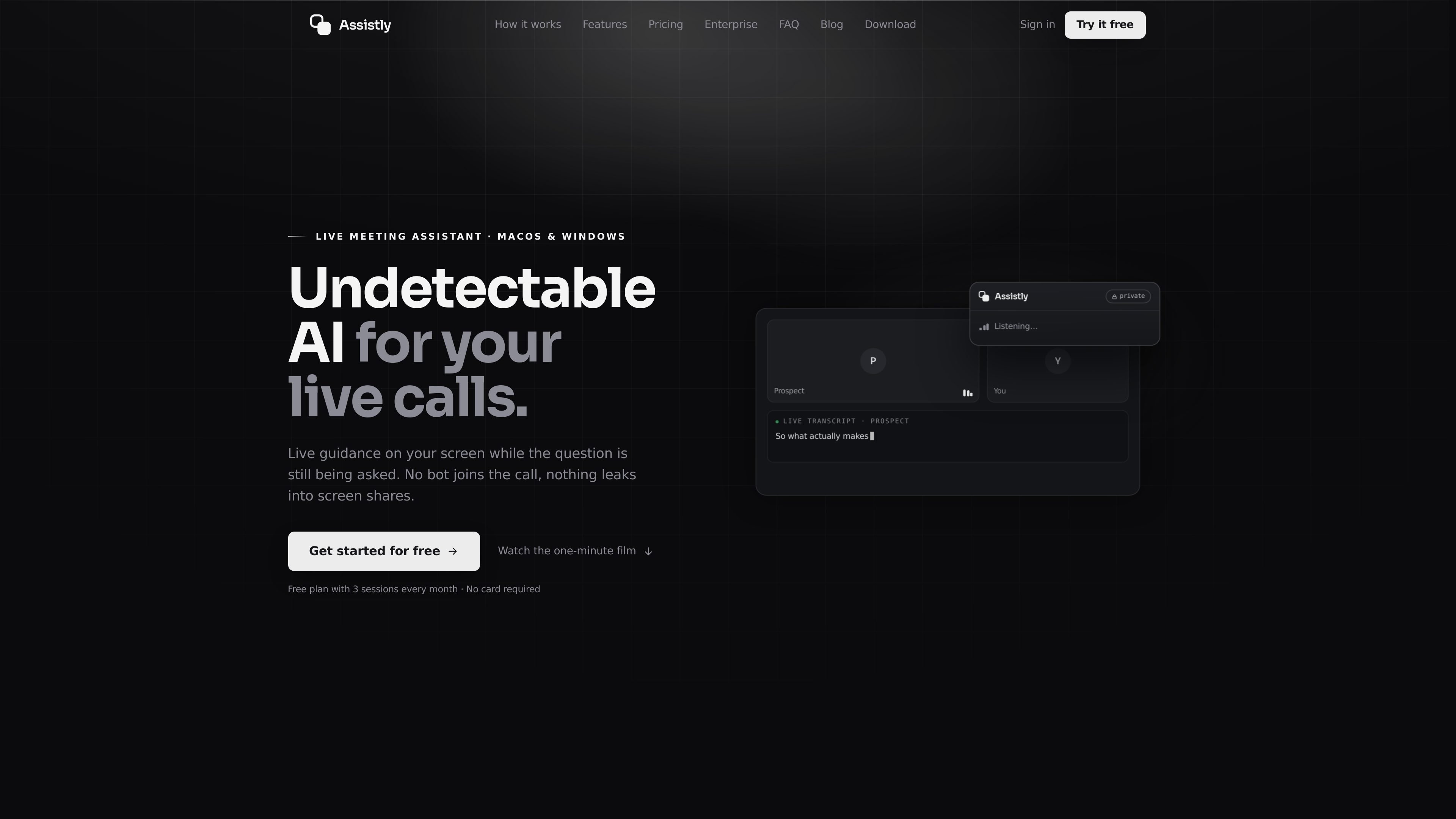
Private, bot-free live overlay
Assistly listens to the call audio from your computer and displays guidance in a private overlay that only you can see. Nothing joins the participant list, and the overlay is excluded from screen shares and recordings.
Assistly is a live meeting assistant for macOS and Windows that provides guidance while a conversation is happening. It works from your computer’s audio, so no bot joins the call, and it places answers and talking points in a private overlay that stays off screen shares and recordings.
The product is built for people who want both in-call support and a usable follow-up record. It transcribes the meeting, tracks speakers, generates a recap with decisions and action items after the call, and can organize sessions by project so context carries from one conversation to the next.
Assistly also connects to external context and tools. The site says it can pull from Google Calendar, Notion, Linear, and MCP servers, and that its own MCP server lets connected apps such as Claude, ChatGPT, Cursor, or Claude Code read meeting history, transcripts, and action items without write access.
Assistly listens to the call audio from your computer and displays guidance in a private overlay that only you can see. Nothing joins the participant list, and the overlay is excluded from screen shares and recordings.
The app transcribes the full call, including your mic and the call audio, and tracks every speaker. Guidance is available while the conversation is still happening, not only afterward.
When a question comes up, Assistly streams talking points and structured responses token by token so you can read them while still speaking. The interface is designed to avoid hotkeys and interruptions.
At the end of each session, Assistly writes a summary and action items with owners and stores them in searchable notes. The recap is tied to the session timeline for later review.
Assistly can organize calls into projects by client, deal, or workstream. It uses calendar context to file sessions and keeps answers scoped to the active project or account.
Assistly connects to Google Calendar, Notion, Linear, and any MCP server so live guidance can use your existing context. It also runs an MCP server that lets Claude, ChatGPT, Cursor, and similar tools query your call history read-only.
Use Assistly in client calls when you need live prompts, speaker tracking, and a recap that keeps each client’s history separate in its own project.
Use it on sales calls when pricing, objections, or competitor comparisons can surface mid-conversation and you want talking points without breaking eye contact.
Use it in internal team meetings when you need decisions, owners, and action items captured automatically and searchable after the call.
Use it across a workstream or account when several calls build on one another and you want the next session to inherit the context from previous ones.
Use the MCP server after a meeting when you want Claude, ChatGPT, Cursor, or another connected app to read recaps and transcripts and help turn them into next steps.
Assistly is installed on macOS or Windows and works from the computer’s audio. The site says you sign in and start using the desktop app; the MCP server is then connected afterward from your terminal or editor.
The site presents Assistly for individual use and for teams. Enterprise adds workspace controls, SSO, roles and permissions, and retention settings so a team can share context and manage access centrally.
During a call, Assistly shows live guidance, talking points, and structured responses in a private overlay. After the call, it creates a summary and action items with owners, and it also stores transcripts and recaps for later search.
Assistly works with Zoom, Google Meet, Teams, Webex, Slack huddles, and ordinary phone calls because it runs from system audio rather than a meeting plugin. It does not require a bot to join the call.
The MCP server exposes read-only access to transcripts, recaps, meetings, projects, and action items. Connected apps can read your own workspace data, but they cannot start sessions, edit recaps, or delete anything.

QuickQuill is a macOS dictation and transcription app that runs locally on the device. It helps users record meetings, transcribe audio, generate summaries, and export notes without using a cloud service.

Tactiq is an AI note taker for Google Meet, Zoom, and Microsoft Teams that transcribes meetings live and turns them into summaries, action items, and follow-up outputs. It is built around a Chrome extension and supports team workflows through sharing and integrations.

Notewarp is an AI note-taking tool that turns voice notes, uploads, or pasted text into cleaner notes, transcripts, summaries, and action items. It helps people capture rough ideas quickly and then edit, export, or share the result.

Scripta is a privacy-first AI notetaker that records, transcribes, and summarizes meetings directly on your device. The public site currently shows a Mac beta download and a Windows waitlist.
Parrot is a free, open-source AI meeting recorder and live assistant for macOS 14 or later on Apple Silicon. It records calls without a meeting bot, answers questions from locally indexed documents, and helps users review, search, and act on their meetings.

MeetStream is a meeting bot API for Zoom, Google Meet, Microsoft Teams, and Webex. It helps developers record, stream, and analyze meetings programmatically, with usage-based pricing and a $5 free credit to start.