
Layout-aware translation
OCR and page analysis identify text blocks, speech bubbles, illustrations, and reading structure before placing translated blocks back into the page.

GlossPage is an iPhone and iPad app that translates manga, comics, books, PDFs, images, and app screens while preserving page context. It supports original, translated, and bilingual reading modes, with local translation options and Pro features for online translation and PDF text export.
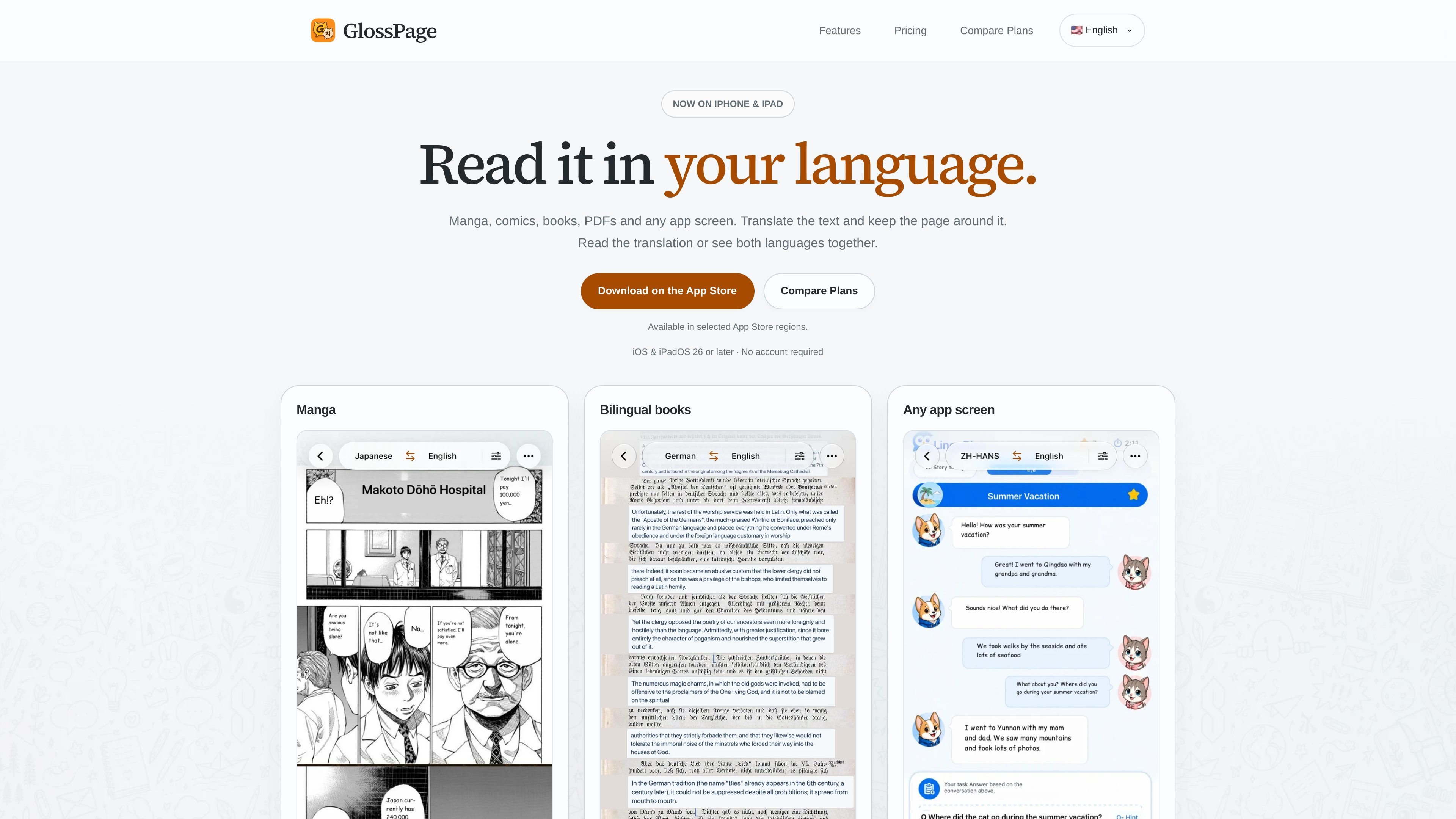
GlossPage is an iPhone and iPad app for translating manga, comics, books, PDFs, images, and app screens. Rather than presenting translation as detached text, it analyzes the source page, identifies its text regions and reading structure, and places translated blocks back around the original content.
Users can read only the translation, view the original, or compare both languages together. Content can be imported from images, scans, and PDFs, captured from another app, or collected from Safari. Local translation keeps source images and PDFs on the device, while Pro adds online translation and PDF text exports.
OCR and page analysis identify text blocks, speech bubbles, illustrations, and reading structure before placing translated blocks back into the page.
Translate manga, webtoons, manhwa, manhua, and comics while keeping the surrounding artwork visible.
Read the original passage beside its translation, or switch among Translation, Original, and Bilingual modes.
Import images, book scans, and PDFs, with page layouts able to adapt when translated text requires more space.
Translate content from other apps with Back Tap, the Action Button, Shortcuts, or the Share Sheet; Safari can grab Webtoons through the Safari Webtoon Grabber Extension.
Keep translated pages in history on every plan. Pro adds recognized, translated, and bilingual text along with plain-text and Markdown PDF exports.
Import manga, comics, webtoons, manhwa, or manhua and keep translated speech bubbles and text regions positioned over the artwork.
Translate scanned books and documents while retaining visible page structure, then compare original and translated passages as you read.
Capture text from an app with Back Tap, the Action Button, Shortcuts, or the Share Sheet when copying text or changing apps would interrupt the workflow.
Use Safari to grab a Webtoon and send it into GlossPage for translation without manually preparing each page.
Keep source images and PDFs on the device with local translation, or use Pro when online translation and PDF text exports are needed.
GlossPage is designed for iPhone and iPad running iOS or iPadOS 26 or later. The site states that no account is required.
You can import an image, book scan, or PDF; capture an app screen with Back Tap or the Action Button; use Shortcuts or the Share Sheet; or grab a Webtoon from Safari with the Safari Webtoon Grabber Extension.
GlossPage uses OCR and page analysis to identify text blocks, speech bubbles, illustrations, and reading structure. It then translates the blocks and places them in the page layout. You can read the result in Translation, Original, or Bilingual mode.
Local and Pro translation keep source images and PDFs on the device. With online translation, recognized text blocks are sent for processing. Pro online translation uses a weekly allowance rather than unlimited usage.
Translations are saved in history on every plan. Pro adds recognized, translated, and bilingual text, plus plain-text and Markdown exports from PDFs.