
Synchronized focus sessions
Join focus sessions that begin at the top of the hour or half-hour, which can create a sense of shared working time with other users.

Grindoro is a Pomodoro focus timer and productivity app for iPhone and iPad that combines synchronized sessions, task planning, habits, and progress tracking. It is free on the App Store with in-app purchases.
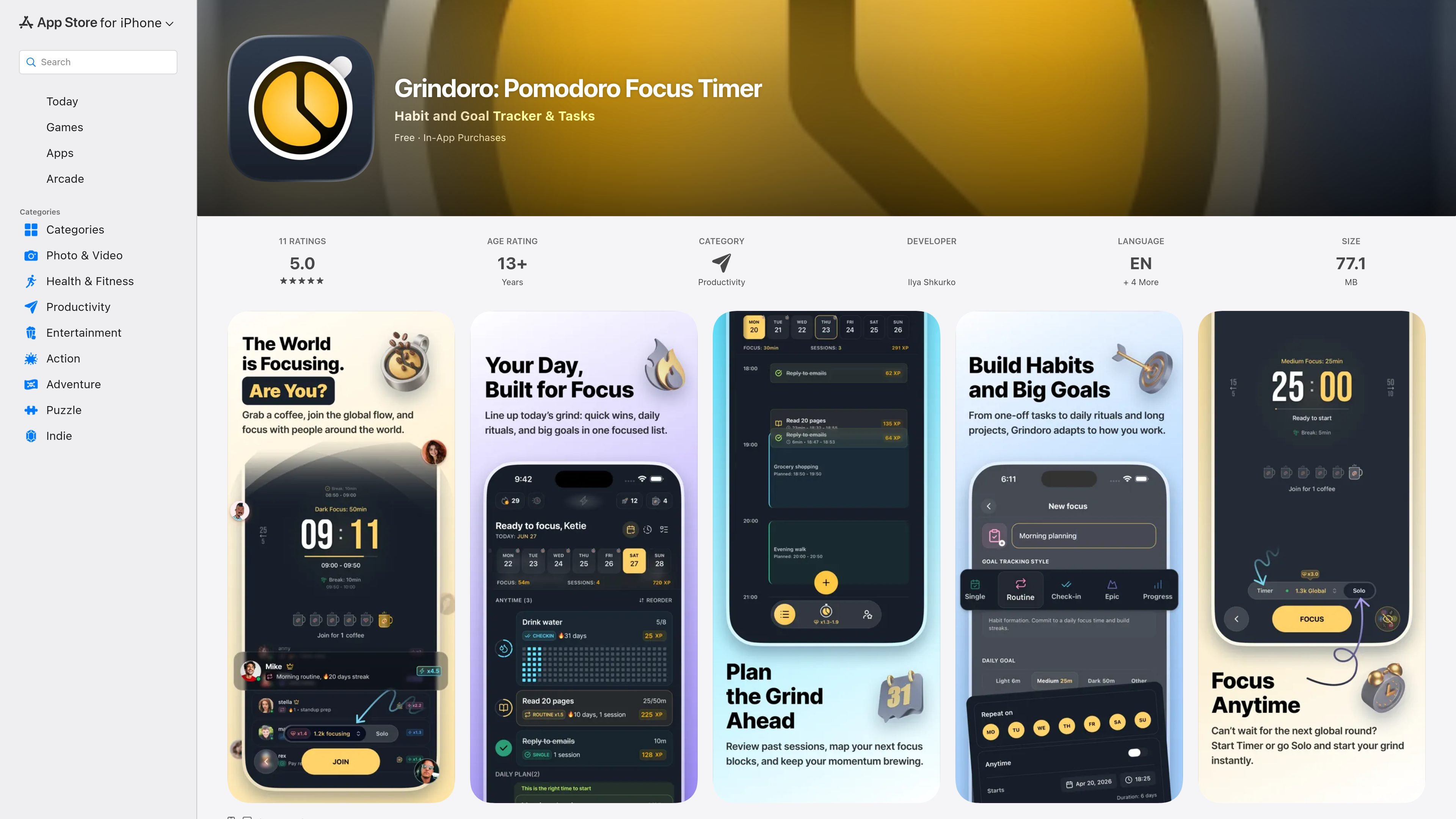
Grindoro is a productivity app that combines a Pomodoro timer, habit tracker, and task planner in a single iPhone and iPad app. It is built around synchronized focus sessions, so users can start working at the same time as others and use that shared momentum to begin more consistently.
The app’s workflow centers on timed focus blocks, routines, and progress tracking. Users can pick a session length, manage single tasks or longer goals, earn XP for completed work, and review focus history through stats and a heatmap. The App Store listing shows the app is free with in-app purchases.
Join focus sessions that begin at the top of the hour or half-hour, which can create a sense of shared working time with other users.
Choose between Light Roast, Medium Roast, and Dark Roast focus modes for 15-, 25-, or 50-minute sessions.
Organize work with Single Tasks, Routines, and Epic Goals so short actions, repeating habits, and larger projects can live in one system.
Turn completed sessions and tasks into XP and levels, giving a visible record of progress over time.
Use the Coffee Energy system to manage session starts and keep a daily rhythm around focus work.
Review consistency through visual stats, progress history, and a Year of Focus heatmap.
Use the app for work blocks when you want a structured timer and a clear start point instead of deciding when to begin on your own.
Set up recurring routines for actions you want to repeat every day or week, then track whether you are staying consistent.
Break larger projects into Epic Goals and shorter tasks so you can keep both immediate next steps and longer-term progress in one place.
Rely on the synchronized session schedule when you want the feeling of working alongside other people, even if you are alone.
Review stats, progress history, and the Year of Focus heatmap when you want to look back at consistency rather than only finish a single session.
Grindoro is available on iPhone and iPad through the App Store listing. The source also shows it as a free app with in-app purchases.
The app combines a Pomodoro-style timer with task planning, routines, XP levels, a Coffee Energy system, and focus analytics. Its timer modes include Light Roast, Medium Roast, and Dark Roast for different session lengths.
The listing describes synchronized focus sessions that start at the top of the hour or 30-minute mark, so users can join sessions alongside other people around the world.
The available source does not list third-party integrations. Based on the App Store page, Grindoro focuses on its built-in timer, task, routine, and progress features.
The App Store listing shows the app is free with in-app purchases, but it does not provide plan names or pricing details in the collected source.

Biji는 혁신적인 도구와 기능을 통해 생산성을 향상시키기 위해 설계된 다목적 플랫폼입니다.

Goldfish is an AI memory app for macOS that helps you reply, write, summarize, and continue using the context already on your Mac. It stores memory locally and writes in your tone.

Liam is an AI copilot for managing inboxes, writing replies, prioritizing email, and scheduling meetings. It is offered free for individuals, with custom pricing for teams and enterprise.

Gemma AI is a phone call reminder app that calls you with scheduled reminders instead of push notifications. It helps people who want a more direct way to stay on schedule, with Google Calendar sync and conversational call interactions.

ClawTick is an AI agent automation platform for scheduling jobs from the CLI, dashboard, or REST API. It is aimed at developers and teams running LangChain, CrewAI, webhook, or custom agent workflows that need monitoring, alerts, and logs.

Redline is a budgeting tool for Claude Code that paces sessions to stay within time, token, cost, or plan-percentage limits. It uses Claude Code’s native hooks and statusline to help sessions finish with a usable result instead of stopping abruptly.