

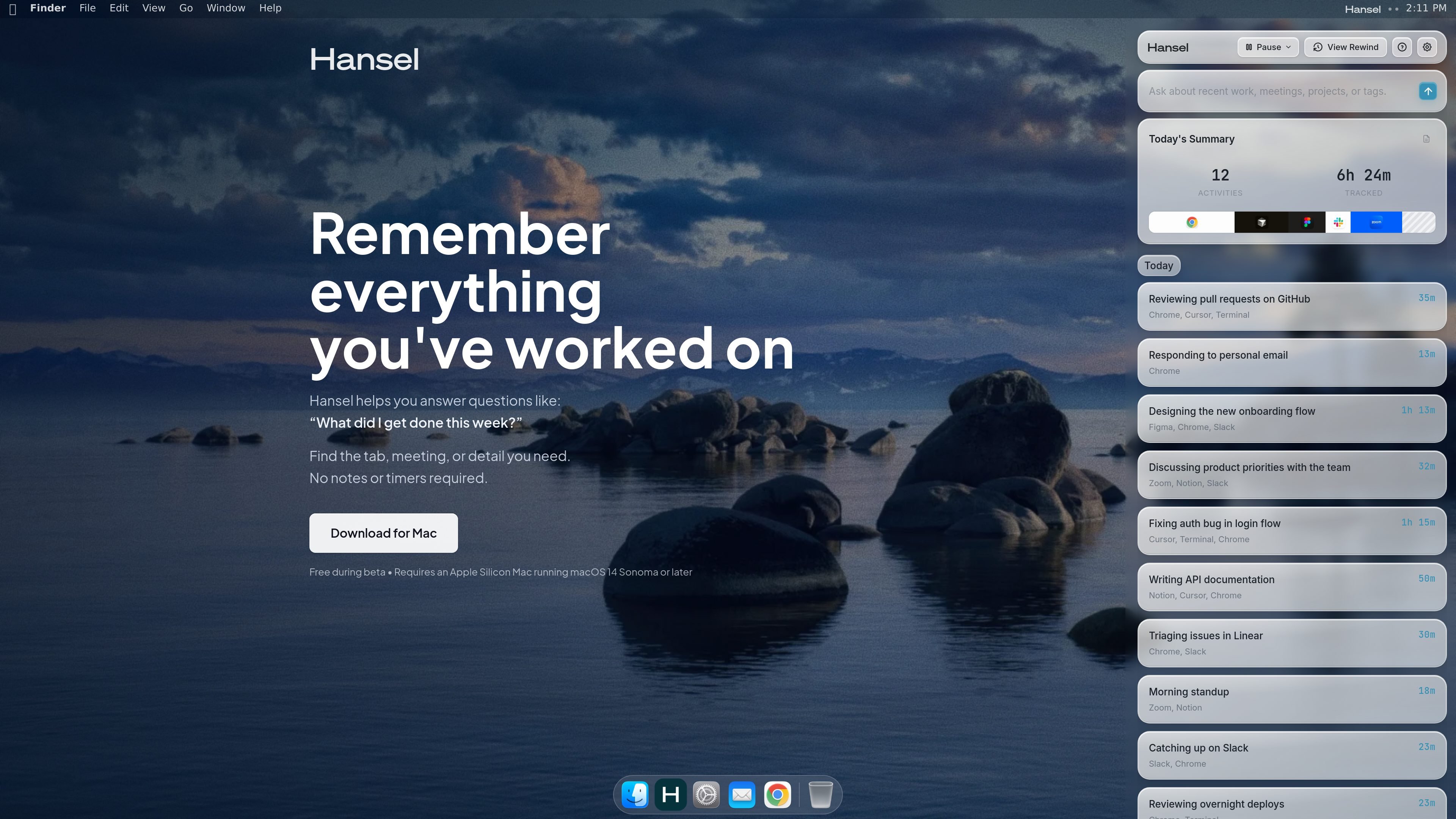
Searchable work timeline
Hansel builds a timeline of your workday so you can review what you did, when you did it, and how your time was spent without manually starting timers.
Hansel is a Mac app for remembering what you worked on. It records your activity so you can search past work, revisit meetings, and recover details you did not write down.
The product is centered on a searchable timeline of your day. It organizes activity around the work you were doing, and it lets you ask questions about recent work, projects, meetings, tags, and time spent.
Hansel also emphasizes local storage on your Mac. The site says activity history, chats, screenshots, and recordings are stored only on your device by default and are always encrypted, with keys kept in your Mac’s Keychain.
During beta, Hansel is free. After beta, the pricing page says it will cost $20 per month. The app requires an Apple Silicon Mac running macOS 14 Sonoma or later.
Hansel builds a timeline of your workday so you can review what you did, when you did it, and how your time was spent without manually starting timers.
The app can search meetings and calls for decisions, details, and follow-ups you may need to recover later.
Hansel can connect activities to projects, apps, and documents so the timeline is organized around actual work, not just app usage.
It includes screen rewind and OCR search, which helps when you remember seeing something on screen but not where it appeared.
You can ask questions about your work history, such as what you got done, where a decision came from, or which project took the most time.
On the pricing page, Hansel is described as supporting searchable meetings and calls, time connected to projects, apps and documents, and answers based on work history.
Review a summary of your day to see what you worked on, how long tasks took, and where your time went across apps and documents.
Search past meetings or calls when you need a decision, a detail, or a follow-up that was not captured elsewhere.
Ask where a specific idea, bug fix, or project decision came from when you need to trace the context behind later work.
Revisit a screen you saw earlier when you remember the content but not the app or page where it appeared.
Check how much time a project took without running a stopwatch, then use that history to understand workload patterns.
Hansel is a Mac app that records your work activity and lets you search it later. You can ask questions about recent work, meetings, projects, tags, and what you got done.
The source states that Hansel is free during beta and will cost $20 per month after beta. No credit card is required during beta.
By default, Hansel stores activity history, chats, screenshots, and recordings only on your Mac. Those files are encrypted, and the encryption keys stay in your Mac’s Keychain.
Hansel supports an Apple Silicon Mac running macOS 14 Sonoma or later.
The pricing page says you can send feedback from inside the app by choosing Help > Send Feedback.

recall is an AI flashcard app that turns reading and notes into study cards through Claude, ChatGPT, or another MCP client. It uses one-time lifetime access pricing and spaced repetition review.

Notewarp is an AI note-taking tool that turns voice notes, uploads, or pasted text into cleaner notes, transcripts, summaries, and action items. It helps people capture rough ideas quickly and then edit, export, or share the result.

Goldfish is an AI memory app for macOS that helps you reply, write, summarize, and continue using the context already on your Mac. It stores memory locally and writes in your tone.

Lasso is an ecommerce product data platform for enriching catalog records, processing supplier files, generating product content, and monitoring competitors. It combines a web app with a REST API, SDK, and MCP server for teams and developers.

ArtDeck is a visual reference board app for iPhone, iPad, and Mac that lets artists collect mixed reference material on one canvas and study it with ToolBox lenses. It works offline, supports optional iCloud sync, and is sold as a one-time purchase with no account required.

Struere is an AI-native platform for turning spreadsheet data into structured operational software with dashboards, alerts, and automations. It is aimed at teams that want to replace manual spreadsheet workflows without building custom tools from scratch.