

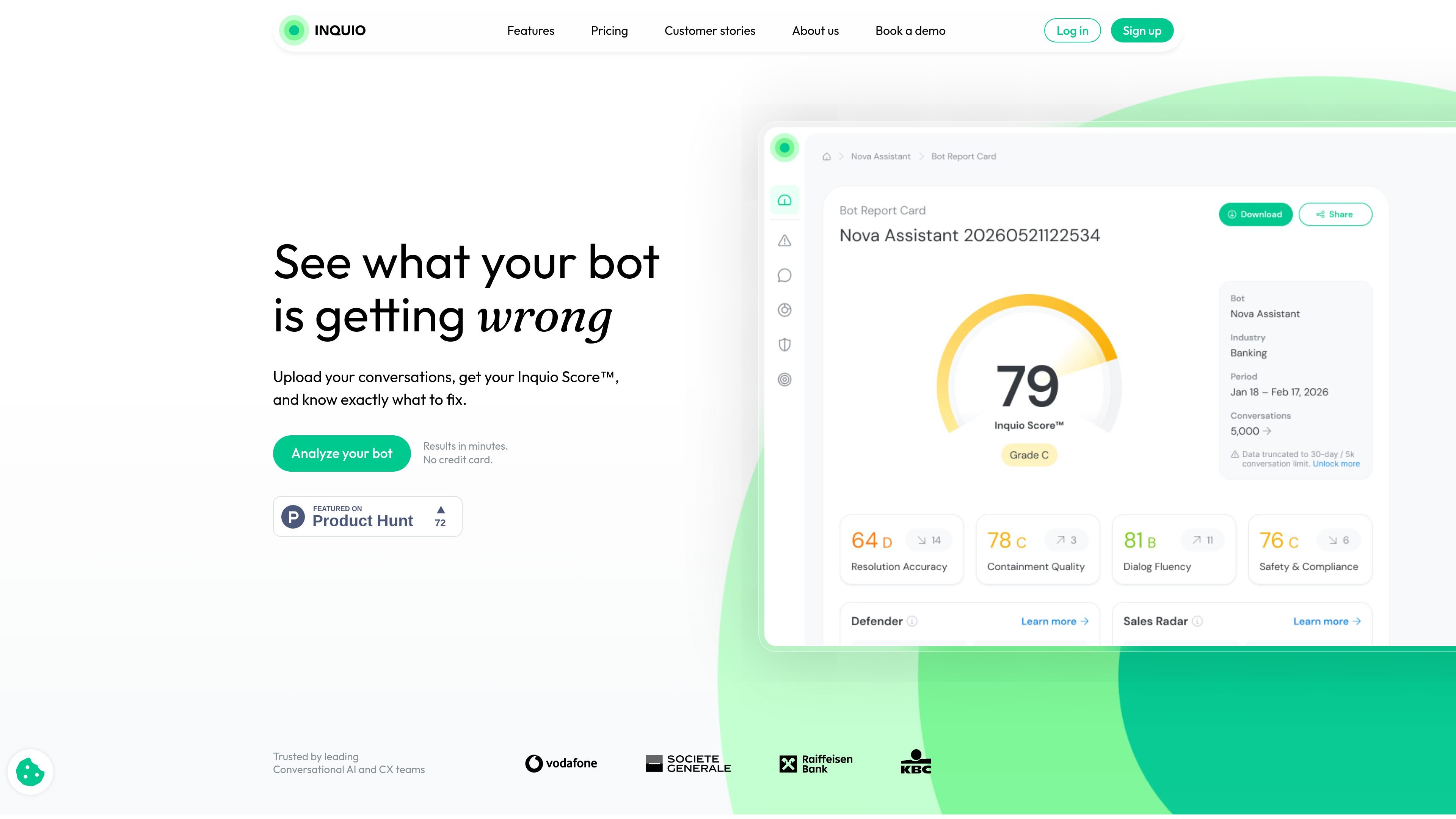
Conversation analysis workflow
Upload conversation data or connect through the API, then receive a report card that summarizes how the bot is performing.
Inquio is a bot QA and conversation intelligence platform for chatbots and conversational AI. It turns raw customer conversations into a report card that highlights what a bot got wrong, what needs attention, and what actions to take next.
The product is built for teams that want to evaluate real bot interactions instead of relying only on standard model or dashboard metrics. According to the site, users can upload a CSV or connect to the API, then receive an Inquio Score, ranked issues, benchmarks, and recommendations in minutes.
Upload conversation data or connect through the API, then receive a report card that summarizes how the bot is performing.
See an Inquio Score, identified issues ranked by severity, benchmark comparison, and recommendations in a single report.
Flag safety incidents, policy violations, attacks, and GDPR-sensitive data through the Defender module.
Surface buying signals and churn warnings from conversation data with Sales Radar.
Share results in meetings with exportable reports, including a static CSV-based workflow on Starter and customizable reports on Growth.
Use the platform without manual tagging, predefined categories, or complex setup, based on the company positioning.
Review chatbot conversations to see whether answers are actually correct and useful, not just whether the bot responded.
Identify safety incidents, policy violations, attacks, and sensitive data exposure in conversation logs.
Spot buying signals and churn warnings so sales and retention teams can follow up on high-value conversations.
Compare bot performance against industry averages and track improvements over time using report cards and scores.
Package analysis results into shareable reports for stakeholders who need a concise view of what to fix.
Inquio is designed to work without manual tagging, predefined categories, or complex setup. The home page says you can upload conversations or connect to the API, and the about page emphasizes that it works out of the box.
The home page says you can upload a CSV or connect to the API, and the Starter plan includes static CSV upload and share/export capabilities. The available sources do not list other import formats or integrations in detail.
Inquio says it analyzes conversations in minutes. The home page describes getting a report card after adding conversations, with the analysis completed in minutes.
No. The product pages position Inquio as a bot QA and conversation intelligence layer that analyzes existing conversations rather than replacing your current chatbot stack.
The site states that customer conversation data is not sold or shared, is not used to train public models, and is handled with security controls such as encryption at rest and in transit, restricted access, and audit logs.

ByteAsk is a terminal-first AI coding agent for C and C++ that edits repositories and verifies changes with the real compiler, debugger, sanitizers, and tests before showing a diff. It offers a free tier plus paid plans, with editor connectors and zero-retention handling described in the source.

PromptScout tracks how ChatGPT, Gemini, Google AI Overviews, and Perplexity mention your brand or competitors, then pairs those results with source analysis and website audits. It helps teams decide what to fix in content, positioning, or site readiness next.

SaveMRR is a Stripe retention tool for SaaS teams that scans billing data for churn and MRR leaks, then automates recovery through dunning, cancel-save offers, win-back emails, and onboarding nudges. It is built for founders and bootstrapped teams using Stripe.

Hype is a web tool for finding trending YouTube topics by category, time range, and scoring mode. It helps creators spot emerging ideas, inspect source videos, and decide what to cover next.

Sleek Analytics is a privacy-friendly web analytics tool with real-time visitor tracking, Core Web Vitals, and revenue attribution. It helps site owners understand traffic and conversions without cookie banners or a heavy setup.

Struere is an AI-native platform for turning spreadsheet data into structured operational software with dashboards, alerts, and automations. It is aimed at teams that want to replace manual spreadsheet workflows without building custom tools from scratch.