
Portable memory file
Keeps preferences, background, project context, and working style in one editable Memory.md file instead of scattering them across assistants.

Memory Sync is a Chrome extension that helps users move editable AI memory across ChatGPT, Claude, Gemini, Grok, Kimi, Mistral, and Copilot using a portable Memory.md file. It is designed for people who want one reviewable source of truth for long-term context instead of retraining each assistant separately.
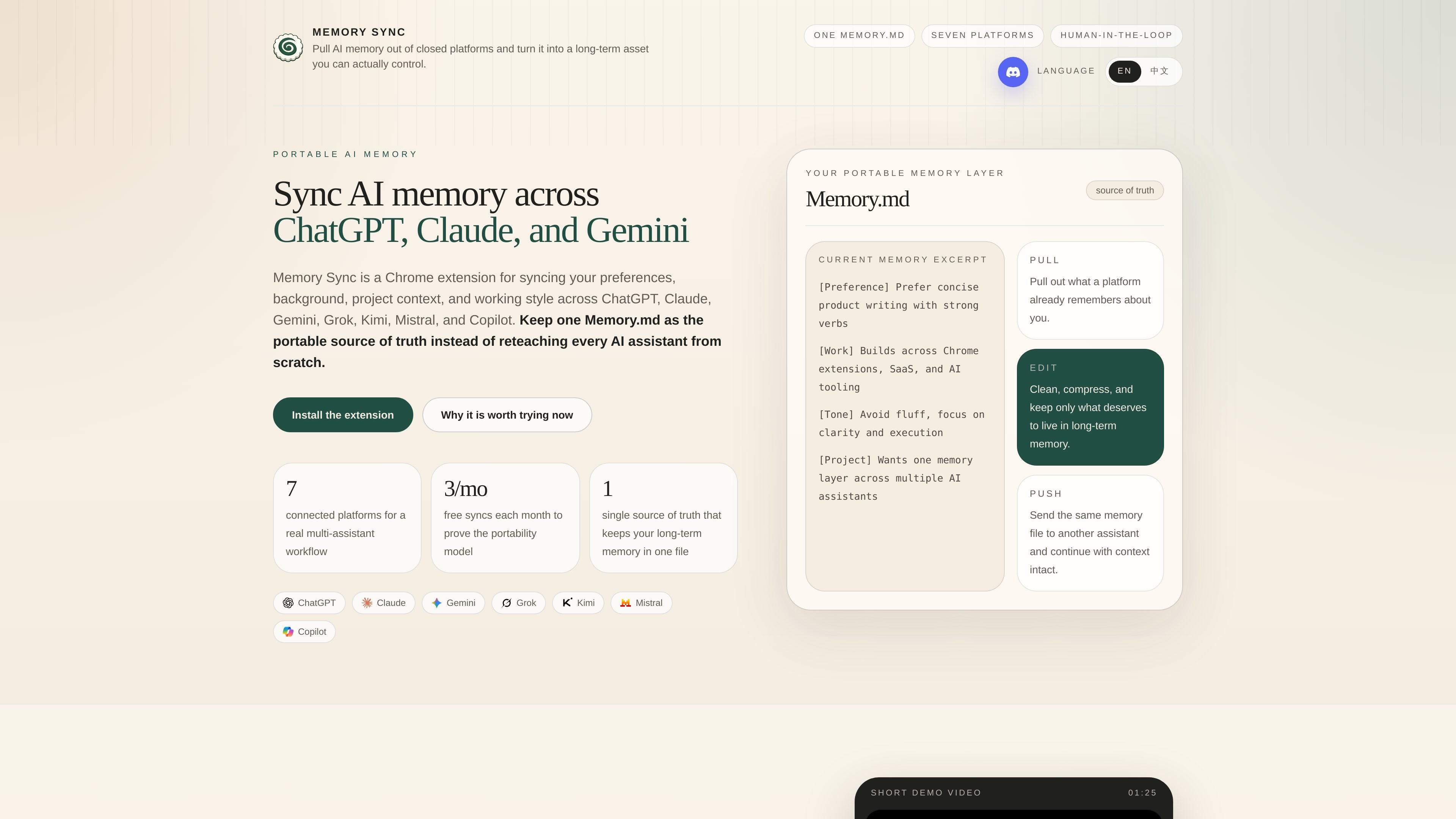
Memory Sync is a Chrome extension for moving long-term AI context between ChatGPT, Claude, Gemini, Grok, Kimi, Mistral, and Copilot. It centers on a portable Memory.md file that acts as the editable source of truth for preferences, project knowledge, and working style.
Instead of reteaching each assistant from scratch, the extension helps you pull memory out of one platform, review and trim it in Memory.md, and then push it into another platform. The workflow is intentionally human-in-the-loop: the extension handles navigation, prompt injection, and sync state, while you decide what stays and what gets sent.
Keeps preferences, background, project context, and working style in one editable Memory.md file instead of scattering them across assistants.
Supports a Pull / Edit / Push pattern so you can retrieve context from one assistant, refine it, and send it to another.
Opens the selected AI platform and injects the sync prompt inside the browser workflow, reducing manual copy-paste.
Tracks sync state and keeps Memory.md visible and editable while the handoff happens.
Shows per-platform sync status so you can see where memory has been moved.
Move the preferences and context you have already built in one assistant into a different assistant without starting from zero.
Keep product notes, background, and style preferences in a single file that you can inspect and revise as your work changes.
Pull memory into Memory.md, clean it up, and remove information that should not persist long-term.
Use the browser extension to handle navigation and prompt injection while you stay in control of the final content sent to each platform.
Carry the same memory file across assistants when you want continuity but still need to choose where each update goes.
Memory Sync keeps one editable Memory.md file and uses a pull or push prompt inside the selected AI platform so you can move long-term context with review in the loop.
No. It is positioned as a portable source of truth that complements platform memory when that memory is incomplete, closed, or hard to migrate.
The source text lists ChatGPT, Claude, Gemini, Grok, Kimi, Mistral, and Copilot as supported platforms.
The current version is human-in-the-loop. The extension handles navigation, prompt injection, sync state, and Memory.md management, but you still approve what gets sent and kept.

Goldfish is an AI memory app for macOS that helps you reply, write, summarize, and continue using the context already on your Mac. It stores memory locally and writes in your tone.

Lasso is an ecommerce product data platform for enriching catalog records, processing supplier files, generating product content, and monitoring competitors. It combines a web app with a REST API, SDK, and MCP server for teams and developers.

ArtDeck is a visual reference board app for iPhone, iPad, and Mac that lets artists collect mixed reference material on one canvas and study it with ToolBox lenses. It works offline, supports optional iCloud sync, and is sold as a one-time purchase with no account required.

Struere is an AI-native platform for turning spreadsheet data into structured operational software with dashboards, alerts, and automations. It is aimed at teams that want to replace manual spreadsheet workflows without building custom tools from scratch.

garden-md is an open-source Node.js CLI that turns meeting transcripts into a local company wiki. It links entities across transcripts, keeps the original text intact, and renders the result as a browsable wiki.

Falconer is an AI-powered company brain that keeps internal documentation accurate, searchable, and up to date by syncing with tools like GitHub, Slack, and Linear. It helps engineering and cross-functional teams centralize knowledge and answer questions from a shared source of truth.