

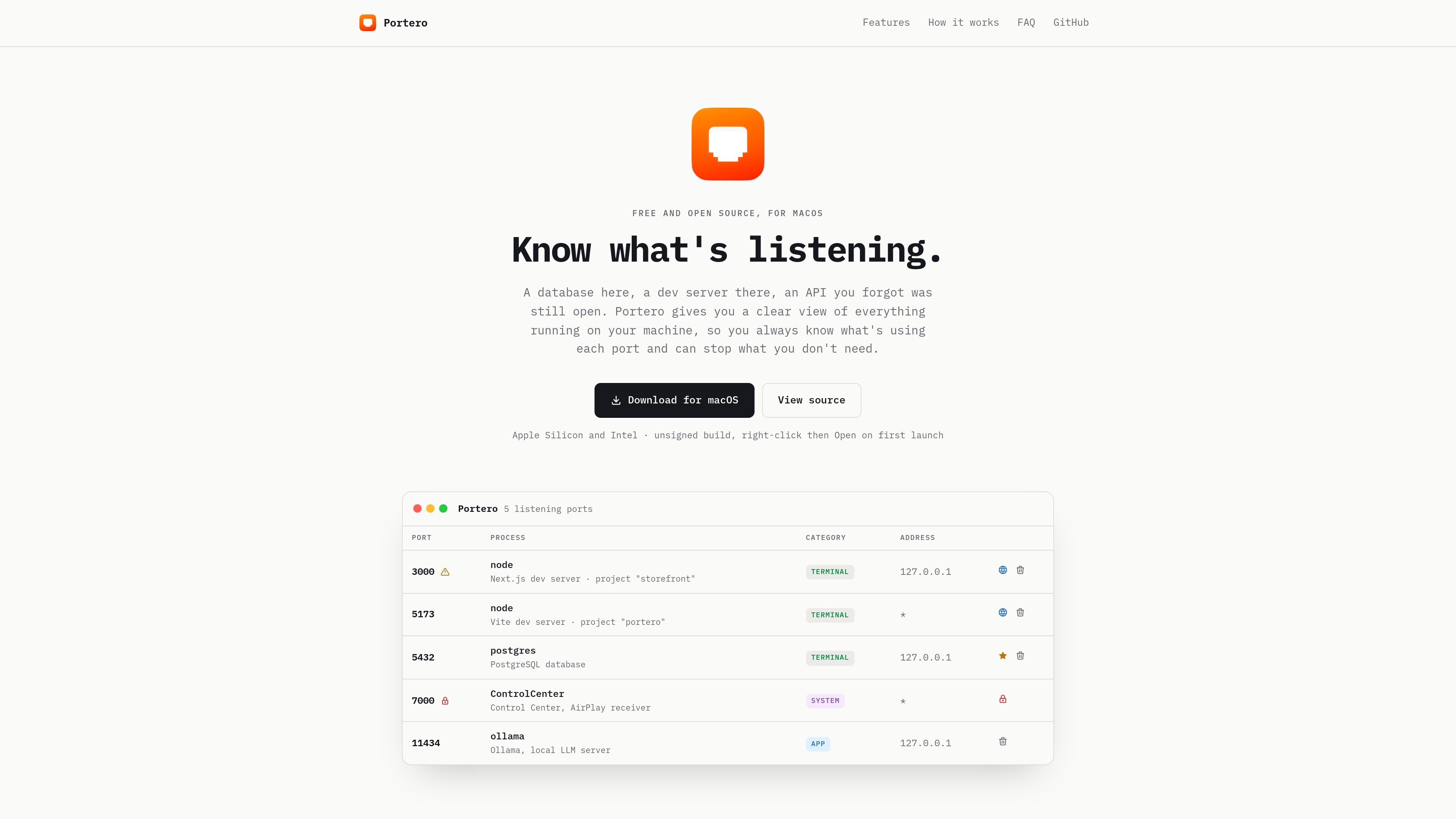
Live port overview
Shows every listening TCP and UDP port with process, PID, address, user, and start time. The view is auto-refreshed so the list stays current while you work.
Portero is a macOS utility for seeing which ports are open on your machine and which processes are using them. It is aimed at developers and other Mac users who need to identify local services, stop unnecessary listeners, and resolve port conflicts quickly.
The app presents a live list of listening TCP and UDP ports with details such as process name, PID, address, user, and start time. It also adds practical actions for common workflows, including killing processes, blocking ports with the macOS firewall, and opening HTTP services in the browser.
Shows every listening TCP and UDP port with process, PID, address, user, and start time. The view is auto-refreshed so the list stays current while you work.
Explains recognized processes in plain language, such as dev servers and databases, so you can identify what is actually listening without reading raw process names.
Stops a process with one click using a graceful stop or force kill. Multiple processes can be handled at once, with confirmation before the action is applied.
Blocks inbound or outbound traffic on a chosen port using the built-in macOS firewall. The app says it uses a dedicated anchor and does not touch system files directly.
Detects when two processes are using the same port and highlights the classic address-in-use conflict before you hit it.
Marks HTTP ports with a globe action that opens the service in the browser, which is useful for local web servers and APIs.
Check which local services are listening on your Mac, including databases, dev servers, and system components, without having to piece together terminal output yourself.
Resolve an address already in use error by spotting when two processes are attached to the same port and stopping the one you do not need.
Open a local web app or API directly in the browser when Portero detects that the port is serving HTTP.
Block inbound or outbound traffic on a specific port when you want to keep a local service from being reachable.
Manage a set of listening processes during development, including favoriting important ones so they are protected from accidental bulk kills.
Portero is a native macOS app for viewing listening TCP and UDP ports, the process behind each port, and actions such as killing a process or blocking a port.
The source says Portero is available for Apple Silicon and Intel Macs. It is presented as an unsigned build, so first launch requires right-clicking the app and choosing Open.
Portero is free and open source. The source also includes a View source link.
Portero automatically refreshes its port list and can open a browser when a port answers HTTP. It also flags common port conflicts before you run into them.

ByteAsk is a terminal-first AI coding agent for C and C++ that edits repositories and verifies changes with the real compiler, debugger, sanitizers, and tests before showing a diff. It offers a free tier plus paid plans, with editor connectors and zero-retention handling described in the source.

PromptScout tracks how ChatGPT, Gemini, Google AI Overviews, and Perplexity mention your brand or competitors, then pairs those results with source analysis and website audits. It helps teams decide what to fix in content, positioning, or site readiness next.

CreateOS Sandbox is an isolated compute environment for running code and agent workloads inside Firecracker micro-VMs. It is designed for workflows that need machine-level isolation, private networking between sandboxes, and programmatic control through SDK, CLI, or MCP.

Sleek Analytics is a privacy-friendly web analytics tool with real-time visitor tracking, Core Web Vitals, and revenue attribution. It helps site owners understand traffic and conversions without cookie banners or a heavy setup.

hob is an independent workspace for coding agents that keeps agent sessions, terminals, history, and follow-up work organized around the tools and providers you already use. It is aimed at developers who want local control over routing, history, and workspace structure rather than a bundled model stack.

Ably Chat is a chat API platform for building custom realtime chat applications. It supports room-based messaging, typing indicators, presence, reactions, and message updates, with usage-based pricing options for different deployment stages.