
Parallel multi-model runs
Run the same prompt against multiple models in parallel and compare the outputs side by side in synced columns, with per-model timing and cost shown on the run.

Revalvo is a browser-based, local-first LLM eval workbench for running prompts across multiple models, scoring results, versioning prompts, and batch-testing datasets. It is designed for users who want to compare outputs and keep prompt work in the browser without creating an account.
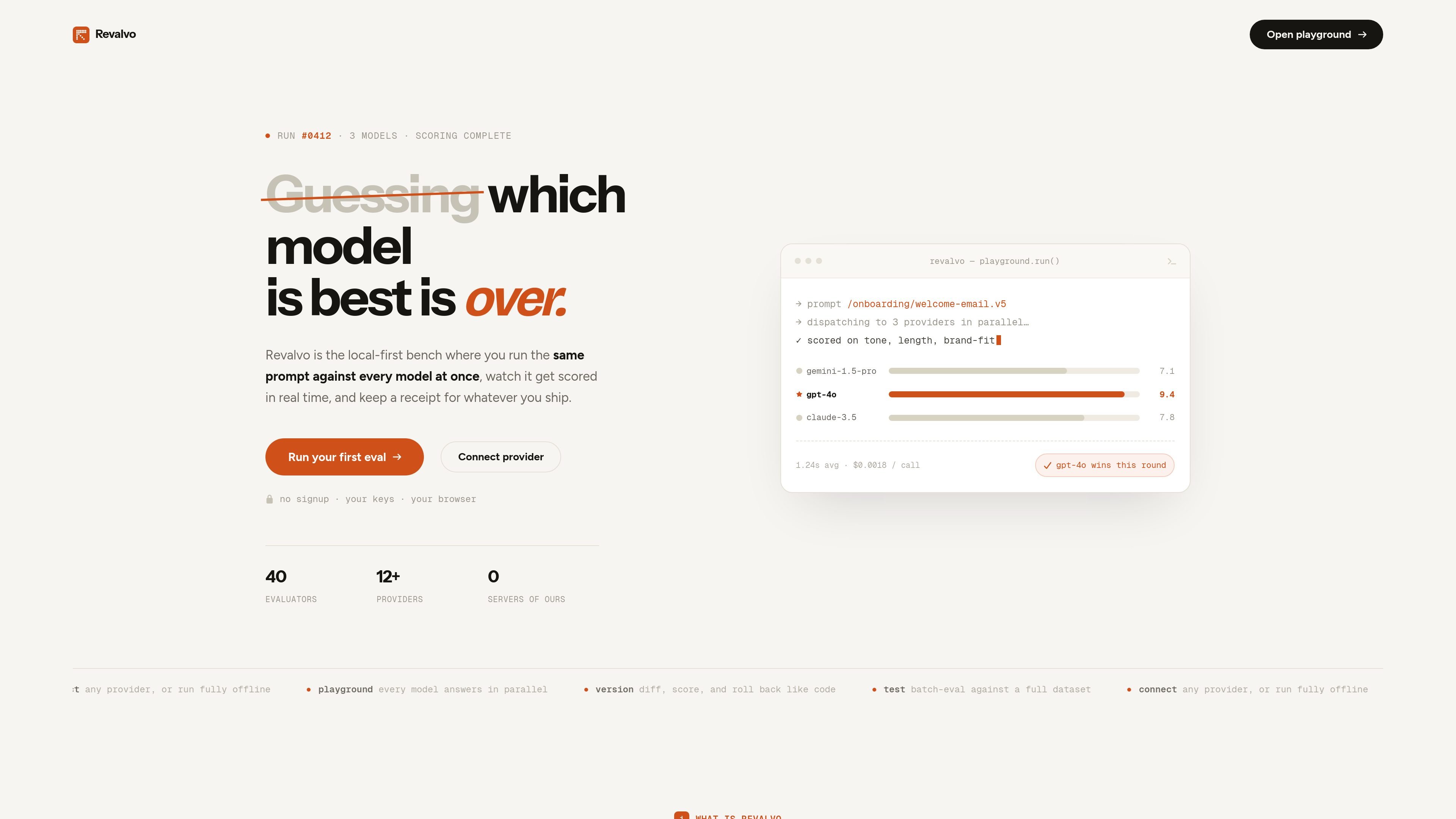
Revalvo is a local-first LLM eval workbench for writing, running, versioning, and evaluating prompts across multiple models. The homepage positions it as a place to run the same prompt against every model at once, score results, and keep a traceable record of what was shipped.
It runs in the browser with no account and no hosted database. The site says you can connect providers with your own keys, use local runtimes such as Ollama or LM Studio, or work with custom endpoints, then move from single prompt tests to dataset-based batch evaluation and reporting.
Run the same prompt against multiple models in parallel and compare the outputs side by side in synced columns, with per-model timing and cost shown on the run.
Score responses in real time and review report outputs that surface pass rate, model ranking, per-case pass/fail, and debug details.
Save a run as an immutable snapshot, compare versions with model config diff and line-level word diff, and roll back to any earlier version.
Create datasets by hand, upload CSV files, start blank, or generate rows from a description; batch-run saved versions across the dataset.
Connect providers through API keys, OAuth, localhost runtimes, or custom endpoints, with workspace separation per provider.
Export saved versions or batch reports as Python, TypeScript, cURL, Node.js, Go, agent prompts, HTML, Markdown, JSON, or CSV.
Compare one prompt across several models at once, review the outputs side by side, and see which model scored best for the chosen criteria.
Treat prompts like code by saving immutable versions, comparing configuration and word-level changes, and rolling back if a later draft performs worse.
Build a dataset, run a saved prompt version across it, and use the report to check pass rate, latency, cost, and failures before shipping.
Connect a provider workspace with your own key or local runtime, then work in a browser without creating an account or using a hosted database.
Export prompt versions or batch results into code snippets, agent prompts, or common file formats for handoff to a coding agent or teammate.
Revalvo is a browser-based prompt engineering and LLM evaluation workbench. It lets you run prompts across multiple models, review scored outputs, version prompts, and export or roll back saved versions.
The site says you can connect providers by pasting a key, signing in with OAuth, or pointing to localhost. Supported options shown include OpenRouter, Ofox.AI, Vercel AI Gateway, Groq, OpenAI, Anthropic, Ollama, LM Studio, and custom OpenAI-compatible endpoints.
Revalvo is designed to work in the browser with no account and local storage for prompts, versions, datasets, eval configs, results, and API keys. The privacy policy says direct providers can be used without Revalvo servers seeing your content, while some providers are proxied through a worker in memory only.
The homepage shows a workflow for single runs in the playground and batch evaluation against a full dataset. Reports include pass rate, latency, cost, model ranking, per-case pass/fail, and export options in HTML, Markdown, JSON, and CSV.
No pricing page is available at /pricing; that URL returns a 404 on the site. The terms page states that Revalvo is free to use with no uptime SLA, but it does not describe paid tiers or plan details.

Edgee is an AI gateway for coding agents and LLM-powered apps. It compresses token traffic, routes requests across models, and provides observability and team controls to help reduce cost and keep sessions running.

ByteAsk is a terminal-first AI coding agent for C and C++ that edits repositories and verifies changes with the real compiler, debugger, sanitizers, and tests before showing a diff. It offers a free tier plus paid plans, with editor connectors and zero-retention handling described in the source.

Grok 4.7 is an xAI model for software development and knowledge work, including extended coding tasks and professional analysis. It is available through Grok Build, Cursor, the Grok API, and other developer platforms, with token pricing starting at $2 per million input tokens and $6 per million output tokens.

Prompty Town is a web product that turns a link into a building in a small internet city. It appears to let users buy a tile, add a prompt, and publish the result alongside other buildings.

Manta AI is an autonomous web app testing tool for teams that want to map application behavior, catch regressions, and generate tests without writing scripts or maintaining selectors. It works from a URL and supports plain-English test flows, run results with screenshots, and scheduled or deployment-triggered checks.

Creativly is a web-based AI creative studio for generating visual concepts, mockups, and stylized images from short inputs. It is aimed at designers, creators, and entrepreneurs who want fast visual ideation without writing long prompts.