
AI Builder
Describe a business application in plain English and receive a proposed data model, forms, views, workflows, roles, and reports that can be revised in chat or visual builders.

Scratchboard is an AI no-code platform that turns plain-language descriptions into business apps with data models, views, workflows, dashboards, roles, and reports. It is aimed at operations teams, founders, and business teams, with REST API, webhook, and MCP access for extensions.
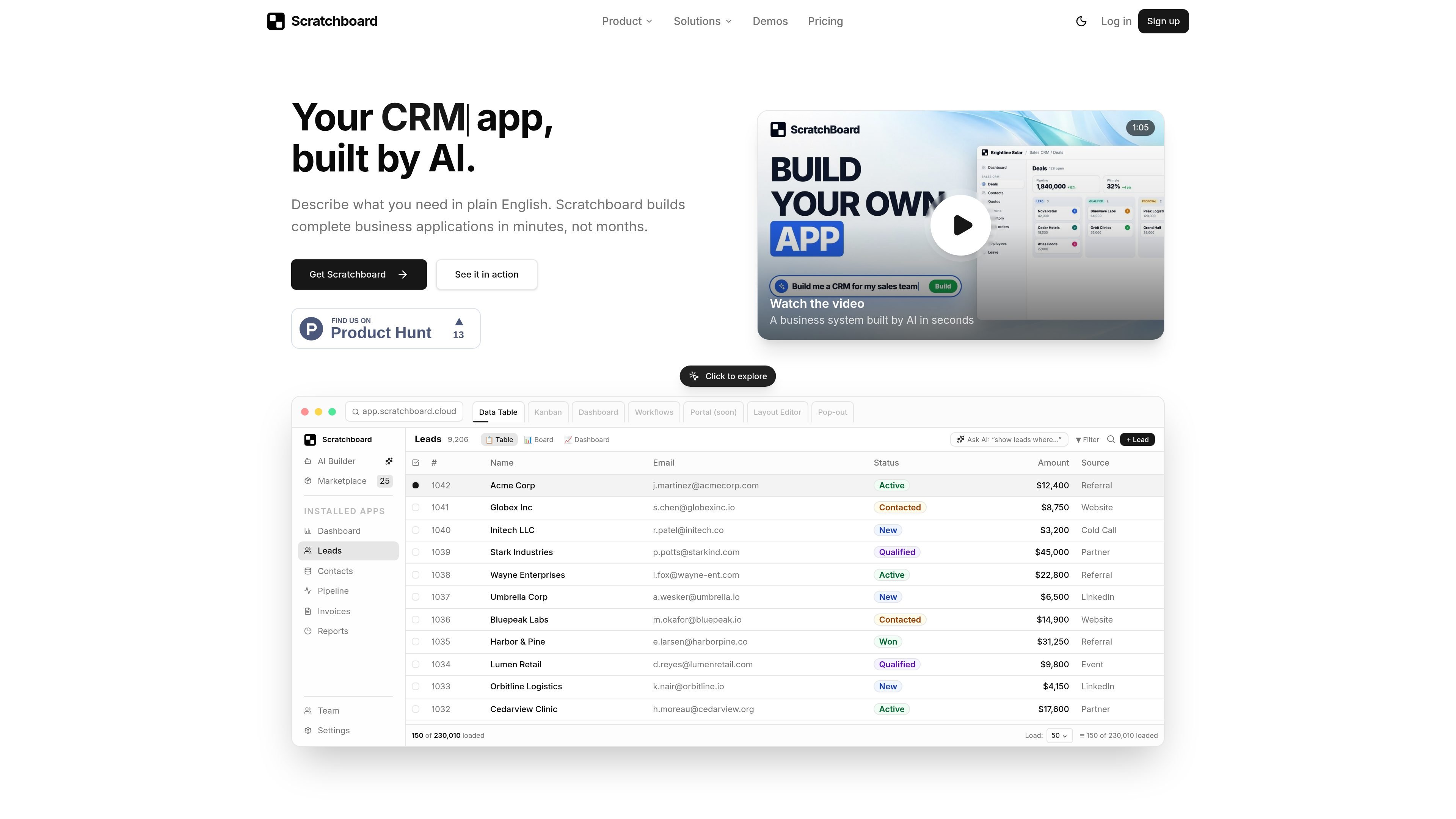
Scratchboard is an AI no-code platform for building and running internal business applications. Users describe a process in plain English, and its AI Builder proposes the underlying entities, fields, relationships, screens, workflows, roles, and reports instead of requiring a conventional software project.
Teams can then review and refine the generated app in chat or visual builders, import data, and invite colleagues. The platform combines data management, views, automation, reporting, permissions, ready-made apps, and developer access in one workspace; customer-facing portals are currently listed as coming soon.
Describe a business application in plain English and receive a proposed data model, forms, views, workflows, roles, and reports that can be revised in chat or visual builders.
Create business entities with fields, relationships, formulas, and rules without database work, then present the same records in tables, boards, calendars, or dashboards.
Run approvals, notifications, and record updates when data changes or on a schedule. Documents can also turn records into invoices, quotes, and contracts as PDF or Word files.
Track KPIs with dashboards and scheduled email reports, while vector search finds records by meaning and can help identify duplicates.
Sync data from databases, APIs, Google Sheets, and CSV files; send signed webhooks when records change; and connect AI assistants through the hosted MCP server.
Control access at the entity, record, and field levels with roles and audit logs. Realtime updates and isolated multi-workspaces support collaborative operations.
Manage products, stock, orders, returns, and low-stock alerts in a connected retail workflow. The platform also describes an e-commerce stack linking catalog, inventory, sales orders, storefront, and logistics apps.
Track clients, projects, time entries, and invoices together so professional-services teams can monitor delivery and billing status in one system.
Coordinate onboarding, leave, attendance, and reviews with approval steps for HR processes that need a shared record of employee activity.
Run a sales pipeline from lead through quote and invoice, with dashboards and views that help sales leaders keep deal information current.
Describe a property-management process involving properties, units, tenants, leases, renewal reminders, maintenance requests, and urgent repair routing, then review the generated app before launch.
No. Scratchboard is designed for no-code app building through plain-language prompts and visual builders. Developers can extend workspaces with the REST API, signed webhooks, and the hosted MCP server.
Every workspace starts with a 7-day free trial using the full product on the Starter plan. There is no free plan; after the trial, the workspace is paused until a paid plan is selected.
You describe the business process, review the proposed data model, forms, views, workflows, roles, and reports, then adjust them in chat or visual builders before importing data and inviting the team.
Yes. Scratchboard supports ready-made apps such as CRM, HR, inventory, helpdesk, and other business solutions. These can be installed and customized, or you can start from a custom description.
Customer-facing portals are listed as coming soon and are not currently part of the plans.

Speculos is a deployment tool for Claude Code that publishes what you built to a shareable URL. It supports private, org-wide, or public apps and adds team controls for company domains, data connections, and customer-cloud deployments.

FigPrompt is an AI tool for creating production-ready Figma plugins from a written description. It helps Figma users move from idea to plugin logic without writing code.

Capacity is a no-code, AI-assisted app builder that turns plain-language ideas into working apps. It helps people ship apps with accounts, payments, and custom domains without writing code.

GenMB is an AI web app builder that creates full-stack web apps with frontend, backend, database, authentication, and automations included. It is aimed at individuals and teams that want to build and publish working apps from a plain-language prompt.

MoveFast is a production-ready Next.js SaaS starter with auth, billing, email, database, admin, and launch pages. It is aimed at founders, agencies, and product teams that want a credible SaaS base without wiring the core stack from scratch.

RapidNative is an AI-native mobile app builder that turns prompts, sketches, documents, or screenshots into interactive React Native apps. It is designed for founders, product managers, designers, and developers who need to prototype, collaborate, preview on device, and export code.