
Pro timeline editing
Edit on a magnetic multi-track timeline with ripple, roll, slip, and slide trims. The app shows instant audio waveforms and supports frame-accurate keyboard control.

ShootClip is a native macOS video editor for cutting, captioning, grading, and exporting video locally. It also includes a built-in MCP server for AI-assisted edits and optional direct publishing to your own YouTube channel.
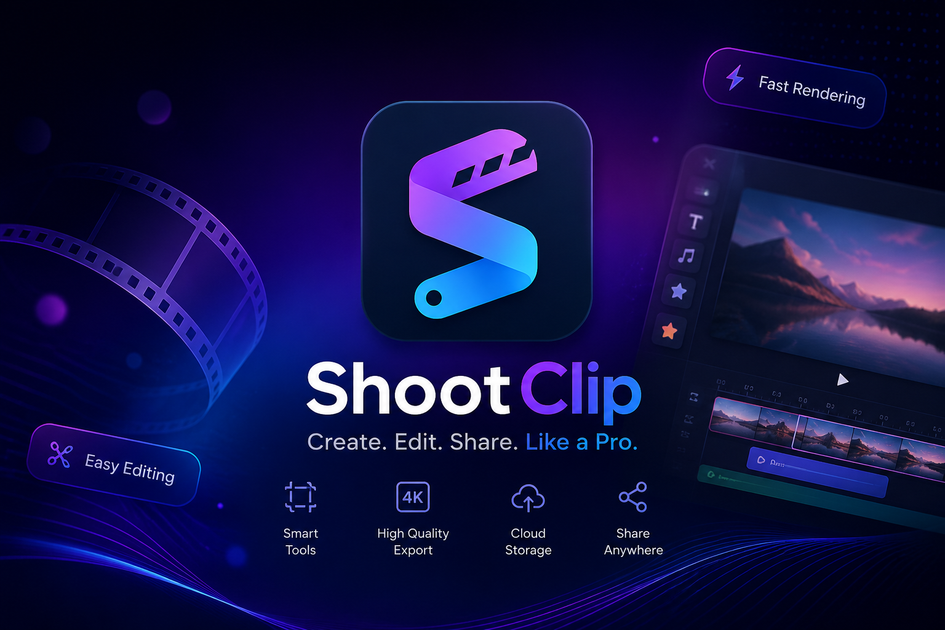
ShootClip is a native macOS video editor focused on pro timeline editing with a simpler interface. It combines local media management, multi-track cutting, captions, animated text, grading, blur tools, and export in one app.
The product also includes a built-in MCP server so an AI assistant can inspect and edit the project alongside you. According to the site, ShootClip stores videos and projects on your Mac, with direct YouTube publishing available only when you choose it.
Edit on a magnetic multi-track timeline with ripple, roll, slip, and slide trims. The app shows instant audio waveforms and supports frame-accurate keyboard control.
Play back 8K ProRes and RAW media in real time using a Metal-native engine tuned for Apple Silicon. The site says you do not need proxies unless you want them.
Ship a project into Claude or another MCP client through the built-in MCP server. The exposed tools cover cutting, effects, media, playhead, and export, and the site says each action is reviewable and undoable.
Create standalone text tracks with 19 Canva-style animations such as typewriter, burst, skate, roll, and merge. This is aimed at titles and motion text inside the edit.
Add blur, mosaic, or black-box layers to hide content anywhere on the timeline for exactly as long as needed. The product also shows AI object tracking for censored areas that follow faces or license plates frame by frame.
Export H.264, HEVC, ProRes, and social aspect presets in the background. The pricing page adds 1080p export on Free and 4K export on Pro.
Import footage, trim clips, arrange them on the timeline, and add grades or text before exporting a finished video locally.
Use auto captions to turn speech into styled, frame-accurate captions without entering your own API key.
Draw a blur over a face, plate, or other sensitive detail and let object tracking keep the censor aligned as the subject moves.
Connect Claude or another MCP client to review the timeline, remove silences, apply edits, and export with actions that remain reviewable and undoable.
Publish a finished video directly to your own YouTube channel after signing in with Google, instead of exporting and uploading separately.
ShootClip is a native macOS video editor. You import footage, edit on a multi-track timeline, add captions, text animations, and blur effects, then export locally or publish to your own YouTube channel.
Yes. The pricing page shows a Free plan at $0 forever with the full editor, MCP AI assistant, AI silence removal, text animations, blur layers, unlimited projects, and export up to 1080p without a watermark. ShootClip Pro adds auto captions, moving censor tracking, 4K export, and priority support.
The site says ShootClip works with Claude Desktop, Claude Code, and any MCP client. The built-in MCP server can expose timeline, effects, media, playhead, and export tools for reviewable, undoable edits.
When you run auto captions, the clip audio is sent directly from your Mac to OpenAI for transcription. The source says you do not need your own API key, and Pro includes 300 minutes of captioning per month.
ShootClip uses Google sign-in to activate your license. If you choose direct publishing, it uses the YouTube API to upload the video you selected to your own YouTube channel when you click Publish.

Zella is a screen recorder and on-device AI video editor for Mac and iPhone. It helps creators record screens or cameras, automatically clean up footage, add captions, reframe clips, and export videos without uploading the core project to the cloud.

FlexClip is an AI-powered online video maker and editor that helps users create videos from templates or from scratch. It combines browser-based editing with AI tools for scripting, voiceover, subtitles, translation, and background removal.

Hype is a web tool for finding trending YouTube topics by category, time range, and scoring mode. It helps creators spot emerging ideas, inspect source videos, and decide what to cover next.

CAMB.AI Streams dubs live audio in multiple languages in real time for broadcasts on platforms like YouTube, Twitch, and X. It plugs into existing live workflows using common streaming protocols and avoids a post-production step.

Video Effects SDK adds real-time webcam effects such as background blur, background replacement or removal, denoising, framing, beautification, and color grading. It is built for teams shipping live video experiences on web, desktop, and mobile platforms.

VForms lets you place questionnaires directly inside YouTube videos so viewers answer in context instead of switching to a separate form. It is aimed at collecting feedback and insights through timestamped, embeddable video forms.