
Task-to-Report workflow
Write a Task on the board and let a lead agent route it to the specialist responsible for the work. Finished Tasks produce a Report describing the work and its result.

SquadRoom is an AI productivity workspace where teams assign Tasks to specialist agents, coordinate delegated work, and review Reports, Docs, and activity history. It supports research, recurring Jobs, and agent communication through Chat and Telegram.
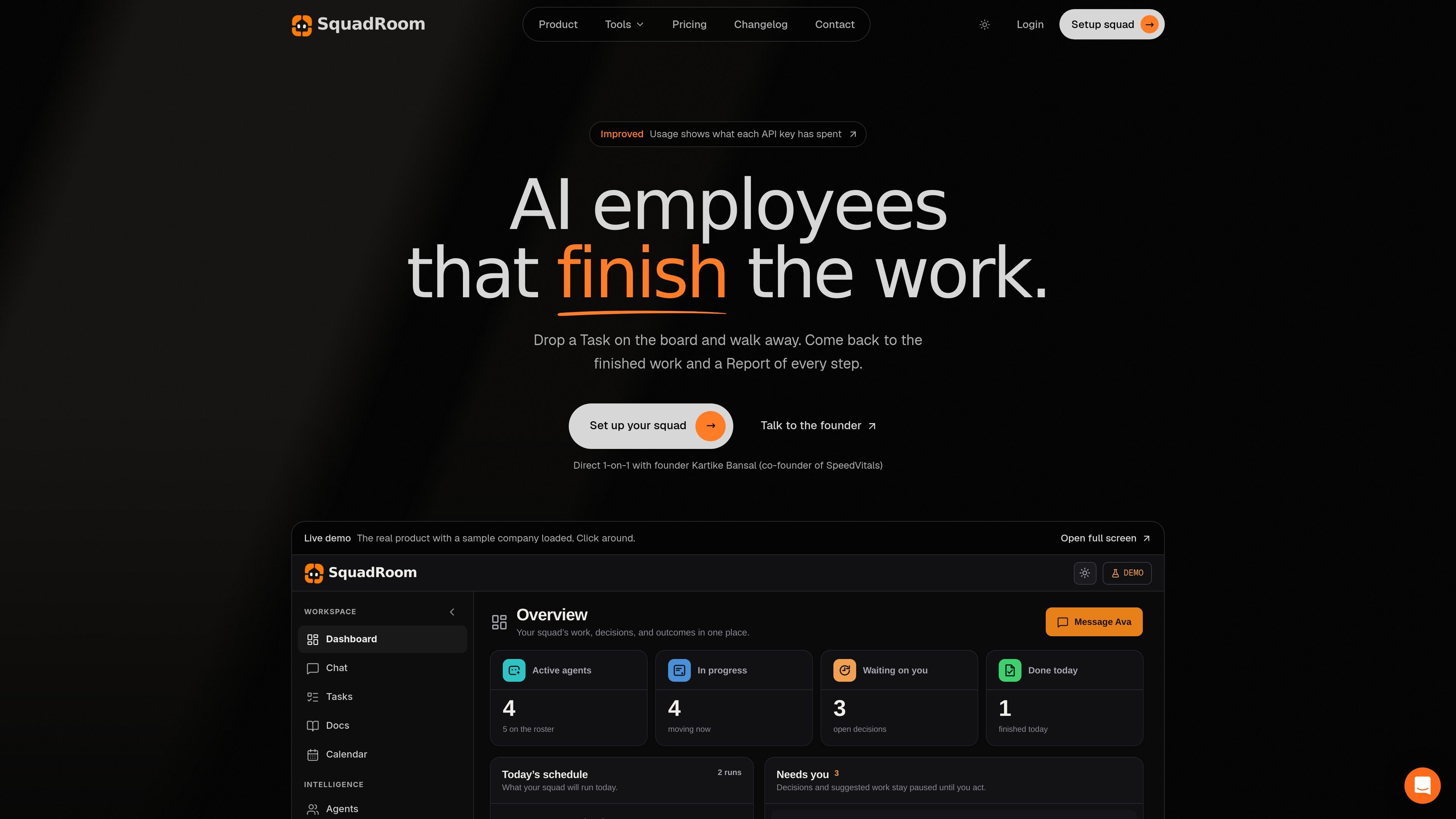
SquadRoom is a workspace for building a roster of specialist AI agents and assigning them work through a shared Tasks board. A lead agent named Ava routes each Task to the relevant specialist, while the agents perform work, hand off steps, and return a Report of the process and outcome.
The workspace brings Tasks, Tickets, Activity, Docs, Reports, scheduled Jobs, and Chat into one operating flow. It is designed for work that benefits from delegated research, review, and repeatable execution rather than turn-by-turn prompting. Users provide direction when an agent raises a Ticket or requests a decision, and can inspect the resulting documents and activity history.
Write a Task on the board and let a lead agent route it to the specialist responsible for the work. Finished Tasks produce a Report describing the work and its result.
Configure a roster of specialist agents, assign models to suit each role, and give connections read, write, or full access on a per-agent basis.
Agents can hand off work, review one another's output, and group related Tasks into Epics. Activity records the movement and decisions involved.
Research tools cover web search, page reads, browser sessions, and searches across LinkedIn, X, Reddit, YouTube, Instagram, Facebook, and TikTok. Findings are placed in Docs.
Docs retain a new version on every save, accept uploaded reference material, and can be shared by link. Reports remain associated with the work that produced them.
Create recurring Playbooks and scheduled Jobs, then monitor runs through the workspace or communicate with agents through Chat and Telegram.
Assign web, company, and social-platform research to a market-research specialist, then review the findings in a Doc and the completed work in a Report.
Use a squad to reconcile CRM ownership or lifecycle data, verify records against sources, and leave a documented list of unresolved next steps.
Coordinate partnership work by having agents score potential partners, prepare an outreach brief, and pause for approval before a human sends communications.
Have a content specialist turn approved customer outcomes into proof briefs or other draft materials while recording source checks and review activity.
Turn recurring checks or research routines into Playbooks and scheduled Jobs that can be monitored from the workspace or via Telegram.
SquadRoom is a workspace where specialist AI agents receive Tasks on a board, hand work to one another, and return activity, documents, and a final Report.
You can connect a ChatGPT account or a key from OpenAI, Anthropic, Google, Azure OpenAI, or OpenRouter. Model usage is billed directly by the provider, without markup from SquadRoom.
Ava, the lead agent, routes a Task to the appropriate specialist. Specialists can contribute to one another's Tasks, while the lead can group related work into Epics.
When an agent is blocked, it raises a Ticket containing one to three questions. The Task pauses until you answer in the inbox or Chat, then resumes.
Outputs are stored in Docs, where each save creates a new version. You can upload reference material for agents and share Docs with a link. Finished Tasks also produce Reports.

Biji는 혁신적인 도구와 기능을 통해 생산성을 향상시키기 위해 설계된 다목적 플랫폼입니다.

runevr is a connected workspace for creative teams that combines boards, media review, chat, recordings, drive, calls, and AI agents in one room-based environment. It is designed to reduce tool switching and keep project context together.

BotBoard is a task-management layer for AI agents that helps teams assign work, track progress, and review output. It supports CLI, MCP, and HTTP connections for tools like OpenClaw, Codex, Claude Code, and Cursor.
Work Life Panda is a task, calendar, notes, and coordination app for individuals, families, groups, and small teams. It combines existing calendars with to-dos, shared spaces, item-specific chats, and on-device AI task capture across mobile and web.
HackathonHost is white-label hackathon and game jam management software for organizers running hackathons, game jams, demo days, and related competitions. It combines registration, team building, judging, live control, certificates, and analytics in one hosted workspace.

hob is an independent workspace for coding agents that keeps agent sessions, terminals, history, and follow-up work organized around the tools and providers you already use. It is aimed at developers who want local control over routing, history, and workspace structure rather than a bundled model stack.