
Automatic step capture
Start recording and click through a workflow. StepGrab captures each click as a clean screenshot, so the guide is assembled automatically as you work.

StepGrab is a native macOS app that records on-screen workflows and turns them into step-by-step SOPs, tutorials, and guides. It runs locally, requires no account to get started, and exports to PDF, GIF, or MP4.
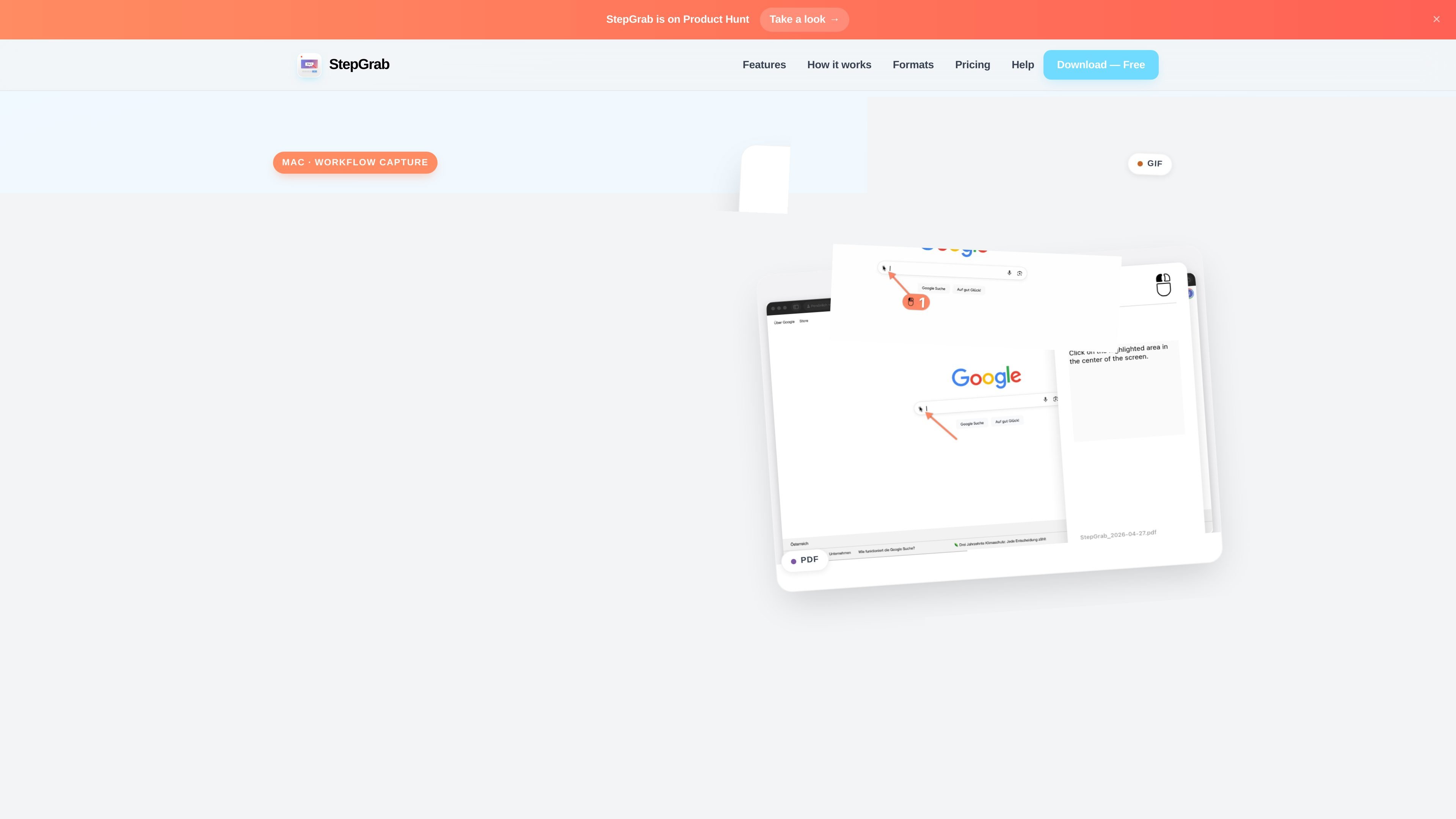
StepGrab is a native macOS app for turning on-screen workflows into step-by-step guides, SOPs, and tutorials. It captures a screenshot at every click, adds numbered annotations, and assembles the result locally on your Mac.
The product is designed for people who document repeatable processes across Mac apps, not just in the browser. It runs offline, does not require an account to get started, and can export finished guides as PDF, GIF, or MP4.
Start recording and click through a workflow. StepGrab captures each click as a clean screenshot, so the guide is assembled automatically as you work.
Captured steps are presented as true Mac-style screenshots, with rounded corners, shadows, and no desktop clutter unless you choose otherwise.
Menus, submenus, and system pickers are captured reliably, including interactions where the click closes the menu.
Add numbered arrows that land where you clicked, with control over color, size, line width, and length.
Export the same workflow as a PDF document, an animated GIF, or an MP4 video depending on where you want to share it.
Record from a lightweight floating HUD in the menu bar, with step count, previews, undo, discard, and export controls close at hand.
Capture a repeatable internal process as a numbered guide that teammates can follow without watching a live demo.
Record a support workflow, then share it as a PDF, GIF, or MP4 in a ticket, Slack thread, or help doc.
Create annotated bug reproduction steps that show exactly what was clicked and in what order for Jira or GitHub workflows.
Document how to configure or use a Mac app, including menus and dialogs, when the process needs screenshot-by-screenshot clarity.
StepGrab runs entirely on your Mac. Screenshots, recordings, and exports stay on your device, and the product states that nothing is uploaded to a server unless you explicitly share it.
StepGrab is free to try on the Mac App Store. The source says you can record your first few guides without an account, and that Pro unlocks unlimited recordings, MP4 export, and all customization options.
StepGrab supports macOS 14.0 and later, including both Apple Silicon and Intel Macs.
You can export a recording as a numbered PDF guide, an animated GIF, or a full-motion MP4 video. The source also says the same recording can be exported in all three formats.
Yes. Before exporting, you can review the live preview, delete unwanted steps, undo the last capture, and adjust arrow color, size, and style. Exporting does not alter the original capture.

MeetStream is a meeting bot API for Zoom, Google Meet, Microsoft Teams, and Webex. It helps developers record, stream, and analyze meetings programmatically, with usage-based pricing and a $5 free credit to start.

Codex Plugins bundle reusable skills, app integrations, and MCP servers into workflows you can install in the Codex app or use from Codex CLI. They help extend Codex with connected-service tasks, reusable instructions, and shared team workflows.

Struere is an AI-native platform for turning spreadsheet data into structured operational software with dashboards, alerts, and automations. It is aimed at teams that want to replace manual spreadsheet workflows without building custom tools from scratch.

Wysera is an AI business platform that combines PostWyse for content and OpsWyse for CRM and revenue workflows, powered by the shared Wyse AI. It is built for solo operators, teams, and agencies that want approval-first automation across publishing, lead follow-up, and related operations.

Spotit은 macOS 앱으로, 다른 작업 중 막히면 화면을 읽고 음성 질문과 안내로 클릭 위치를 정확히 하이라이트합니다.

OpenFlags is an open-source, self-hosted feature flag platform for modern JavaScript teams. It supports local evaluation, targeted rollouts, and controlled launches while keeping flag data in your own infrastructure.