

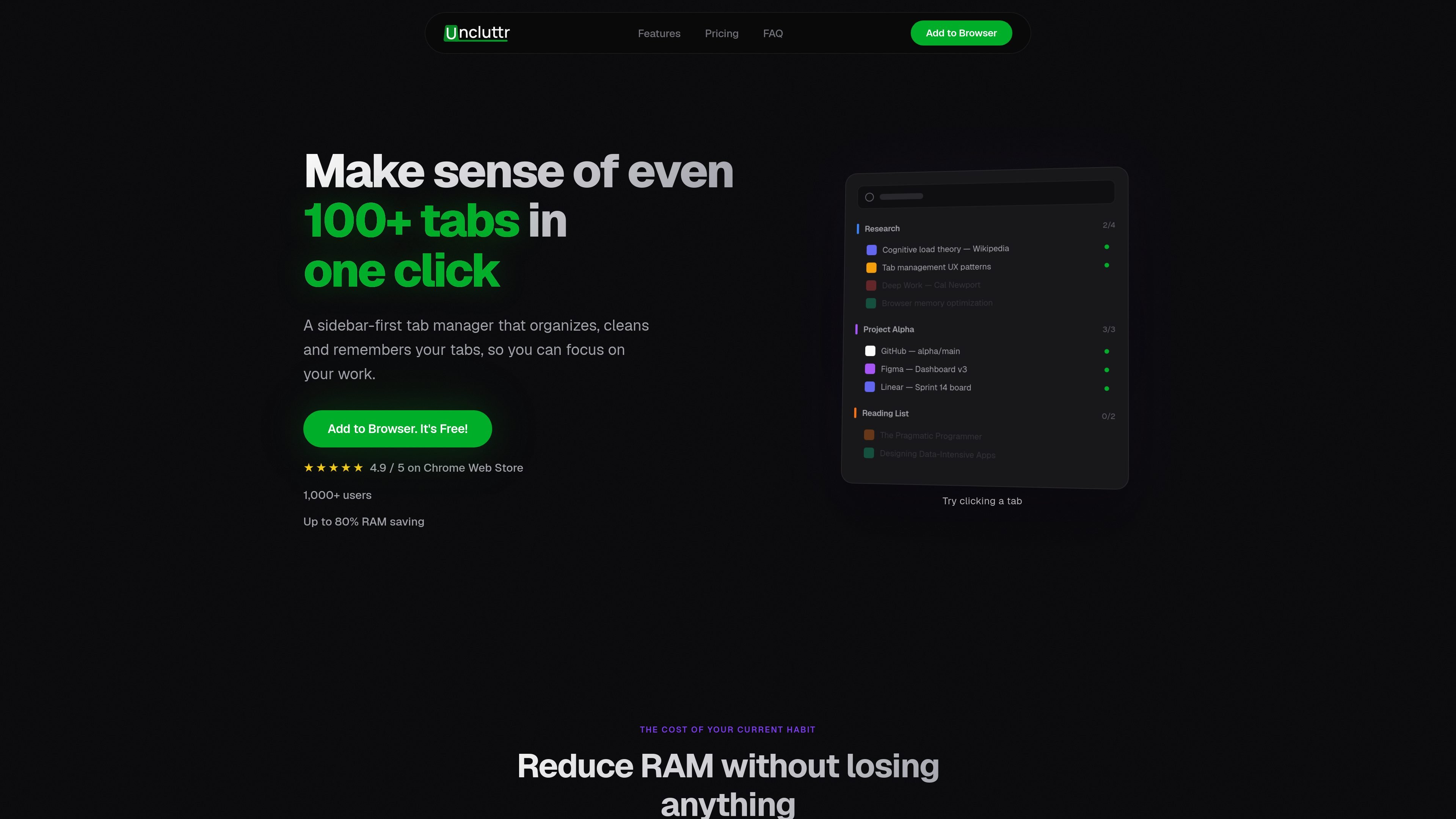
AI tab grouping
Uncluttr can automatically group tabs based on context, helping users sort large tab sets without dragging every tab by hand.
Uncluttr is a browser tab manager for Chromium-based browsers that helps people organize large tab sets into workspaces and groups without losing access to them. The product is presented as a sidebar-first extension that uses AI grouping, search, and automatic cleanup features to make busy browser sessions easier to handle.
Its public copy emphasizes keeping tabs available while reducing visual clutter and browser memory use. The site says detached tabs use zero memory, and that saved workspaces remain independent of Chrome so they are less exposed to crashes, updates, and profile issues.
Uncluttr can automatically group tabs based on context, helping users sort large tab sets without dragging every tab by hand.
The product centers on a vertical sidebar that keeps grouped tabs visible and accessible while reducing the clutter of a standard tab strip.
The site says detached tabs use zero memory while staying one click away, which is intended to reduce browser load without closing work in progress.
The home page shows search across all tabs and groups, making it easier to find an item in a long session.
The free plan lists duplicate detection, auto-close of unused tabs, auto-collapse of groups, automatic grouping, and limited Smart Grouping.
The Unlimited plan adds unlimited AI auto-grouping, rule-based grouping, smart group renaming, cross-device sync, analytics and insights, and priority support, with some items marked coming soon.
For people who keep dozens of tabs open for research, writing, or development, Uncluttr groups related pages into workspaces so they are easier to return to later.
For users who want to clear the browser’s tab strip without fully closing pages, the sidebar and detached-tab workflow keeps less-used tabs accessible while reducing clutter.
For people who worry about losing work after a crash or update, the product’s independent workspace storage is meant to preserve saved tab sets outside Chrome’s own session state.
For users who need to find a page quickly in a long session, search across all tabs and groups helps locate tabs without scrolling through many windows.
For users starting with the free plan, the included automation and cleanup tools provide a basic path to organize tabs before deciding whether paid grouping features are needed.
Uncluttr is a Chrome extension with a free plan and an optional paid Unlimited plan. The pricing page itself was not available, but the home page shows both plans and the upgrade flow in-app.
It keeps tabs in a vertical sidebar and can group tabs automatically by context. The site also says detached tabs use zero memory while staying one click away, which is the main workflow difference it highlights.
The home page says it works with Chrome, Edge, Brave, and other Chromium browsers. The site copy also presents it as a Chrome Web Store extension.
The site says workspaces are saved independently of Chrome, so crashes, updates, and profile issues cannot touch them. That is the main protection it advertises against losing saved tab sets.
The source pages do not describe team collaboration features. Based on the published copy, Uncluttr is positioned as an individual browser tab manager rather than a shared workspace tool.

Goldfish is an AI memory app for macOS that helps you reply, write, summarize, and continue using the context already on your Mac. It stores memory locally and writes in your tone.

ArtDeck is a visual reference board app for iPhone, iPad, and Mac that lets artists collect mixed reference material on one canvas and study it with ToolBox lenses. It works offline, supports optional iCloud sync, and is sold as a one-time purchase with no account required.

Malyatko is a baby tracker for logging feeding, sleep, growth, teething, and milestones in one app. It works on iPhone, Apple Watch, and widgets, with no sign-up, offline use, and family sharing through iCloud.

Dcyde is a decision log for product teams that captures what was decided, the reasoning behind it, and the source in one shared place. It supports pinning decisions from Slack, Figma, or inside Dcyde and keeps the record searchable over time.

Contextbergは、画面・入力・ブラウザ・AIエージェントの利用履歴をローカルで記録し、MCP経由でClaude CodeやCursorなどに作業コンテキストを渡すデスクトップアプリです。中断した作業の再開、過去ログの検索、日次レビューに利用できます。

Yattayo: Slider To-Do Board is a productivity app that turns tasks into a physical-style slider board with sticky notes, widgets, reminders, and iCloud sync. It helps people who want a more tactile way to manage to-dos and, in Premium, recurring habits.