
Workspace and AI Space
A visual office interface lets users move through cabins in Workspace, while AI Space provides a place to talk with agents and work through tasks.

Velozity is a virtual office where teams can collaborate with AI agents, manage tasks, hold calls, and keep transcripts, calendars, files, and presence together. It is aimed at teams that want agent-assisted work in a shared workspace.
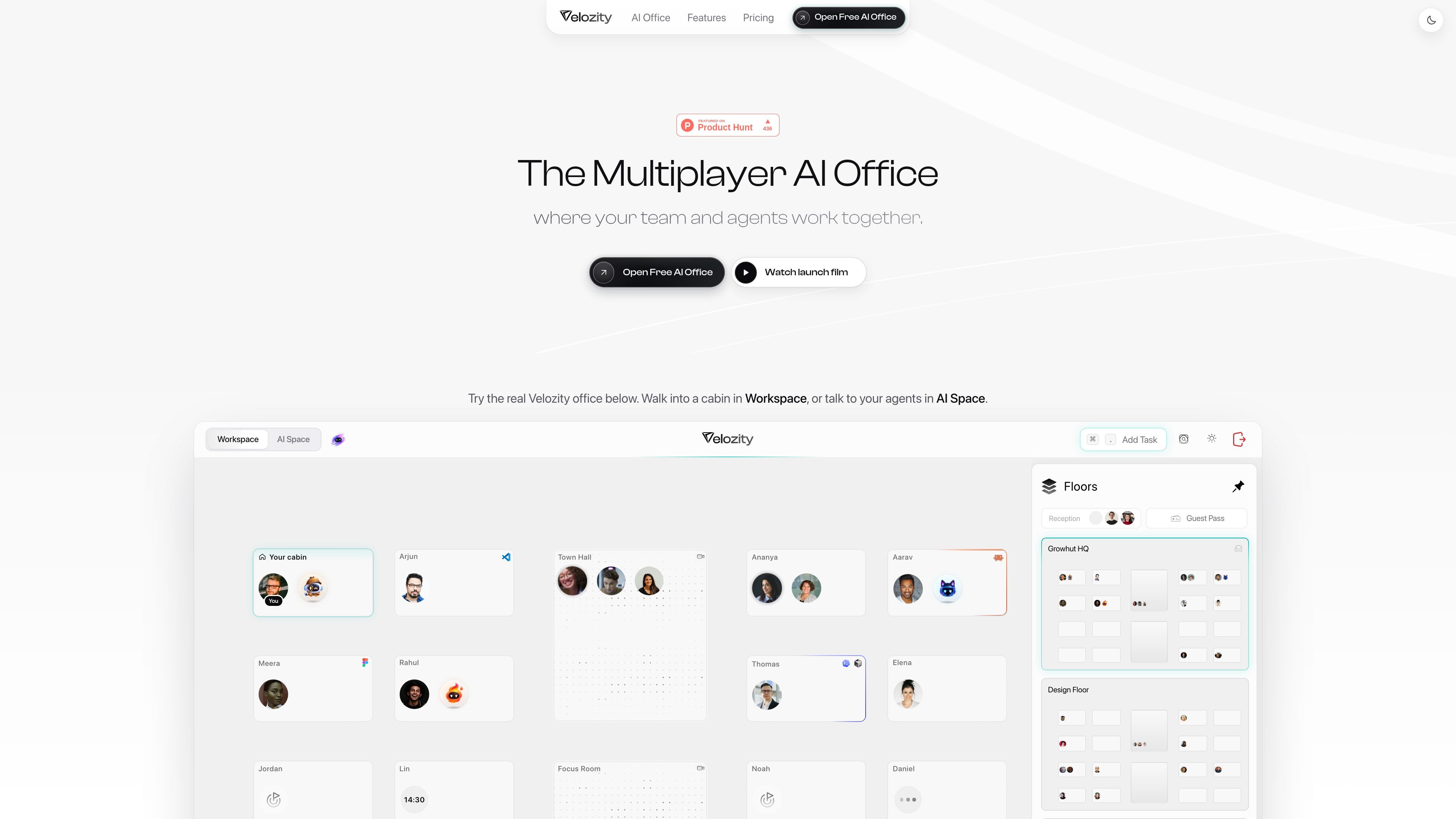
Velozity is a virtual office for teams and AI agents. It combines an office-style Workspace, an AI Space for agent conversations, task management, calls, presence, calendars, files, guests, and transcripts in one interface.
The product is designed to keep work and its context together: agents can use synced email, transcripts, and files to answer questions, capture or create tasks, and prepare briefs. Teams can organize work in Spaces, invite teammates, and manage external access with guest passes.
A visual office interface lets users move through cabins in Workspace, while AI Space provides a place to talk with agents and work through tasks.
Tasks can be typed or dictated. Smart mode checks existing tasks before updating, completing, or flagging duplicates; Fast mode always creates a new task and lets users select a due date.
The built-in Speed agent can read synced email, transcripts, and files, create prioritized tasks with due dates, answer questions from team data, and produce a morning brief.
Calls include audio recording and transcription, giving agents and teammates a shared record of discussions and decisions.
Spaces support private or public visibility, teammate invitations, presence, calendars, files, settings, and guest-pass access managed through Reception.
The homepage shows agents connected to GitHub, local agents on a Mac or cloud computer, connected apps, synchronization status, and a cloud computer for legacy apps; the full supported list is not specified.
A team can hold a call, keep the recording and transcript in the office, and turn discussion points into assigned tasks with priorities and due dates.
An agent can inspect synced email, transcripts, and files to identify unanswered messages, upcoming work, or relevant decisions without requiring the user to search each source separately.
Teams can create a Space for coding work, invite teammates, and connect GitHub or local agents running on a Mac or cloud computer. The source does not define the full coding workflow or supported repositories.
A remote or distributed team can use presence, cabins, calls, calendars, and shared Spaces to make availability and ongoing work visible in one place.
An organization can create guest passes for external collaborators, set a validity period, and admit guests through Reception when they arrive.
Velozity provides a free-to-start office and states that no card is needed to open it. The accessible source does not establish paid-plan prices, billing intervals, or usage limits.
A workspace can include Spaces with private or public visibility, and teammates can be invited to a Space. The site also shows guest passes for external access, with configurable validity options and host-controlled entry at Reception.
Users can walk into a cabin in Workspace or talk with agents in AI Space. Tasks can be entered manually or dictated by voice, with Smart mode checking existing tasks or Fast mode creating a new task.
The site shows built-in Speed, an AI agent that can read synced email, transcripts, and files, create tasks, capture tasks from messages, answer questions from connected data, and prepare morning briefs. It also indicates that users can bring an existing AI subscription to create agents, although the supported providers are not specified.
Velozity presents calls, presence, notes, tasks, calendars, guests, and transcripts in one office-style interface. The homepage also references connected apps, synchronization, GitHub, local agents, and a cloud computer, but does not provide a complete integration or platform list.

Biji는 혁신적인 도구와 기능을 통해 생산성을 향상시키기 위해 설계된 다목적 플랫폼입니다.

runevr is a connected workspace for creative teams that combines boards, media review, chat, recordings, drive, calls, and AI agents in one room-based environment. It is designed to reduce tool switching and keep project context together.

BotBoard is a task-management layer for AI agents that helps teams assign work, track progress, and review output. It supports CLI, MCP, and HTTP connections for tools like OpenClaw, Codex, Claude Code, and Cursor.

MeetStream is a meeting bot API for Zoom, Google Meet, Microsoft Teams, and Webex. It helps developers record, stream, and analyze meetings programmatically, with usage-based pricing and a $5 free credit to start.

Liam is an AI copilot for managing inboxes, writing replies, prioritizing email, and scheduling meetings. It is offered free for individuals, with custom pricing for teams and enterprise.

hob is an independent workspace for coding agents that keeps agent sessions, terminals, history, and follow-up work organized around the tools and providers you already use. It is aimed at developers who want local control over routing, history, and workspace structure rather than a bundled model stack.